ENEnglish
 LTLietuviškai
 DEDeutsch
 FRFrançais
 RUРусский
 ESEspañol
 PLPolski
 ITItaliano
 UKУкраїнська
 CSČeština
 PTPortuguês
 JA日本語
JA日本語 LVLatviešu valoda
 ETEesti
 HUMagyar
 IDBahasa Indonesia
 TRTürkçe
 HIहिन्दी
 ELΕλληνικά
 ARالعربية
 THไทย
THไทย VITiếng Việt
 RORomână
 MSBahasa Melayu
 BNবাংলা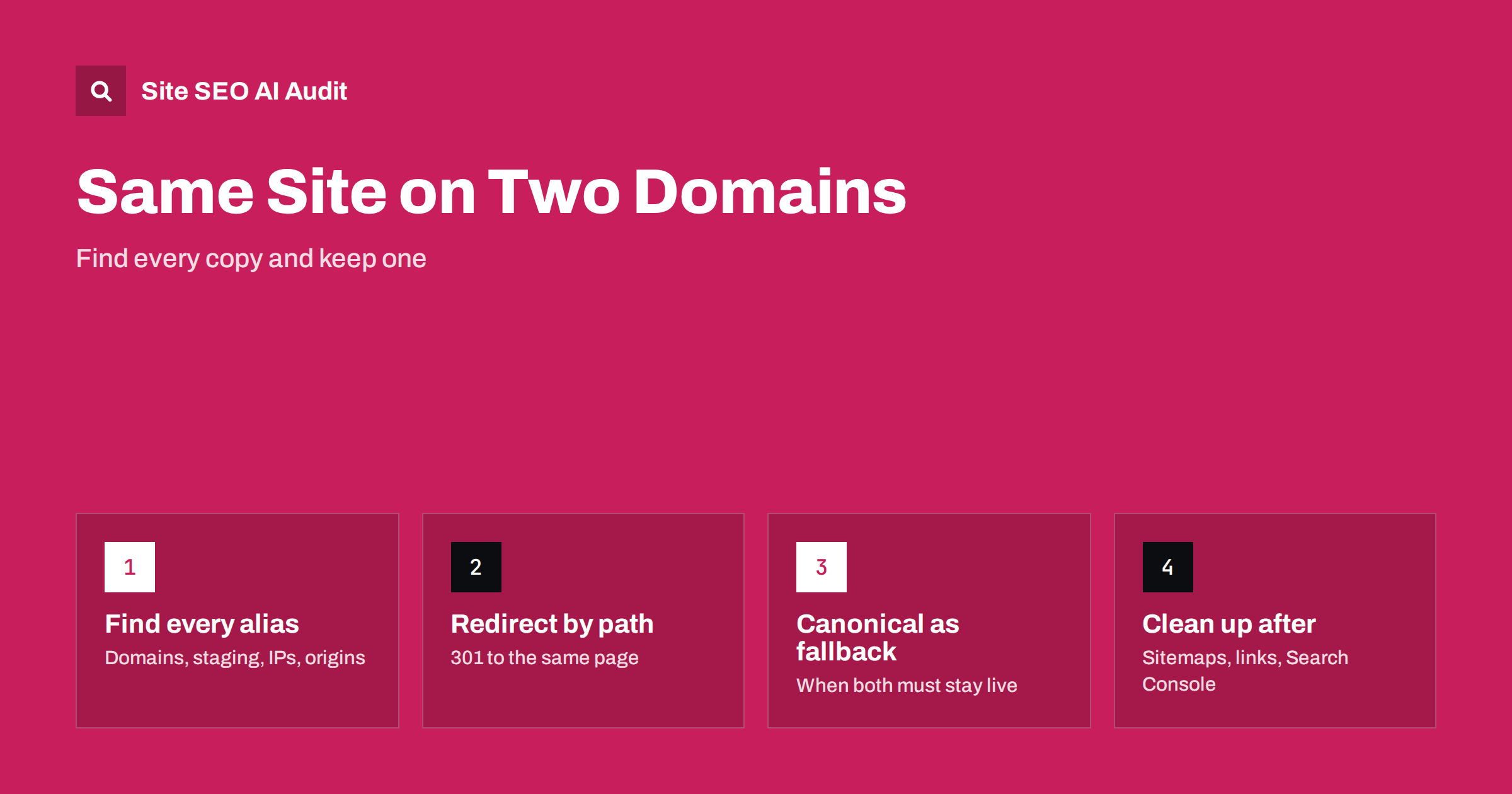
Short answer: If the same website answers on two or more domains, search engines see duplicate copies and have to choose which one to show, and they do not always choose yours. The reliable fix is a server-level 301 redirect from every URL on the extra domains to the same path on the main domain. Use a cross-domain canonical only when both copies genuinely need to stay live, and keep staging, origin and IP-address versions closed to the public.
A website on two domains rarely happens on purpose. A company rebrands and leaves the old domain pointing at the same hosting. Someone buys the .net and the country domain to protect the brand and configures them as aliases instead of redirects. A developer leaves a staging copy open. Each case produces the same result: two complete, crawlable copies of every page. This guide explains how to find them, which fix fits which situation and what to check afterwards.
How one site ends up on several domains
Most duplicate domains come from a small set of everyday setups:
- Domain aliases: the hosting panel lets you add extra domains to the same site. They work immediately and look harmless, but each alias serves a full copy of the site.
- Rebrands without redirects: the new domain goes live, the old one keeps working, and nobody adds redirects because nothing seems broken.
- Brand protection domains: the .com, .net, .co.uk and typo domains all point to the same server.
- Staging and development copies: a copy on a subdomain or a separate domain is left public and gets crawled.
- Hosting and CDN hostnames: a temporary hosting URL, an origin server hostname behind a CDN or the bare server IP address serves the site.
- Old microsites merged into the main site: the content moved, but the old domain still shows its own copy.
If you recently bought a domain or merged several sites, our guide to checking a used domain’s history covers what else to look at before connecting it to your site.
Why duplicate domains hurt
Google groups identical pages and chooses one URL as the canonical version to show in results. Its documentation on consolidating duplicate URLs explains that it uses several signals for this choice, including redirects, canonical tags, sitemaps and links. When two domains serve the same content without clear signals, several things can go wrong:
- The wrong domain ranks: the old brand or the alias appears in results instead of the main domain.
- Signals split: links from other sites point to both domains, so neither copy gets the full benefit.
- Crawling is wasted: search engines crawl every page twice, which matters on large sites.
- Reports become confusing: Search Console shows pages as duplicates with a different canonical chosen by Google.
- Users and AI answers cite the wrong address: people bookmark, share and quote whichever copy they found.
There is usually no penalty for this kind of duplication. The cost is loss of control: you let the search engine decide which address represents your business.
How to find every domain that serves your site
Start with what you own, then check what the outside world sees:
- List your domains: check your registrar accounts for every domain the business owns, including old brands and typo domains.
- Request each one: open the home page and a deep URL on each domain, with and without www and over both HTTP and HTTPS. Note whether it redirects, shows the site or shows an error.
- Check the hosting panel: look for alias, parked or add-on domains attached to the main site.
- Search for a unique sentence: put a distinctive sentence from your site in quotes in a search engine and see which domains appear.
- Look at Search Console: in the Page indexing report, pages listed as duplicates with a different canonical chosen by Google can reveal the other copy. The URL Inspection tool shows which URL Google selected.
- Check server logs: requests with unexpected Host headers show which names reach your server.
Do not forget the server IP address and any hostname your CDN uses to reach the origin. These are easy to miss and occasionally get indexed.
The main fix: path-preserving 301 redirects
For any domain that does not need to show its own content, redirect it. A permanent redirect is the strongest signal that the main domain is the one to keep, and it also sends visitors to the right place. Our guide to 301 vs 302 redirects explains why the permanent type is the right one here. To do it properly:
- Preserve the path:
old-brand.com/services/audit/should go tomain.com/services/audit/, not to the home page. Redirecting everything to the home page throws away the value of deep links. - Redirect in one step: go straight to the final HTTPS URL on the main domain, without passing through HTTP or a www hop. Our guide to redirect chains shows how to test this.
- Keep certificates valid: visitors and crawlers who request
https://old-brand.com/need a valid certificate on that domain before the redirect can happen, so keep HTTPS active on every redirecting domain. - Configure it at the server or CDN level: not in the application, so that every URL is covered, including files and old paths.
- Keep the redirects for a long time: ideally as long as you own the domain. Removing them later brings the duplicate problem back.
When a cross-domain canonical is the better tool
Sometimes both copies must stay reachable. Two regional brands may share a page, a partner site may republish your article, or a legacy domain may need to keep working for existing customers. In these cases, a canonical tag on the copy can point to the original on the main domain:
<link rel="canonical" href="https://main.com/services/audit/">Keep in mind that a canonical tag is a hint, not a command. Search engines usually follow it when the pages really are the same, but they may ignore it if the content differs or other signals disagree. For republished articles on other sites, our guide to content syndication covers the extra considerations.
Which fix fits which situation
| Situation | Best fix | Why |
|---|---|---|
| Old brand domain after a rebrand | 301 redirect by path | Moves visitors and signals to the new domain |
| Brand protection and typo domains | 301 redirect by path | No reason for them to show content |
| Hosting alias or parked domain | 301 redirect, or remove the alias | Aliases serve full copies by default |
| Partner site republishing your page | Cross-domain canonical | Both copies must stay live |
| Staging or development copy | Password protection | Should not be public at all |
| Server IP or CDN origin hostname | Redirect, or block direct access | Not meant for visitors |
Staging copies, origin hosts and IP addresses
A staging site should never be crawlable. Password protection at the server level is the dependable option, because a noindex tag can be lost when content is copied between environments and robots.txt does not remove pages that are already known. If a staging copy is already indexed, our guide to fixing an indexed staging site explains the clean-up.
For CDN setups, configure the origin server to answer only requests that come through the CDN, or to redirect requests with any other Host header to the main domain. The same applies to the bare IP address: a request to the IP should not return a full copy of the site.
After the fix: what to clean up
- Sitemaps: submit sitemaps only for the main domain, and list only main-domain URLs in them.
- Internal links: replace absolute links to the old domain in content, menus, templates and structured data.
- Canonical tags: every page on the main domain should reference itself on the main domain, not an alias.
- Search Console: if you moved permanently from one domain to another, use the Change of Address tool for the old domain’s property after the redirects are live.
- External profiles: update the website address in business profiles, social accounts and directories you control.
- Monitoring: recheck every domain from your list after server changes, because a new hosting configuration can quietly re-enable aliases.
A consistent single address also depends on the details covered in our guide to www, trailing slashes and URL case.
Checking the main domain after consolidation
Once the extra domains redirect, the main site still needs to send clean signals of its own. Site SEO AI Audit crawls your site like a search engine and checks status codes, canonicals, redirect chains, links to redirects and sitemap URLs on every page, then ranks the fixes by how many points each one adds. That shows quickly whether old absolute links, canonicals or sitemap entries still point to an address you have redirected. The first audit of up to 200 pages is free.
Related reading
The bottom line
A site that answers on several domains asks search engines to guess which one matters. List every domain you own, check what each one serves, and redirect every extra domain by path to the main domain with a single 301. Use cross-domain canonicals only where both copies must stay live, lock staging and origin hosts away from the public, and then clean up sitemaps, internal links and canonicals so that every signal points to one address.
GYIK
Is having my site on two domains a penalty risk?
Usually not. Duplicate domains are treated as a technical duplication problem rather than spam. The real cost is that search engines may show the wrong domain and split signals such as links between the copies.
Should I redirect extra domains to the home page?
No. Redirect each URL to the same path on the main domain. Sending every old URL to the home page loses the value of deep links and frustrates visitors who expected a specific page.
Is a canonical tag enough instead of a redirect?
Only when both copies must stay live. A canonical tag is a hint that search engines may ignore, and it does not move visitors. For domains that have no reason to show their own content, a 301 redirect is the stronger and simpler fix.
How long should I keep redirects from an old domain?
For as long as you own the domain, ideally. Links, bookmarks and old citations keep sending people to the old address for years, and removing the redirects can bring the duplicate copy back.
Can my server IP address get indexed?
It can, if the IP returns a full copy of the site and someone links to it or it is discovered another way. Configure the server to redirect or refuse requests that do not use your main domain name.