ENEnglish
 LTLietuviškai
 DEDeutsch
 FRFrançais
 RUРусский
 ESEspañol
 PLPolski
 ITItaliano
 UKУкраїнська
 CSČeština
 PTPortuguês
 JA日本語
JA日本語 LVLatviešu valoda
 ETEesti
 HUMagyar
 IDBahasa Indonesia
 TRTürkçe
 HIहिन्दी
 ELΕλληνικά
 ARالعربية
 THไทย
THไทย VITiếng Việt
 RORomână
 MSBahasa Melayu
 BNবাংলা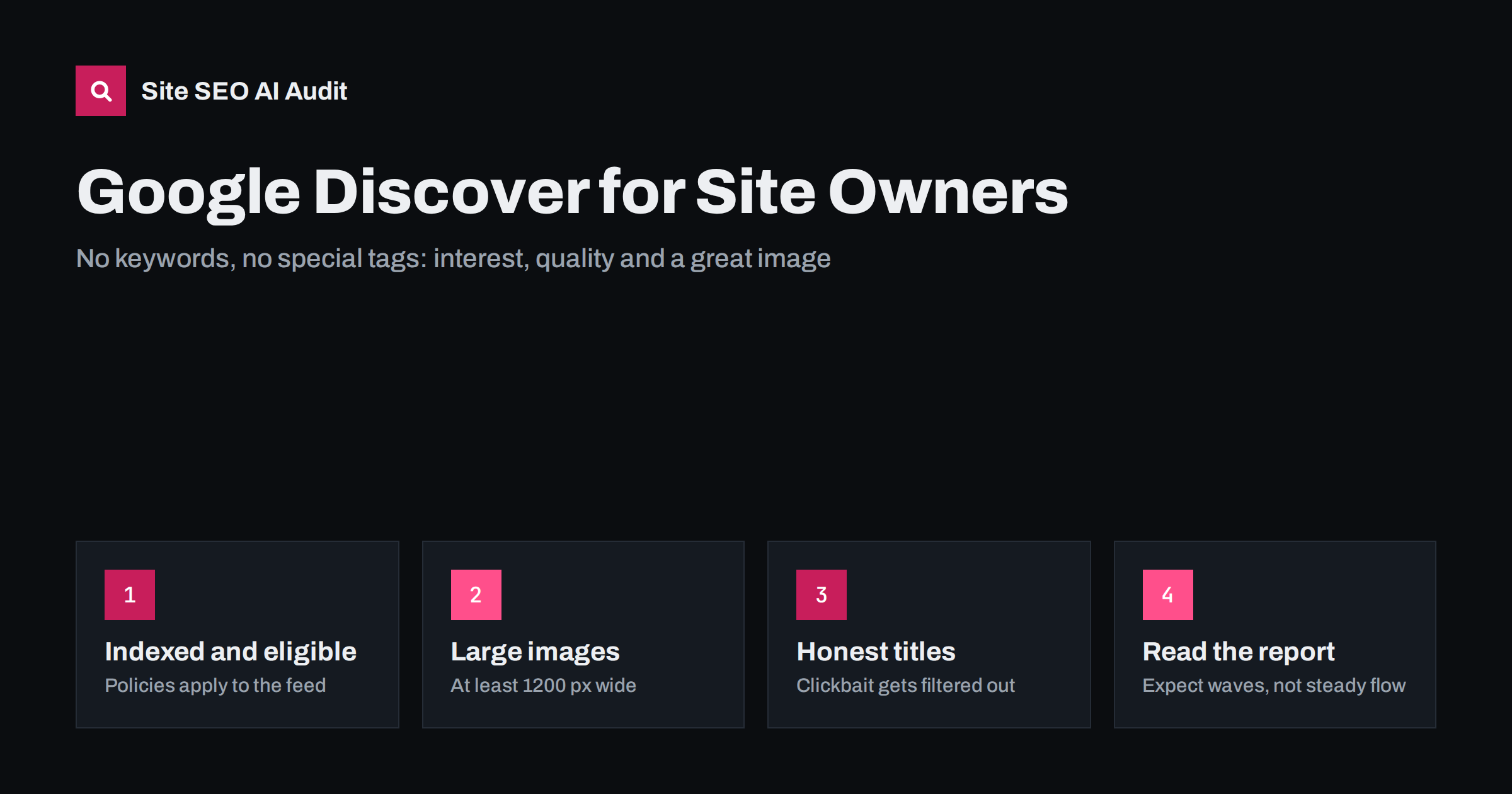
Short answer: Google Discover is a personalised feed in the Google app and on Google’s mobile home page that shows content based on a user’s interests, not on a typed query. There is no special markup to get in: a page must be indexed and follow Google’s content policies, and then helpful, timely content with a large, high-quality image and an honest title has the best chance. Discover traffic comes in waves, so treat it as a bonus on top of search, not a channel you can plan around.
Many site owners first notice Discover when a single article suddenly gets thousands of mobile visits in a day, then almost none a week later. That pattern is normal. Understanding how the feed works helps you get more of those waves and avoid the mistakes that keep a site out of the feed altogether.
What Google Discover is
Discover shows cards with an image, a title and the site name to people who have not searched for anything. Google chooses the cards from indexed content, based on what it knows about each user’s interests, such as topics they follow, their search and browsing activity and their location settings. Users can follow topics, hide stories and say they want more or less of a source.
Three things make Discover different from classic search:
- No query. You cannot target keywords. You can only be relevant to interests.
- Mostly mobile. Discover is used mainly on phones, so the mobile version of your page is what counts. Our mobile-first indexing checklist covers the basics.
- Strong freshness bias. News and new content get most of the traffic, though evergreen articles can also appear when they match a user’s interests.
Eligibility: the basics you cannot skip
According to Google’s Discover documentation, content is automatically eligible if it is indexed by Google and meets Discover’s content policies. There is nothing to submit and no tag to add. In practice this means:
- the page is indexable: no noindex, a self-referencing canonical, and not blocked in robots.txt;
- the page loads properly on mobile and its main content is visible without user interaction;
- the content follows Google’s policies, which exclude things such as dangerous content, harassment, misleading content and sexually explicit material from the feed;
- for news sites, transparency matters: clear dates, bylines, author information and contact details.
If a page is not indexed, it cannot appear in Discover. Checking indexing first saves a lot of guesswork.
Images: the most important on-page factor
Discover is a visual feed, and the card image is what people see first. Google recommends large, compelling images, and its documentation names specific requirements for the large card format:
- use images that are at least 1200 pixels wide;
- allow large previews with the
max-image-preview:largerobots setting, or use AMP; - avoid using your site logo as the main image;
- use an image that is relevant to the story, not a generic stock picture.
Make sure the image you want is the featured image of the post and appears in your Open Graph tags and structured data, so Google picks the right one. Our guides to Open Graph tags and snippet controls such as max-image-preview show how these settings work. Images with heavy text overlays are often cropped badly in cards; put the message in the title instead.
Titles: honest beats clever
The title on a Discover card is usually your page title or headline. Google’s guidance asks for titles that capture the essence of the content without misleading people. Clickbait patterns are specifically discouraged:
- withholding crucial information to force a click (“You won’t believe what happened next”);
- exaggerated or sensational claims the article does not support;
- using outrage or shock to manipulate interest.
A good Discover title says what the reader will get, adds a specific detail, and stays readable on a small screen. The same principles are covered in our title tag writing guide. If you use a different headline on the page than in the title tag, make sure both are accurate.
Content that tends to do well
Because Discover is interest-based, content that people actively follow does best. Patterns that work:
- Timely content: news, new releases, seasonal topics and updates on subjects with ongoing interest.
- Clear expertise: articles written by people who know the topic, with real experience and original detail. See E-E-A-T for what this means in practice.
- Specific angles: a guide to a concrete problem tends to perform better than a generic overview.
- Visual stories: topics where a strong image adds to the story, such as products, places, food or design.
- Updated evergreen pieces: refreshing a strong guide with new information can bring it back into the feed for interested users.
Content that tends to struggle: thin rewrites of other sites’ news, pages full of ads above the content, and articles that do not match the image or title.
A Discover-ready article template
Most of the work for Discover happens once, in your article template, rather than on each post. If the template is right, every new article is eligible by default. Check these points on one typical post and fix them at template or plugin level:
- Featured image: every post has one, at least 1200 pixels wide, with a sensible aspect ratio such as 16:9 or 1.91:1 so that it crops well in a card.
- Robots meta: the page allows large image previews and is not set to noindex. Many SEO plugins have a global setting for this.
- Share tags: og:image and twitter:image point to the featured image, not to a default logo.
- Structured data: an Article or BlogPosting block with headline, image, author and dates, so Google can match the right image and date to the story.
- Dates and author: the published and updated dates and the author name are visible on the page, with a link to an author page.
- Layout: the headline and image are visible on a phone without scrolling past ads or pop-ups, and the layout does not jump while loading.
When these six points are correct, your effort can go where it matters most: choosing topics your audience follows and writing them better than anyone else. Revisit the template after theme or plugin updates, because a single changed setting, such as a default image or a robots option, can quietly affect every article at once.
Reading the Discover report in Search Console
Search Console has a separate Discover performance report. It appears only after your site has gained a minimum number of Discover impressions, so many small sites never see it. When it is there, it shows clicks, impressions and click-through rate per page, country and device, but no queries, because there are none.
| What you see | What it usually means |
|---|---|
| Sharp spikes for one page, then a drop | Normal Discover behaviour; the story was shown, then interest faded |
| Many impressions, very low CTR | The image or title is not compelling for that audience |
| Steady decline across all pages | Less fresh content, or a quality or policy issue worth checking |
| No report at all | Not enough Discover impressions yet to show data |
In analytics, Discover visits are often reported as Google organic or direct traffic, so the Search Console report is the most reliable source.
Common reasons pages never appear
- Small images or images blocked from large previews, which limits cards to a small thumbnail format that gets fewer clicks.
- Indexing problems such as wrong canonicals or noindex tags on article templates.
- Policy issues such as misleading titles or sensational content. Search Console shows Discover-specific manual actions if they apply.
- Little fresh content. Sites that publish rarely have fewer chances to match current interests.
- Poor mobile experience, including intrusive pop-ups and layouts that shift while loading.
Most of these are technical or on-page details that are easy to miss across hundreds of posts. Site SEO AI Audit checks every page for issues such as missing Open Graph and share images, noindex and canonical problems, titles and descriptions, and speed, and lists them by how many points each fix adds. You can run a free audit of up to 100 pages to see whether your article templates have problems like these.
Related reading
- Open Graph Tags: How to Control Link Previews Everywhere
- Meta tags that matter
- Content dates and freshness
The bottom line
You cannot optimise for Discover the way you optimise for a keyword. What you can do is make every article eligible and attractive: indexed, mobile-friendly, policy-compliant, with a large relevant image, large previews allowed and an honest title. Then publish timely, expert content regularly and treat Discover traffic as a welcome extra, not the base of your plan.
FAQ
Do I need to sign up or add tags for Google Discover?
No. Any indexed page that meets Google’s content policies is eligible. There is no submission form and no special tag, though allowing large image previews helps your cards look better.
What image size does Google Discover need?
Google recommends images at least 1200 pixels wide for large cards, together with the max-image-preview:large setting or AMP. The image should be relevant to the content and should not be your logo.
Why does Discover traffic drop so suddenly?
Discover shows content while it matches users’ current interests, and interest in a story fades quickly. Spikes followed by drops are normal and do not necessarily mean anything is wrong with your site.
Why don’t I see a Discover report in Search Console?
The report appears only after a site reaches a minimum number of Discover impressions. If you do not see it, your pages have not been shown in Discover often enough yet.
Can evergreen content appear in Discover?
Yes. Fresh content gets most of the traffic, but evergreen articles can be shown to users interested in their topic, especially after a meaningful update.