ENEnglish
 LTLietuviškai
 DEDeutsch
 FRFrançais
 RUРусский
 ESEspañol
 PLPolski
 ITItaliano
 UKУкраїнська
 CSČeština
 PTPortuguês
 JA日本語
JA日本語 LVLatviešu valoda
 ETEesti
 HUMagyar
 IDBahasa Indonesia
 TRTürkçe
 HIहिन्दी
 ELΕλληνικά
 ARالعربية
 THไทย
THไทย VITiếng Việt
 RORomână
 MSBahasa Melayu
 BNবাংলা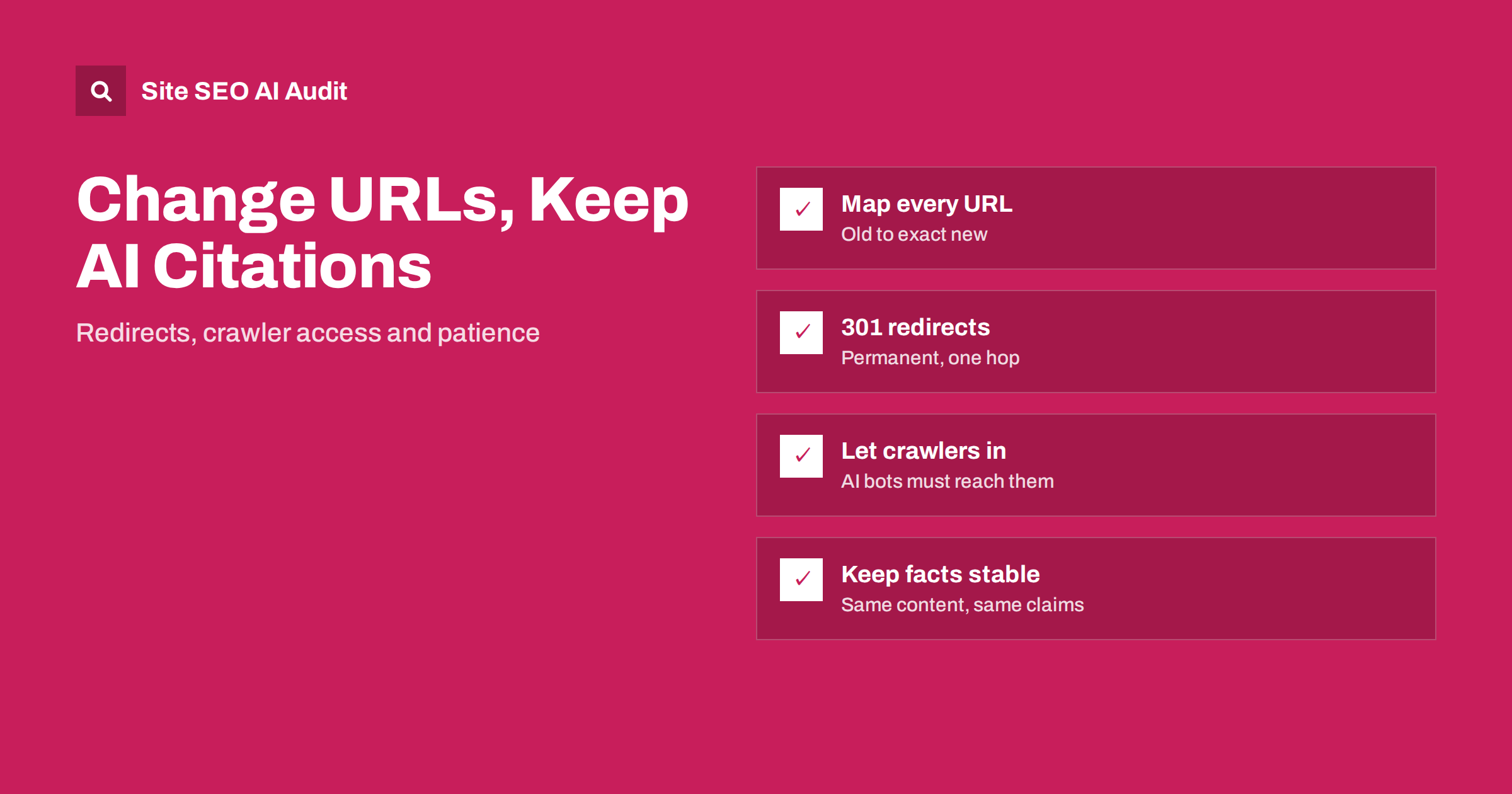
Short answer: AI search systems and assistants cite URLs from their own indexes and from search indexes they rely on, and those can lag behind your changes for weeks or months. When you change URLs, give every old URL a permanent 301 redirect to its exact new equivalent, keep redirects in place for at least a year, make sure AI crawlers can reach both old and new URLs, keep the content and key facts recognisable, and update internal links, canonicals and sitemaps at once. Then check what AI answers cite and fix any old URL that still returns an error.
Site migrations, redesigns and URL clean-ups have always carried SEO risk. AI search adds a new one. An answer engine may have cited your old pricing page or guide hundreds of times, and after a careless migration it keeps citing it, now sending users to a 404. Or it stops citing you because the new page looks like a different document. With some planning, you can carry most of that visibility across.
How AI answers pick up URLs
AI search tools find sources in a few ways, which our guide on how AI search engines work explains in detail. For URL changes, three points matter:
- Many systems use a search index. Answers that search the web in real time depend on an index from a search engine or the provider’s own crawler. These follow redirects and update, but not immediately.
- Some systems keep their own crawled copies. Pages fetched earlier may be stored and used until they are refreshed.
- Model knowledge lags most. Answers that come from what a model learned during training can mention old URLs for a long time, because training data is not updated with each change.
You cannot control how quickly each system refreshes. You can make sure that every old URL leads to the right place whenever it is used.
Plan the URL map before anything changes
The foundation of every safe URL change is a complete map from old to new. Build it before the launch, not after:
- Collect all old URLs from a full crawl, your XML sitemaps, analytics landing pages, Search Console and server logs.
- Add URLs that AI tools send traffic to. In analytics, look at referral traffic from AI assistants and note their landing pages; our guide to tracking AI referral traffic shows how.
- Map each old URL to its closest new equivalent, one to one. Avoid sending many old pages to the home page or a category.
- Decide what happens to pages that will not exist any more. Redirect them to the most relevant replacement or let them return 410 if there is truly nothing similar.
- Review the map with people who know the content, not only with a script that matches slugs.
Pages with the most AI citations and referral visits deserve special attention: these are the ones most likely to be quoted with their old address for months.
Use permanent redirects done properly
A 301 redirect tells crawlers that the page has moved for good and that signals should transfer to the new URL. For AI citations, the same rules apply as for ordinary SEO:
- Use 301 or 308, not 302 or 307, for permanent moves. Our comparison of 301 and 302 redirects explains the difference.
- Redirect in one hop. Old URLs from earlier migrations should point straight to the final URL, not through a chain; see redirect chains and loops.
- Use server-side redirects. JavaScript or meta refresh redirects are less reliable, especially for crawlers that do not run scripts.
- Keep redirects for a long time. At least a year, and longer for pages that were widely cited or linked. Removing them early sends users from old AI answers to errors.
- Preserve parameters and fragments where they matter, for example section anchors that answers link to.
Make sure AI crawlers can follow the redirects
A migration is a common moment for new server settings, a new CDN or new bot protection. That can quietly block the crawlers you need:
- check that robots.txt on the new site allows the AI search crawlers you allowed before; our guide on allowing or blocking AI crawlers lists the main user agents;
- check that firewall and CDN bot rules do not challenge or block them, as described in whether your CDN or firewall blocks AI crawlers;
- make sure redirects are served to bots in the same way as to browsers;
- watch the server logs after launch for AI crawler requests to old URLs and the status codes they receive.
If a crawler receives a 403 or a challenge page on the old URL, it never sees the redirect, and the system may conclude that the page is gone.
Keep the content recognisable
A redirect only transfers signals well when the new page is clearly the same document, or a better version of it. AI answers cite pages for specific facts, definitions and recommendations. If a migration also rewrites, merges or trims the content, those citations may not survive:
- keep the main answers, definitions and data points that were cited;
- keep headings for the key sections, so that answers linking to a section still make sense;
- update facts that changed, but do not remove useful detail just to fit a new design;
- keep author information, dates and sources on the page.
If you merge several pages into one, make sure the new page covers what each old page was cited for. Our guide to content pruning explains how to merge without losing value.
Update every signal at once
Redirects are the safety net. The new URLs should also be the only ones your site refers to:
- update internal links in navigation, content and templates to point straight to the new URLs;
- set self-referencing canonical tags on the new pages;
- update hreflang annotations if the site has language versions;
- submit new XML sitemaps and keep the old sitemap for a short time to help crawlers discover the redirects;
- update structured data that contains URLs, such as Organization, breadcrumbs and product markup;
- update llms.txt if you publish one, since it lists key URLs for AI systems; see llms.txt explained;
- update your profiles on directories, review platforms and social networks that link to specific pages.
After launch: check what AI answers cite
For several weeks after the change, test a set of questions where your site used to be cited:
- ask the questions in the AI assistants your audience uses and note the cited URLs;
- click every cited link and confirm it redirects to the right new page in one hop;
- check your 404 log for old URLs that still receive visits and add missing redirects;
- watch AI referral traffic in analytics, by landing page, and compare it with the weeks before the change.
Expect some old URLs to appear in answers for a long time. That is fine as long as they redirect correctly. Our guide to AI assistants linking to pages that don’t exist covers what to do with URLs that never existed in the first place.
Common mistakes
| Mistake | Effect on AI citations | Fix |
|---|---|---|
| Redirecting everything to the home page | Cited facts lead nowhere; treated like a soft 404 | Redirect each URL to its exact equivalent |
| Removing redirects after a few months | Old answers send users to errors | Keep redirects for at least a year |
| New bot protection blocks AI crawlers | Old and new pages become unreachable for them | Allowlist the crawlers you want |
| Content heavily rewritten during the move | Page no longer matches what was cited | Keep key facts and sections, change design separately |
| Internal links still point to old URLs | Crawlers keep hitting redirects, signals split | Update links in templates and content |
Check redirects and AI visibility after the move
After a migration, problems hide in the details: chains from earlier redirects, internal links to old URLs, pages that now need JavaScript to show content. Site SEO AI Audit crawls your site like a search engine and checks status codes, redirect chains, links to redirects, canonicals and sitemaps on every page, plus an AI visibility area for AI crawlers in robots.txt, llms.txt and JavaScript-dependent content. Start with a free audit of up to 200 pages; larger sites take longer, up to about 20 minutes, and get a preliminary report of the first 200 pages.
Related reading
- Website migration SEO checklist
- Website redesign without losing SEO
- Duplicate pages in AI search: which URL gets cited?
The bottom line
AI answers can keep old URLs alive long after you have moved on. Map every old URL to its exact new equivalent, use permanent one-hop redirects and keep them for at least a year, let AI crawlers reach both old and new addresses, keep the cited content recognisable and update every internal signal at once. Then test the answers and fix what still breaks.
DUK
How long do AI assistants keep citing old URLs?
It varies by system. Answers based on live search usually follow redirects within weeks, while answers based on stored copies or training data can mention old URLs for months or longer. Keeping redirects in place covers all of these cases.
Do 301 redirects pass value in AI search?
Systems that rely on search indexes generally treat a permanent redirect as a move and use the new URL. The new page should contain the same or better content, so that the citations still match what the page says.
Should I block AI crawlers during a migration?
No, unless you block them anyway. Blocking them during the move prevents them from seeing redirects and new pages, which slows the transfer and can make old pages look removed.
What if an AI answer cites a URL I deleted years ago?
If there is a relevant current page, add a 301 redirect from the old URL to it. If there is nothing similar, a helpful 404 or 410 page with links to related content is better than redirecting to the home page.
Do I need to update llms.txt after changing URLs?
Yes, if you publish one. An llms.txt file lists important URLs, so it should point to the new addresses directly rather than relying on redirects.