ENEnglish
 LTLietuviškai
 DEDeutsch
 FRFrançais
 RUРусский
 ESEspañol
 PLPolski
 ITItaliano
 UKУкраїнська
 CSČeština
 PTPortuguês
 JA日本語
JA日本語 LVLatviešu valoda
 ETEesti
 HUMagyar
 IDBahasa Indonesia
 TRTürkçe
 HIहिन्दी
 ELΕλληνικά
 ARالعربية
 THไทย
THไทย VITiếng Việt
 RORomână
 MSBahasa Melayu
 BNবাংলা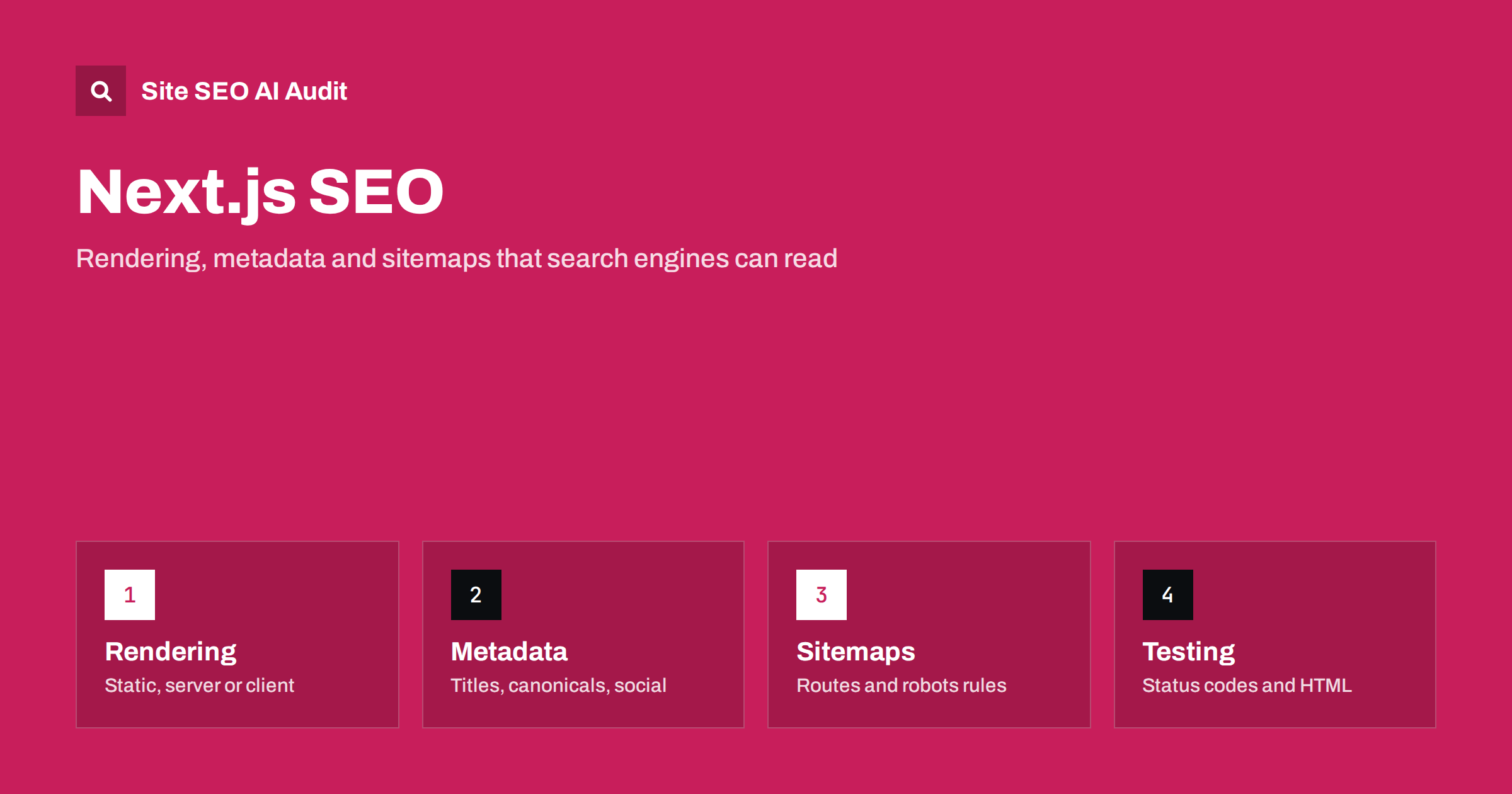
Short answer: Next.js can be very good for SEO because it sends complete HTML from the server, but only if you use it that way. Prefer static or server rendering for pages that should rank, set a unique title, description and canonical on every route, generate a sitemap and robots file from code, return real 404 status codes, and test the raw HTML response. Content that appears only after a browser fetch is still a risk for search engines and AI crawlers.
Next.js is a React framework that gives developers several ways to produce a page: at build time, on each request, or in the browser. Each choice changes what a crawler receives when it asks for a URL. Teams often choose a framework for developer speed and discover later that important pages arrive as an empty shell, that every route shares the same title, or that deleted pages answer with a success code. This guide covers the decisions that matter, in the order you will meet them, and it applies to current versions that use the App Router. Check your own version’s documentation for exact function names, because frameworks change quickly.
Choose the rendering mode per page
The most important SEO question is what the first response contains. Three broad options exist:
- Static generation. The page is built ahead of time and served as a file. It is fast, cheap and ideal for articles, documentation, landing pages and product pages that change rarely.
- Server rendering. The HTML is produced on each request, which suits pages that depend on the visitor, the cookie or fresh data. The response is complete, but the server must be quick.
- Client rendering. The browser receives a small shell and builds the content with JavaScript. Use it for dashboards and tools behind a login, not for pages you want found.
Incremental regeneration sits between the first two. A page is generated once and refreshed on a schedule or after an event, so large catalogs stay current without rebuilding everything. For the wider picture of how crawlers handle scripts, see JavaScript SEO basics. For the extra risk with AI crawlers, see JavaScript content and AI crawlers.
Keep important content in the server output
In the App Router, components run on the server unless you mark them as client components. Client components are still rendered once on the server for the first response, but data they load in the browser after that is not part of the HTML. The practical rule is simple: fetch the data that forms the main content in a server component, and keep interactive pieces such as menus, filters and carousels in small client components.
Look for these common problems:
- The page body is empty until a request to an API finishes in the browser.
- Product descriptions, prices or reviews load only after a click or a scroll.
- Links are buttons with click handlers instead of real anchor elements with an href.
- Text sits in a tab or accordion that is not in the HTML at all.
Use the framework’s link component, which outputs a normal anchor, so crawlers can follow it. Pages that are reachable only through script events can stay undiscovered.
Set metadata for every route
The App Router lets each page or layout export a metadata object, or a function that builds metadata from data. Use the function for dynamic routes so that every article, product or category gets its own values. At a minimum, set:
- A unique title, ideally using a template so the site name is added consistently.
- A meta description written for a person, not a keyword list.
- A canonical URL, using the alternates field, with a base URL defined once for the whole site.
- Open Graph and social card fields, including an image of a suitable size.
- Robots directives where a page should be kept out of the index, such as internal search results.
Titles and descriptions are covered in how to write title tags and how to write meta descriptions. A frequent mistake is to set metadata in the root layout only, which leaves every route with the same title. Another is a canonical that always points to the homepage because it was copied from a template. Read canonical tags explained before you automate them.
Generate sitemaps and robots rules from code
Next.js can generate a sitemap file and a robots file from functions in the app directory. This is better than a static file for sites with changing content, because the list follows your database. Include only canonical, indexable, successful URLs, and add a last modified date only if it reflects a real change. For very large sites, split the output into several sitemaps with an index file. See XML sitemap best practices.
In the robots file, allow the sections that should be crawled, disallow private areas such as account pages and internal API routes, and list the sitemap address. Do not block the folders that hold your scripts and styles, because search engines need them to render the page. Be careful with preview and staging deployments, which usually have their own addresses: make sure they are protected or blocked, and that the production build does not carry a blanket disallow rule. For syntax and traps, see the robots.txt guide.
Structured data, images and fonts
Add structured data as JSON-LD inside a script tag rendered by a server component. Generate it from the same data as the visible content, so that the markup always matches the page. Common types are Article, BreadcrumbList, Organization, Product and FAQPage when the page truly contains those questions. Compare formats in JSON-LD vs microdata and learn what AI systems use in structured data for AI search.
The built-in image component helps with sizes, modern formats and lazy loading, but you still write the alt text and choose which image is the largest element above the fold. Mark that image as a priority so it loads early. See how to fix Largest Contentful Paint. The font helper hosts fonts with your site and reduces layout shifts, in line with web fonts and page speed. Heavy client bundles hurt responsiveness, so review which libraries are imported into client components. See how to improve Interaction to Next Paint.
Status codes, redirects and errors
A frameworks-based site can return the wrong status without anyone noticing, because the page looks fine to a visitor. Check these cases:
- A missing product or article should call the not-found helper and return a 404 or 410 status, not a friendly page with a 200 code. See how to fix soft 404 errors.
- Permanent moves should be declared as redirects in the configuration or middleware, so they return a permanent status. Avoid chains. See redirect chains and loops.
- Trailing slash and letter case should have one version, and the others should redirect to it.
- Errors from your data source should return a server error status, not an empty page that looks valid.
Streaming responses start before all data is ready, which can affect how and when a status code is set. Always verify the real response with a command line tool, rather than assuming. If you need a refresher on codes, read HTTP status codes for SEO.
International routes and headless content
For multilingual sites, use locale-based routing and add language alternates for each page, with return links and a default version. Do not redirect visitors away from a language version based only on their browser settings, since crawlers do not carry those settings. See hreflang on JavaScript sites and the hreflang guide. If content comes from a separate CMS, previews, redirects and sitemaps must be wired up deliberately. Read headless CMS SEO for that setup.
Test what a crawler receives
Run these checks before launch and after every large release:
- Request key URLs with a command line tool and read the HTML. Is the main text there? Is there one H1, a title, a description and a canonical?
- Disable JavaScript in the browser and reload. What remains visible is close to what simple crawlers see.
- Inspect the rendered page in Search Console for important templates, and compare it with the raw HTML.
- Crawl the whole site and look for duplicate titles, redirect chains, missing canonicals, noindex tags and error pages that return success codes.
- Check the build output for pages that should be static but turned dynamic.
- Measure Core Web Vitals with field data after launch, not only in a lab test. See Core Web Vitals explained.
Site SEO AI Audit does the crawl step for you. It reads your pages and sitemap like a search engine and checks about 50 things on every page across seven areas, including status codes, canonicals, titles, structured data, speed and content that needs JavaScript. The first audit of up to 200 pages is free, which is enough to test a new release before it reaches customers. For a longer list of what to review, use the technical SEO audit checklist.
Related reading
The bottom line
Next.js gives you the tools for strong SEO, but it does not apply them for you. Render ranking pages on the server or at build time, give every route its own metadata and canonical, generate clean sitemaps, return honest status codes and verify the raw HTML. A short test routine before each release catches most framework-specific mistakes while they are still cheap to fix.
BUJ
Is Next.js good for SEO?
Yes, when pages are rendered on the server or built ahead of time. It becomes risky when the main content loads only in the browser after the first response.
Should I use static generation or server rendering?
Use static generation for content that changes rarely and server rendering for content that depends on the request or must always be fresh. Incremental regeneration is a good middle option for large catalogs.
Do I need a sitemap if my links are crawlable?
It is strongly recommended. A sitemap helps search engines find new URLs sooner and gives you a list to compare with the pages that actually get indexed.
How do I return a real 404 page?
Call the framework’s not-found helper when data does not exist, then verify the response status with a command line tool. A friendly message with a 200 status is a soft 404.
Can search engines read client components?
They are rendered on the server for the first response, so their initial output is visible. Data that loads later in the browser, or after an interaction, may not be seen.