ENEnglish
 LTLietuviškai
 DEDeutsch
 FRFrançais
 RUРусский
 ESEspañol
 PLPolski
 ITItaliano
 UKУкраїнська
 CSČeština
 PTPortuguês
 JA日本語
JA日本語 LVLatviešu valoda
 ETEesti
 HUMagyar
 IDBahasa Indonesia
 TRTürkçe
 HIहिन्दी
 ELΕλληνικά
 ARالعربية
 THไทย
THไทย VITiếng Việt
 RORomână
 MSBahasa Melayu
 BNবাংলা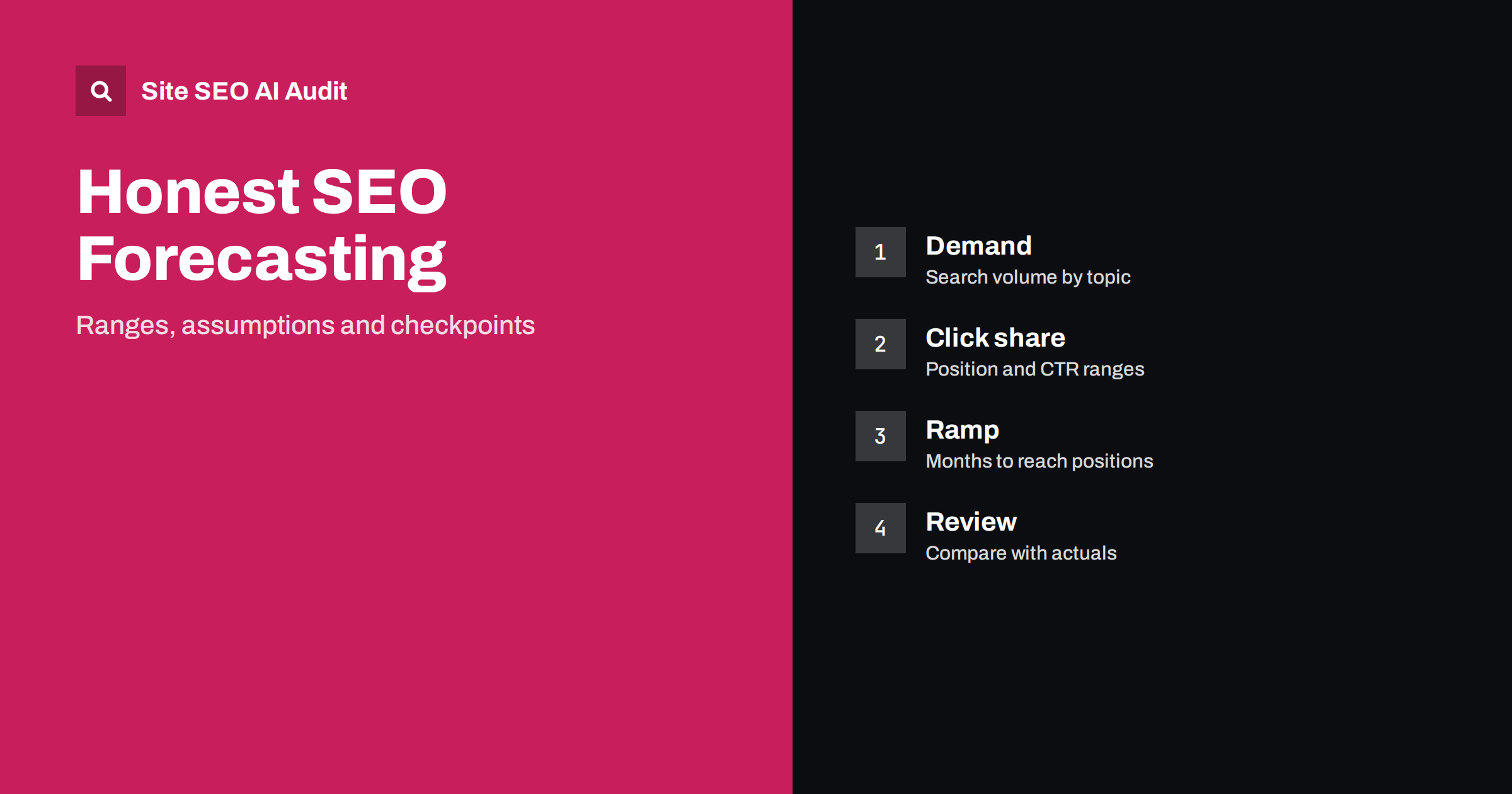
Short answer: An SEO forecast is an estimate of the traffic a set of pages could earn, built from keyword demand, the share of clicks at a given position, the time pages need to rank and seasonality. Present it as a range with stated assumptions, not as a promise. Forecasts are most useful for comparing options and setting checkpoints, and they should be compared with real data every month and revised.
Managers ask how much traffic SEO will bring, and the honest answer is that nobody knows exactly. Rankings depend on competition, quality, links and changes in search that no one controls. Still, a careful estimate is better than a guess, because it forces you to state assumptions, find the topics with real demand and decide what is worth building first. This guide shows a simple method and the traps to avoid. It uses data from tools described in the keyword research guide and from the Search Console performance report.
Decide what you are forecasting
Define the scope before you calculate: a new section, a set of existing pages that you will improve, a new market or the whole site. Choose a time frame, such as twelve months, and a measure, such as organic clicks from search. Decide whether you will forecast clicks only or also conversions. A clear scope avoids the common problem of mixing branded and non-branded traffic, or mixing existing traffic with new traffic, which makes the numbers look better than they are.
Start from demand
List the topics and keywords that you could target, and note their estimated monthly searches from your tools. Group related phrases so that you do not count the same demand twice, since one page often ranks for many variations. Keep in mind that search volume figures are estimates, that they change with the season and that they cover searches, not clicks. Use Google Trends to see whether interest is growing or falling, as in the guide to Google Trends for SEO. Exclude topics where you cannot offer a useful page.
Estimate the share of clicks
A page earns only a fraction of the searches for a keyword. The fraction depends on the position, on the features on the result page such as answer boxes, maps, videos, ads and AI summaries, and on how attractive your title is. Published studies of click-through rates by position differ widely and should be used only as rough guides. Better still, use your own data: from Search Console, calculate the average click-through rate for pages at each position in similar topics. Use a low, medium and high value for each position, and avoid single numbers.
Estimate the positions you can reach
This is the hardest step. Look at who ranks now: their domains, the depth of their content, the number of links and the freshness of their pages. Judge whether you can create something clearly more helpful, and how strong your own site is on the topic. Pages on new sites rarely start at the top, and competitive phrases may be out of reach for a year or more. Set a realistic target position range for each group of keywords, and mark the ones that are stretch goals. Rank tracking, with its limits explained in the guide to rank tracking differences, can help.
Add the time dimension
New pages do not reach their potential at once. They must be crawled, indexed and evaluated, and they gain positions as links and engagement accumulate. A common pattern is a slow start for the first months, growth in the middle and a plateau later, but the shape varies. Build a monthly curve in which each page reaches a share of its potential after a set number of months, and state the assumption. The article on how long SEO takes discusses typical timelines without promising any.
Include seasonality and trend
Many topics rise and fall during the year. Use monthly history from Search Console or trend data to apply seasonal weights, so that a forecast does not assume the same traffic every month. Include the trend of the topic itself: a fading product category will not give the same return as a growing one. Remember that search behaviour is changing, and AI answers and other result features may reduce clicks for some questions. Reflect this by lowering click shares for informational queries where the result page already gives a full answer.
Turn traffic into value, carefully
If you want to estimate leads or sales, multiply the forecast clicks by a conversion rate taken from your own data for similar pages, and use a range. Do not borrow rates from other industries. Subtract the traffic you would have received anyway, to avoid claiming existing results as gains. Include costs: content creation, development, tools and time. A forecast that shows value without costs, or that includes only the best case, will mislead the people who decide on budgets and damage trust when reality differs.
Present ranges and checkpoints
Show three scenarios: cautious, expected and ambitious, with the assumptions listed in plain words. Mark the main risks, such as an algorithm change, a stronger competitor or delays in publishing. Set checkpoints, for example after three, six and twelve months, with indicators such as indexed pages, impressions, average position and clicks. If the indicators lag the forecast, revisit the assumptions and decide whether to change the plan. A forecast is a tool for steering, and it is useful only if it is compared with reality and updated. The guide to SEO reporting for clients shows how to report against a plan.
Avoid common errors. Do not add the volumes of overlapping keywords, do not assume that you will rank first for everything, do not use the sum of searches as the number of visits and do not forget that only a share of pages will perform. Treat the output as a range of possibilities. If a person insists on one number, give the middle scenario together with the range and explain why a single figure would pretend to be more precise than it is.
Use the forecast to choose priorities. Compare topics by expected clicks, effort and strategic value, and start with those that offer the best balance. A small set of well-chosen pages that match real demand often beats a large set of pages that target phrases nobody searches for. The forecast also helps you say no to ideas that look attractive but would not bring enough traffic.
Check your forecasts afterwards. Keep each forecast and compare it with the real results at the end of the period. Look at where you were too optimistic or too cautious, and adjust your click shares and ramp-up assumptions. After a few cycles, your own data will give far better estimates than any general rule, and you will be able to explain your numbers with confidence.
A short worked example helps. Suppose you plan ten articles on a topic where the keywords you can realistically target add up to about four thousand searches a month. In the cautious scenario, you assume that pages reach positions around eight with an average click share of two percent, which gives roughly eighty clicks a month after the ramp-up. In the expected scenario, positions near five with a click share of six percent give about two hundred and forty. In the ambitious scenario, positions near three with a click share of ten percent give about four hundred. Apply a ramp-up of six months and a seasonal weight for each month. The result is a range, from a small gain to a notable one, and the plan states what has to be true for each case.
Another useful check is to compare the forecast with the pages you already have. If your best existing page on a similar topic earns a certain number of clicks per month after a year, a forecast that expects new pages to earn many times more needs a clear reason, such as a stronger topic or better content. Existing data is the most honest guide to what your site can do, and it protects you from the optimism that creeps into plans when tools show large volumes.
Finally, share the method, not only the result. When stakeholders see how the numbers were built, they can challenge assumptions and agree on what to measure. They are also more patient when early results are slow, because they understand the ramp-up. A forecast that is explained is a basis for discussion; a forecast that appears from nowhere becomes a target that people resent.
Site SEO AI Audit crawls your site and checks titles, descriptions, headings, status codes, canonical tags, sitemaps, broken links and structured data, which helps you remove technical barriers that would limit a forecast. It does not estimate traffic or predict rankings. The first audit of up to 200 pages is free; larger sites can see the pricing page.
Related reading
The bottom line
Forecast from demand, click share, realistic positions, ramp-up time and seasonality, present ranges with stated assumptions, and compare results with the plan at fixed checkpoints.
BUJ
Can SEO traffic be predicted exactly?
No. Rankings depend on factors you cannot control, so give a range and your assumptions.
Which click-through rates should I use?
Prefer your own Search Console data by position and topic. Use general studies only as rough guides.
How do I handle new pages?
Apply a ramp-up curve with months to reach each share of potential, and state it.
Should the forecast include branded traffic?
Keep it separate. Branded searches mostly reflect existing awareness, not SEO growth.
How often should I update a forecast?
Compare it with actuals every month and revise assumptions each quarter.