ENEnglish
 LTLietuviškai
 DEDeutsch
 FRFrançais
 RUРусский
 ESEspañol
 PLPolski
 ITItaliano
 UKУкраїнська
 CSČeština
 PTPortuguês
 JA日本語
JA日本語 LVLatviešu valoda
 ETEesti
 HUMagyar
 IDBahasa Indonesia
 TRTürkçe
 HIहिन्दी
 ELΕλληνικά
 ARالعربية
 THไทย
THไทย VITiếng Việt
 RORomână
 MSBahasa Melayu
 BNবাংলা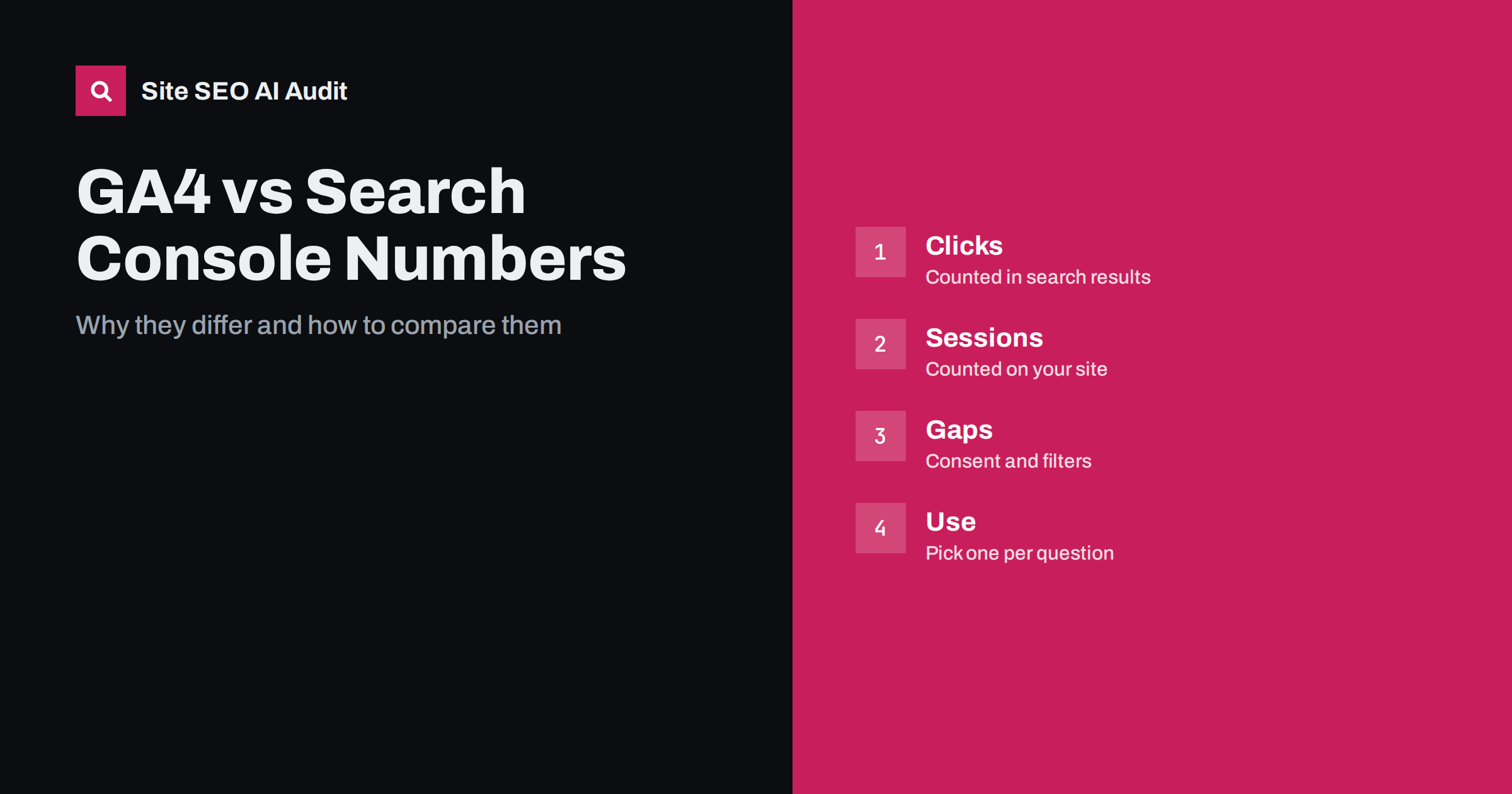
Short answer: Search Console counts impressions and clicks in Google search results, while Google Analytics counts visits and sessions that load on your site and run its tag, so the two measure different events at different points in the journey. They differ because of consent choices that block the tag, redirects and slow pages, bot filtering, date and time handling, different definitions of a user and a click, privacy thresholds and sampling. Use Search Console for visibility in Google and Analytics for what visitors do after arrival, and expect similar trends, not identical totals.
Many site owners compare the clicks in Search Console with the organic sessions in Analytics, see two different figures and conclude that one of them is wrong. Usually both are correct and each describes something else. A click is recorded when someone selects your result; a session is recorded only if the page loads far enough to run a measurement script and the visitor has not blocked it. Between those moments, a lot can happen. Understanding the gap saves hours of worry and prevents wrong decisions, such as blaming a ranking drop for something that is really a consent banner change. This guide explains the main causes, how to compare the two sources sensibly and how to use each for the question it answers best. For the setup of the search data itself, see the Search Console setup guide.
What each tool actually measures
Search Console reports on how your pages perform in Google search: impressions when a result is shown, clicks when it is selected, the average position and click-through rate, grouped by query, page, country and device. The data comes from Google’s own systems, so it does not depend on your site’s code. Analytics reports on behaviour on your site: sessions, users, engagement, events and conversions. It depends on a tag that runs in the visitor’s browser. One tool starts at the search result page, the other at your page, so a visitor who clicks and leaves before the page loads exists in the first and not in the second.
Consent, blockers and failed tags
The largest gap on many sites comes from the measurement tag not running. If your site asks for consent before loading analytics, every visitor who declines or ignores the banner disappears from the reports, while their click still appears in Search Console. Browser privacy features and extensions can block the tag as well. Pages that are slow, or that redirect before the script loads, lose some visits too, and a tag placed in the wrong spot or missing from some templates leaves entire sections uncounted. If the gap changes suddenly, check whether the banner, the tag manager or the templates were changed. Consent behaviour and its effects on pages are discussed in cookie banners and SEO.
Different definitions and attribution
Even when both tools see the same visit, they may name it differently. Search Console counts clicks from Google web search, and depending on the report may include other Google search types such as images or news, which you can filter. Analytics classifies traffic by source and medium, so a visit from Google search can be labelled organic search, but a visit from a Google app, a link in a document or a result that loses its referrer may land in direct or another channel. Analytics also counts sessions, not clicks: one person who clicks twice within a session counts once, while two clicks on two results may count as two or one. Compare like with like, such as organic search sessions with landing pages from Google, and read the definitions in each tool.
Redirects, parameters and landing pages
Search Console reports the address that appeared in search, which is the one Google chose as canonical. Analytics reports the address that the visitor actually reached, which may be different if redirects, language selection or tracking parameters were involved. A page that redirects to another address may show clicks in one tool for the first address and sessions in the other for the destination. Parameters can split Analytics rows into many variants while Search Console groups them. When you compare landing pages, normalise the addresses first, removing parameters and trailing differences, and check redirect rules with the redirect guide.
Dates, time zones and processing delay
Search Console reports dates in Pacific time, while Analytics uses the time zone set for the property, so the same click can fall on different days. Both tools process data with a delay, and recent days can change as data arrives, so compare complete periods, not the last day or two. Search Console keeps data for a limited period in its interface, which is why exporting regularly is wise, as explained in the data export guide. Analytics may also apply thresholds that hide small groups of users and may sample or aggregate data in some reports, which can make small segments look different from the totals.
Bots, filters and anonymised queries
Analytics tries to exclude known bots, and Search Console is based on real search interactions, so automated visits can create gaps in either direction. Internal traffic filters, test properties and cross-domain settings change the totals. Search Console also hides some queries for privacy, so the sum of the visible queries is smaller than the total clicks, and the totals by page are the more reliable figure. Do not expect to add up query rows and match the total. If you use more than one property or a domain property versus a prefix property, check that you compare the same set of addresses.
How to compare the two sensibly
Choose a complete period, such as the last full four weeks, and the same set of pages. Take Search Console clicks to those landing pages from Google web search, and Analytics sessions with the same landing pages from organic search. Expect Analytics to be lower where consent is required, and calculate the ratio. A stable ratio means both tools tell the same story, and a sudden change points to a technical cause, such as a tag change, instead of a ranking change. Track the trend lines side by side, and when they diverge, investigate the tag, the consent banner, redirects and page speed first. Document the typical ratio for your site so that future changes are easy to spot.
Which tool to use for which question
Use Search Console for questions about visibility: which queries and pages are shown, how position and click-through change, whether pages are indexed. Use Analytics for questions about behaviour: what visitors do, which pages lead to conversions, how channels compare. When money is involved, trust your sales and order records over both. Make decisions from trends and from a combination of sources, and avoid arguing over small differences that the definitions explain. Reporting for stakeholders is easier when you state the source and definition next to every figure, as suggested in the performance report guide.
Common mistakes when reading the numbers
Teams make the same few errors again and again. They compare a single day in one tool with a single day in the other and read the difference as a problem. They add Search Console clicks from every search type and compare them with organic sessions only, which mixes different things. They treat a drop in Analytics as a ranking drop without checking impressions and position in Search Console first, even though a changed consent banner or a broken tag is a far more common cause. They also forget to exclude branded queries when they judge the effect of content work, so a rise in brand searches hides a flat result for everything else. Another habit is trusting a single export without noting the date range and filters used, which makes later comparison impossible. Avoid these errors by writing the comparison method down once, including the period, the filters, the landing page list and the typical ratio between the two tools, and by repeating it in the same way every month. A repeatable method turns two imperfect sources into a dependable picture of search performance.
Site SEO AI Audit does not replace either tool. It crawls your pages like a search engine and checks status codes, redirects, canonicals, titles, links, speed and structured data, which are the technical causes that often explain why visits are lost or split. The first audit of up to 200 pages is free; larger sites can see the pricing page.
Related reading
- Track AI Referral Traffic in GA4
- Search Console Performance Report Guide
- Low CTR: Impressions but No Clicks
- Branded vs Non-Branded Search
The bottom line
Search Console and Analytics measure different moments, so their totals will differ. Compare the same pages and periods, watch the ratio between them and investigate tags, consent, redirects and speed when it changes. Use each tool for the question it answers.
FAQ
Why are my Search Console clicks higher than Analytics sessions?
Often because visitors decline consent, block the tag, leave before the page loads or are labelled as another channel. A stable gap is normal.
Which number is correct?
Both, for what they measure. Search Console is better for visibility in Google, and Analytics for behaviour on your site after the page loads.
Why do the dates not line up?
Search Console uses Pacific time, and Analytics uses the time zone of your property. Compare complete periods and allow for processing delay.
Why do query rows not add up to the total?
Search Console hides some queries for privacy. The totals by page or property are the reliable figures, not the sum of visible queries.
What should I do when the gap suddenly grows?
Check recent changes to the tag manager, consent banner, templates and redirects, and test page speed. A sudden shift is usually technical, not a ranking change.