ENEnglish
 LTLietuviškai
 DEDeutsch
 FRFrançais
 RUРусский
 ESEspañol
 PLPolski
 ITItaliano
 UKУкраїнська
 CSČeština
 PTPortuguês
 JA日本語
JA日本語 LVLatviešu valoda
 ETEesti
 HUMagyar
 IDBahasa Indonesia
 TRTürkçe
 HIहिन्दी
 ELΕλληνικά
 ARالعربية
 THไทย
THไทย VITiếng Việt
 RORomână
 MSBahasa Melayu
 BNবাংলা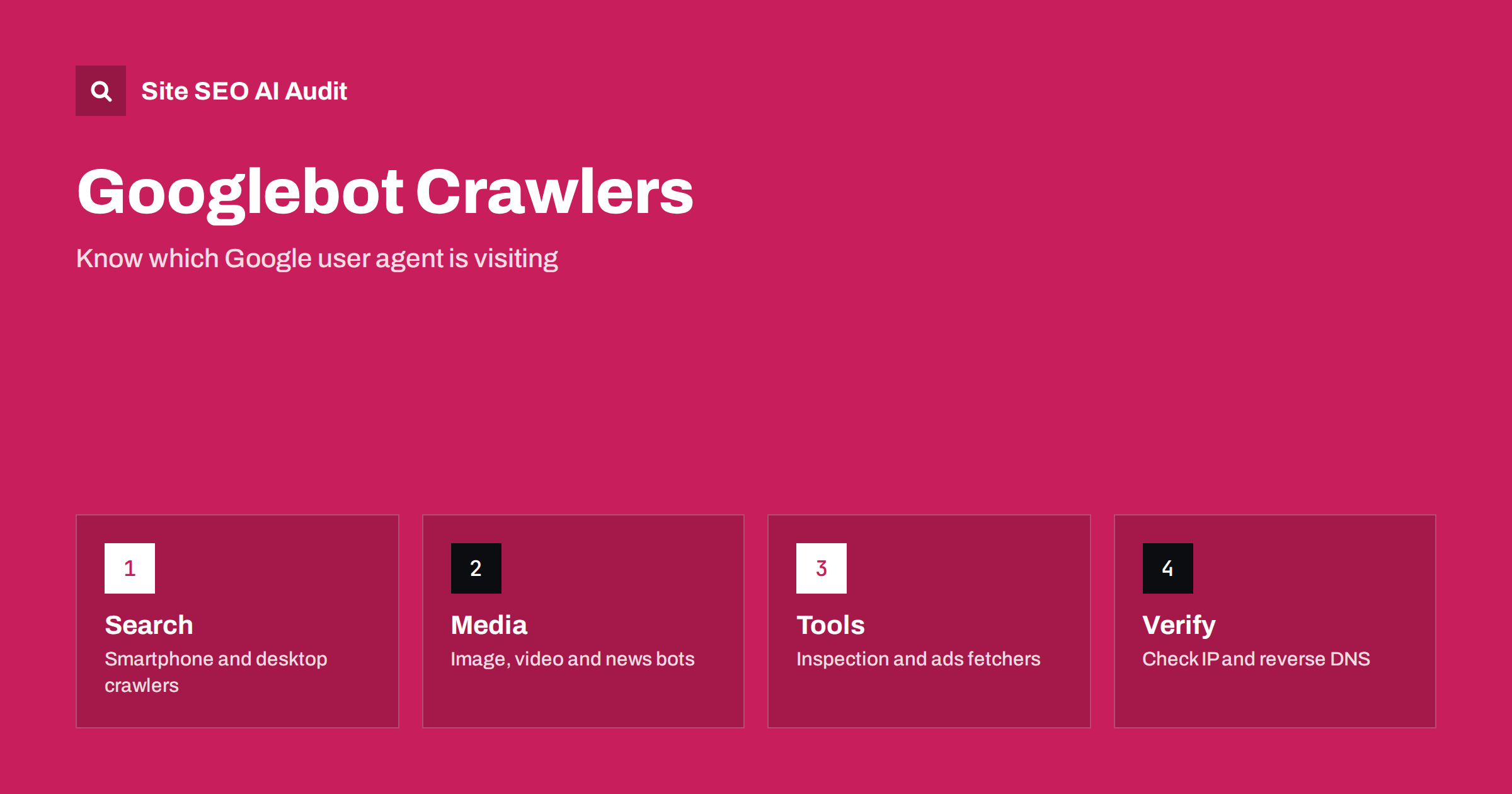
Short answer: “Googlebot” is a family of crawlers, not a single program. The main one for web search is Googlebot Smartphone, followed by Googlebot Desktop, image, video and news crawlers, plus separate fetchers used by Search Console tools and by advertising systems. Each has its own user agent string and rules. Check your server logs, verify visitors by IP address instead of trusting the name, and set robots.txt rules per user agent only when you have a clear reason.
Many site owners see “Googlebot” in their logs and assume one robot is reading everything. In practice several different Google systems request your pages for different purposes. Some build the search index, some check ad landing pages, some fetch a page because a person pressed a button in a tool. Treating them all the same leads to two kinds of mistakes: blocking something you needed, or leaving the door open to someone who only claims to be Google. This guide explains the main crawlers, how they behave and how to make decisions about them with confidence.
Why one name hides several crawlers
Google uses the word crawler for any automated client that fetches pages. Each client has a name in the User-Agent header, and some also have a product token that robots.txt rules refer to. The two are not always identical, which is the first source of confusion. A log line may show a long string that mentions a mobile device and a Chrome version, while the matching robots.txt token is the short word Googlebot.
The list of crawlers changes from time to time, so treat any article, including this one, as a starting point and check Google’s own documentation for the current names. What stays stable is the logic: there are crawlers that build the search index, crawlers for specific content types, crawlers for advertising and product features, and fetchers that act on behalf of a user.
The crawlers that decide your search visibility
Google indexes the mobile version of a page first, so the crawler you will see most often for ordinary pages is Googlebot Smartphone. It requests a page the way a mobile browser would and then sends the content to be rendered and indexed. Googlebot Desktop still exists and can appear in logs, but usually less often. If the two see different content, the mobile version wins, which is why the checklist in mobile-first indexing asks you to keep content, links and metadata equal on both.
Specialised crawlers handle other formats. Googlebot Image fetches pictures for image search, Googlebot Video fetches video files and related pages, and Googlebot News is used for news content. If you want to keep images out of image search, you address the image crawler with its own rule instead of blocking the whole site. If your server blocks the image crawler by accident through a hotlink or firewall rule, your pictures may disappear from image results while pages stay indexed, which can be hard to diagnose without logs.
Fetchers, tools and advertising bots
A second group of Google clients does not crawl continuously. The URL Inspection tool and the live test in Search Console use a fetcher with its own name, so you can recognise the request in your logs after you run a test. This is useful: if you inspect a URL and see no matching log entry, a cache or a firewall may have answered instead of your server. The walkthrough in the URL Inspection tool guide shows how to read what the tool reports.
Advertising systems have their own crawlers that check landing pages and ad quality. They are separate from search crawling, and Google’s documentation notes that some of them follow different robots rules from the search crawler; for example, a rule written for all user agents does not necessarily apply to them, and you may need to name them explicitly. Other clients exist for feeds, product listings, site verification and read-aloud features. Several of these are triggered by a user action, and Google documents that user-triggered fetchers generally do not follow robots.txt in the same way as automatic crawlers, because the request was initiated by a person.
There are also crawlers used for other Google products and for research or testing, and control tokens such as Google-Extended that do not appear as a visitor at all but let you express a choice about how content is used. The page on Google-Extended explains what blocking that token does and what it leaves untouched.
How to see which crawlers visit your site
Your server logs are the only complete record. A typical access log line contains the time, the requested URL, the status code, the response size and the user agent string. Filter for the word Google and group by user agent to see the mix of crawlers. Look for patterns rather than single lines:
- Share of requests: a healthy site shows mostly the smartphone crawler for normal pages, with smaller numbers for image and other crawlers.
- Status codes: a high share of 404, 301 or 5xx responses shows wasted crawl or a server problem.
- Top URLs: if parameter URLs, search pages or feeds dominate, crawl effort is leaking away from the pages that matter.
- Timing: bursts that match a deployment or a sitemap update are normal, bursts at odd hours that coincide with slow responses deserve a look.
If you cannot reach raw logs, the Crawl Stats report in Search Console gives a summary by response type, file type and crawler purpose; see how to read the Crawl Stats report. For a fuller method with log files, use the steps in log file analysis for SEO.
Verify that a visitor is really Google
The user agent string is just text, and anyone can send it. Scrapers and vulnerability scanners often pretend to be Googlebot because many sites treat it generously. Do not give special treatment, such as skipping a firewall or serving a different page, based on the name alone. Google describes two reliable ways to verify.
- Reverse and forward DNS. Run a reverse lookup on the visiting IP address. The host name should end in a domain Google documents for its crawlers. Then run a forward lookup on that host name and confirm it returns the same IP address.
- Published IP ranges. Google publishes lists of the address ranges used by its crawlers and fetchers in machine-readable files. Compare the visitor’s address with the current file and refresh your copy regularly, because ranges change.
Automate the check if you need it often. A small script can read the log, extract addresses that claim to be Google, check them against the published ranges and report the share that fails. A high failure share tells you that fake crawlers waste your server capacity, and that you can rate limit or block them safely. The same idea applies to AI crawlers, covered in verifying AI crawlers in server logs.
Controlling crawlers with robots.txt and server rules
robots.txt works by user agent token. A group that begins with User-agent: Googlebot applies to the main search crawlers, and a more specific token applies only to its own crawler. A crawler follows the most specific group that matches it, and does not combine the rules of several groups. That detail matters: if you add a specific group for the image crawler and forget to repeat the general rules, it will follow only the specific group.
Keep a few principles in mind when you edit these rules.
- Block by path, not by hope. If a section creates endless useless URLs, disallow it. Do not block CSS, JavaScript or image files that pages need to render.
- Do not use robots.txt to remove a page from the index. A blocked URL can still appear without a snippet if other pages link to it. Use noindex or an HTTP header instead, and let the crawler fetch the page to see it. The comparison in noindex vs disallow explains why.
- Test changes before they go live and keep the old file so that you can roll back. The reference in robots.txt for SEO lists safe patterns.
- Remember that robots.txt is a request that polite crawlers honour. It is not access control. Private content needs authentication.
When your firewall or CDN blocks the real crawler
The reverse problem is more costly than fake bots: security tools that challenge or block genuine search crawlers. Rate limiting rules, bot protection modes, country blocks and aggressive web application firewall rules can all return a challenge page or an error to Googlebot. The symptom in Search Console is often a rise in server errors or “Blocked due to access forbidden” style statuses, and in logs you see 403 or 429 responses for verified addresses. Two related guides cover the details: geo-blocking and what Googlebot sees from abroad and the checks for CDN and firewall blocks.
The fix is to allow verified crawler addresses through the bot rules while keeping the other protections. After the change, run a live test in the URL Inspection tool and look at the log entry that results to confirm the response is a normal 200.
Crawl rate: what you can and cannot control
Google decides how fast to crawl based on how healthy and useful your site appears. Fast, stable responses and a clean URL structure allow more requests. Frequent errors, slow pages or many duplicate URLs lower the rate. You cannot buy a higher crawl rate, and a tag in your page will not command one. What you can do is reduce waste and remove obstacles, following the advice in crawl budget explained. If your server is genuinely overloaded, temporary 503 or 429 responses signal the crawler to slow down, but they should be short; long periods of errors can lead to pages dropping from the index.
Check crawler access as part of every audit
Crawler access is easy to break during a migration, a firewall update or a theme change, and the effects show up weeks later. Build the checks into routine audits: robots.txt status and content, status codes returned to a crawler-like request, the render of a key page, and the presence of noindex tags or headers where they should not be. Site SEO AI Audit crawls your pages like a search engine, scores them across seven areas and ranks the fixes by impact, including crawl and index problems and robots rules for AI assistants. The first audit of up to 200 pages is free, and the pricing page shows how to re-check after each change.
Related reading
- Log File Analysis for SEO: What Your Server Logs Reveal
- Crawl Budget Explained: When It Matters and How to Save It
- Robots.txt for SEO: What to Block and What to Leave Open
- How to Find and Verify AI Crawlers in Your Server Logs
The bottom line
Googlebot is a set of crawlers with different jobs. Learn the main ones, read your logs, verify visitors by IP address instead of by name, write robots.txt rules per user agent with care, and make sure your own firewall lets the real crawler in. Do those five things and crawling stops being a mystery.
FAQ
Is Googlebot Smartphone different from Googlebot Desktop?
Yes. They are separate user agents. Because Google indexes the mobile version first, the smartphone crawler is the one that matters most for ordinary pages, and it is usually the most frequent visitor.
Can I block Googlebot Image without affecting web search?
Yes, you can address the image crawler with its own robots.txt group. Your pages stay eligible for web search, but your pictures may no longer appear in image results.
How do I know a visitor claiming to be Googlebot is real?
Verify the IP address. Use a reverse DNS lookup followed by a forward lookup, or compare the address with the ranges Google publishes. Never rely on the user agent text alone.
Does every Google fetcher obey robots.txt?
No. Automatic crawlers follow robots.txt, but some user-triggered fetchers and advertising crawlers follow different rules. Check Google’s current documentation for each one before you rely on a rule.
Why do my logs show Googlebot hitting URLs I did not expect?
Googlebot follows links, sitemaps and old references. Parameter URLs, feeds and redirected addresses are common causes. Clean up internal links and sitemaps, and use canonical tags, redirects or robots rules where they fit.