ENEnglish
 LTLietuviškai
 DEDeutsch
 FRFrançais
 RUРусский
 ESEspañol
 PLPolski
 ITItaliano
 UKУкраїнська
 CSČeština
 PTPortuguês
 JA日本語
JA日本語 LVLatviešu valoda
 ETEesti
 HUMagyar
 IDBahasa Indonesia
 TRTürkçe
 HIहिन्दी
 ELΕλληνικά
 ARالعربية
 THไทย
THไทย VITiếng Việt
 RORomână
 MSBahasa Melayu
 BNবাংলা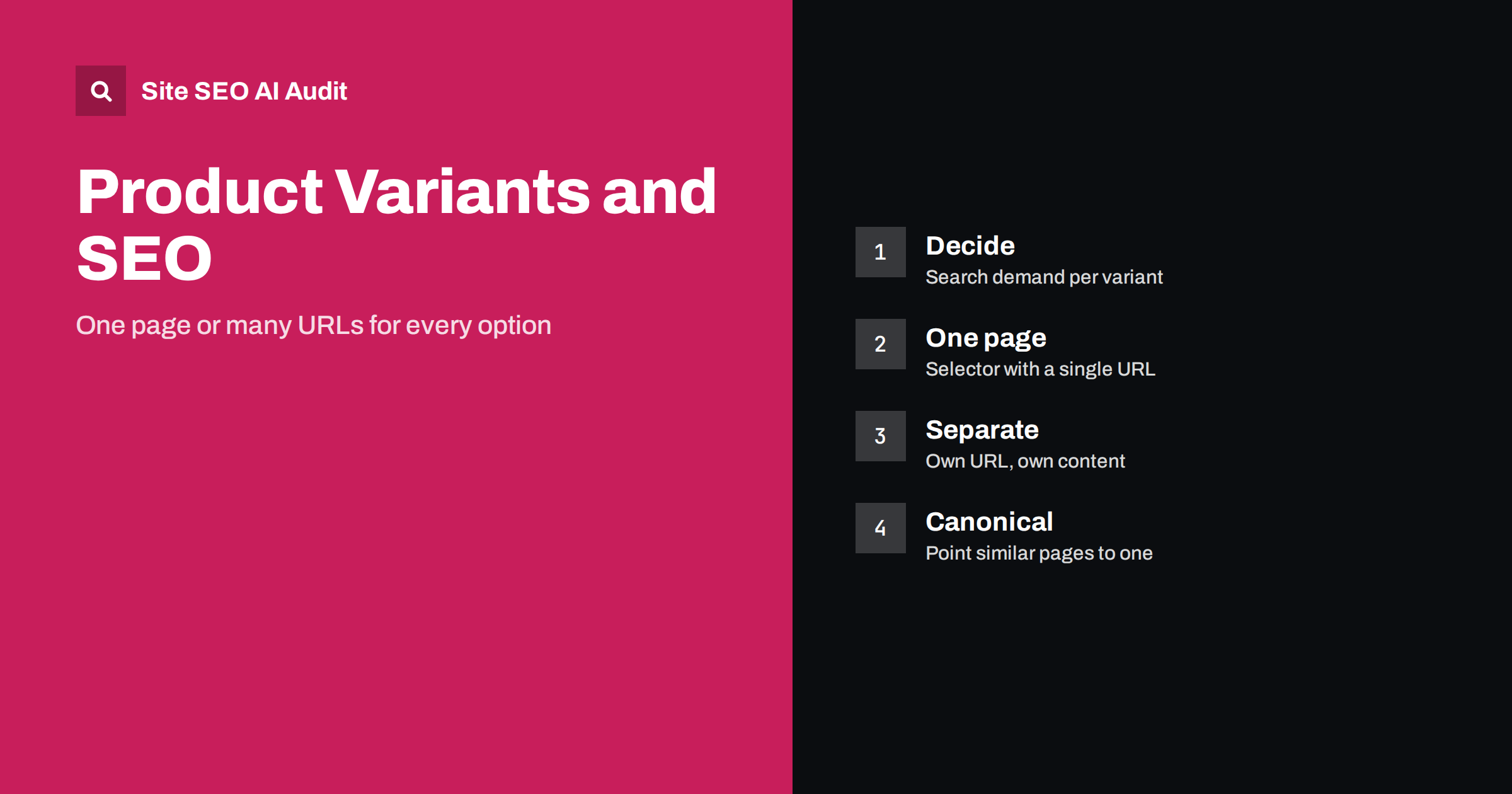
Short answer: If variants of a product, such as sizes, are not searched separately, keep them on one page with a selector and a single URL. If a variant has its own search demand or a truly different offer, such as a colour that people search for or a different model, give it a separate page with unique content and a self-referencing canonical. When near-identical variant URLs already exist, point them to the main version with a canonical tag, and keep stock, price and structured data consistent.
A shop sells a jacket in six sizes and five colours, which makes thirty variants. A platform might turn that into thirty URLs with the same description and the same pictures, or into one page with options, or into five colour pages. Each choice has consequences for crawling, duplicate content, reviews, stock handling and how well the page matches what people search for. There is no universal answer, but there is a clear way to decide. This guide explains how to choose, how to implement the choice and how to avoid the problems that arise when a store grows.
Why variants create SEO problems
Search engines try to show one version of duplicate or near-duplicate pages. If your shop creates many addresses for the same product with only a small difference, the signals are split across them and the engine may pick a version you did not choose. Crawl effort is spent on pages that add nothing. Reviews and links, which should strengthen one page, are scattered. On the other hand, merging variants that people really search for separately can hide demand: someone looking for a specific colour or model may not find a page that mentions it.
The goal is to match your URLs to how people search and buy. Ask for each product: do people search for individual variants with words that would be specific to them, and does each variant differ in a way that matters to the buyer?
A simple decision method
Use a short list of questions for each product family.
- Is there search demand for the variant? Check queries in Search Console and keyword research. If people search for the exact colour or model with real volume, a separate page may be justified.
- Is the content really different? Different materials, specifications, pictures and use cases support a separate page. A different size alone usually does not.
- Is the price or availability different in a way that affects the decision? A model with a different price band is closer to a separate product than a size option.
- Can you write unique text and images for each variant? If not, a separate page will probably be thin.
- Do reviews apply to all variants? Pooling reviews on one page strengthens it, while splitting them weakens each page.
If the answers point to “no” for most questions, use one page. If most answers are “yes”, use separate pages. Mixed answers suggest a hybrid, such as separate pages for main colours and a selector for sizes.
One page with a selector
For options such as size, the standard solution is a single product page with a selector. The URL stays the same, or the options are added as a parameter that does not create indexable versions. This keeps links and reviews together, avoids duplicate pages and makes the page easier to maintain. Make sure the selector works with plain links or standard form controls, so that crawlers and users with unusual browsers can read the options in the HTML. If options appear only after a script runs, test that the key information is still visible in the rendered page; the background is in JavaScript SEO basics.
Write the description so that it covers all variants: available sizes, size guide, colour range and material. Mention important options in text, not only in the selector, so that a person searching for a certain colour can see that it exists. Choose the main image and title for the default variant carefully, since that is what search results will usually show.
Separate pages for variants that deserve them
Some variants behave like products of their own. A phone in a different storage capacity may have another price and other specifications. A sofa in a very different colour may be searched for as a distinct item. Furniture, electronics and fashion sometimes have colour-driven demand. In those cases, give each variant its own URL with a unique title, a heading, a description that focuses on what differs, pictures that match and its own structured data. Each page should have a self-referencing canonical tag, which tells search engines that the page is the preferred version of itself; see canonical tags explained.
Link the variants to each other so that visitors can switch, and use descriptive anchor text. Avoid building hundreds of variant pages that differ only by one word. That pattern resembles the thin pages described in thin content fixes, and may be ignored.
Using canonical tags for near-identical variants
If your platform already creates separate URLs for variants that you consider the same product, the canonical tag is the usual repair. Point the variant URLs to the main version, so that signals consolidate and the main page is shown. A canonical is a strong hint, not a command, and it works best when the pages really are near-identical and when other signals agree. Internal links, sitemaps and redirects should all favour the canonical URL. Conflicting signals are a frequent reason why search engines pick another version, as explained in conflicting SEO signals.
Do not point a canonical from a page with unique content to a different page, since it may drop out of the index. Do not canonicalise paginated or filtered pages without thinking about their purpose. For parameter-based variants, see URL parameters and duplicate content for a practical approach to cleaning up addresses.
Structured data, price and availability
When you use one page for a product, the structured data should describe the product and its offers consistently with the page. Platforms can express variants in markup, with a group of related items or with several offers. The details and common errors are in the Product schema guide. Whatever you choose, the price and the availability in the markup must match what a visitor sees for the selected variant. A mismatch is a common reason for warnings in Search Console and for rich result problems.
If a variant is out of stock, keep the page unless the product is gone for good, and show alternatives. The approach in out-of-stock and discontinued products explains when to keep, redirect or remove pages.
Titles, images and reviews
Titles for a one-page product should name the product and its most important attributes, not every size. Titles for separate variant pages should include the attribute that makes them different, for example the colour or capacity, written naturally. Images should show the variant in question, and file names and alt text should describe what is visible. Collect reviews at the product family level where the reviews genuinely apply to all variants, and show them on every page of the family. Do not mark up reviews for a variant that the reviews do not concern.
For wider guidance on product pages, see product page SEO. For platform-specific limits, the Shopify technical SEO guide and WooCommerce SEO guide explain how typical systems create variant URLs.
Sitemaps, internal links and platform settings
List in the XML sitemap only the URLs you want indexed: the main product pages and the variant pages you have decided to keep. Leave out the others. Link to the canonical version from categories, search results on your site and recommendation blocks. Check what your platform does by default, since many systems add every variant to the sitemap or create parameter URLs automatically. Adjust settings, templates or plugins so that the output matches your decision. After a change, crawl the site and compare the number of indexable product URLs with the number of products you really have.
Audit the result
A crawl shows duplicate titles, conflicting canonicals, parameter URLs, pages missing from the sitemap and variants that are not linked. Site SEO AI Audit crawls your pages, scores them across seven areas and ranks the fixes by impact. The first audit of up to 200 pages is free, and the pricing page shows how to repeat it after you change variant settings.
Related reading
- Product Page SEO: How to Optimize E-commerce Product Pages
- Canonical Tags Explained: How to Set Them and Fix Errors
- Faceted Navigation SEO: Filters Without Crawl Chaos
- Category Page SEO: How to Make Store Categories Rank
The bottom line
Match your URLs to how people search and buy. Keep options like size on a single page, create separate pages only for variants with their own demand and unique content, use canonical tags to merge near-identical addresses and keep structured data, sitemaps and links consistent with that decision. Review it as the catalogue grows.
FAQ
Should each colour have its own URL?
Only if people search for the colour specifically and you can give the page unique content and images. Otherwise a selector on one page is simpler and keeps signals together.
Do size variants need separate pages?
Usually not. Sizes rarely have separate search demand. Use a selector and mention the available sizes and a size guide in the text.
Is a canonical tag enough to fix duplicate variant pages?
It is a strong hint when the pages are near-identical. Make sure internal links, sitemaps and redirects agree with it, because conflicting signals can lead to another version being chosen.
How should I handle structured data for variants?
Make the markup match the selected variant, including price and availability, and follow the Product schema guidance. A mismatch with the visible page often causes warnings.
What about reviews on variant pages?
Share reviews across the product family when they apply to all variants, since that strengthens the page. Do not display or mark up reviews that do not concern the product shown.