ENEnglish
 LTLietuviškai
 DEDeutsch
 FRFrançais
 RUРусский
 ESEspañol
 PLPolski
 ITItaliano
 UKУкраїнська
 CSČeština
 PTPortuguês
 JA日本語
 LVLatviešu valoda
 ETEesti
 HUMagyar
 IDBahasa Indonesia
 TRTürkçe
 HIहिन्दी
 ELΕλληνικά
 ARالعربية
 THไทย
 VITiếng Việt
 RORomână
 MSBahasa Melayu
 BNবাংলা
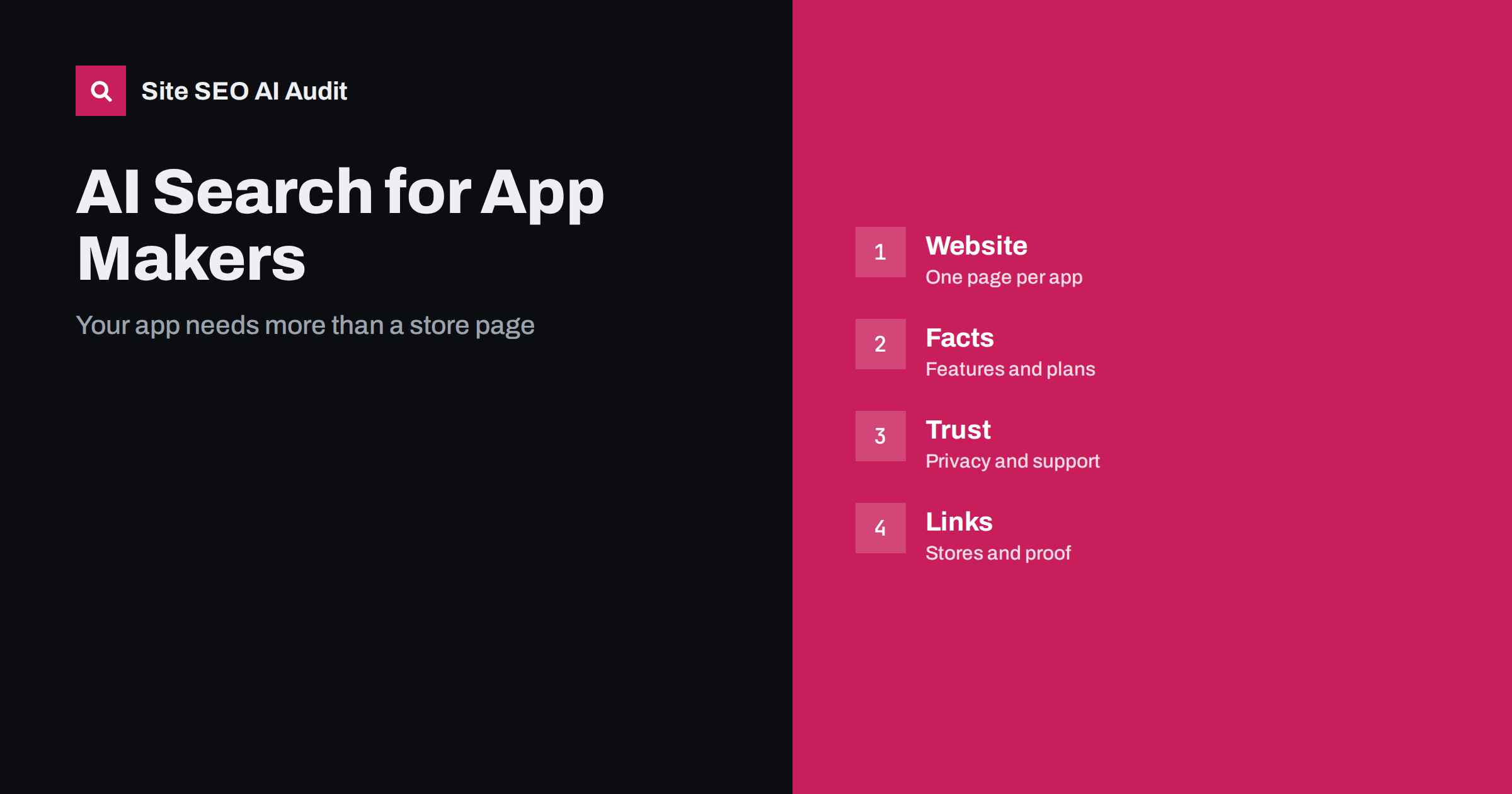
Short answer: People ask AI assistants which app to use for a task, what an app costs and whether it is safe. App stores are only one of the sources they read. A mobile app maker should publish its own website with a clear page for each app, honest feature and pricing facts, privacy and data information, support content, links to the official store listings and genuine reviews. Keep names and descriptions consistent everywhere, so that the app is recognised as one entity.
For many apps, the store listing is the main page. But assistants also read websites, reviews, forums, comparison articles and help pages. If your own website says little, they will rely on what others say, which may be outdated or wrong. Developers who treat the website as a source of truth have more control over how the app is described and recommended. This guide explains what to publish and how to keep it consistent. For a related category, see the guide to AI search for B2B software.
How people ask about apps
Questions come in a few types. Task questions ask for an app for a purpose, such as tracking expenses, learning a language or editing photos. Comparison questions ask which of two apps is better for a certain case. Safety and cost questions ask whether an app is free, whether it has hidden payments, what data it collects and whether it works offline. Support questions ask how to do something in the app or why it fails.
The answer is often a short list of apps with a line about each. To be listed, an app needs a clear description of its purpose, its audience and its limits, in words that match how people ask.
One clear page for each app
Create a page on your site for every app. Start with a plain statement of what the app does and for whom, the platforms it supports and its main features. Add screenshots with descriptive captions and alt text, a short explanation of how it works and the price model in simple terms. Link to the official store pages and use the exact names that appear there. Provide the same short description in the page title, the store listing and your social profiles.
Avoid empty marketing lines. A sentence such as the best app for everything gives nothing to quote. A sentence that names a task, a user and a result does. See the guide to answer-first introductions and the guide to feature pages.
Be honest about pricing and limits
State clearly what is free, what is paid and what the paid plan includes. Explain billing: monthly or yearly, trial period, how to cancel and how refunds work with each store. Apps are often criticised for unclear subscriptions, so honesty here builds trust. If features differ by platform, say so, and state the minimum system versions and any requirements such as an account or an internet connection.
Keep this information current and dated. Old prices in an assistant’s answer are a common source of complaints, and the cause is usually an outdated page or review that nobody updated.
Privacy, data and safety
Many people ask what an app does with their data. Publish a readable privacy page: what is collected, why, how long it is kept, who it is shared with and how to delete data. Make it match the store disclosure and the actual behaviour of the app. If the app is for children, health or finance, be especially careful and explain the safeguards in plain language. Link the privacy and terms pages from every app page and keep them indexable, as covered in the guide to legal pages.
Do not claim certifications or compliance that you do not hold. If you can show an independent review or a security statement, link it.
Support and help content
Support questions are among the most frequent. Publish a help centre with one page per question, clear steps and screenshots, and say which app version the steps apply to. Add a short troubleshooting section for the most common errors. Provide a contact route and a status page for outages. Plain HTML pages are better than content that appears only inside the app or in a video. The details are in the guide to help centres for AI answers and the guide to FAQ sections.
Release notes help too. Write them in plain language with dates, so that people and assistants can see how the app has developed and whether it is maintained.
Comparisons and alternatives
Because people often ask which app to choose, create comparison content that treats alternatives fairly. Explain who your app suits, where a competitor may be better and how the two differ in price, platform, features and privacy. Honest comparisons are quoted more often than boasts, and they attract readers who are close to a decision. See the guide to comparison pages.
Also write practical guides around the task the app solves, not just about the app. A guide to planning a budget, with the app as one option, reaches people before they know the product.
Structured data and technical points
Use software application markup on app pages to describe the name, category, operating system, offers and rating where you have genuine data, and keep it equal to the visible page, as explained in the guide to software application markup. Add organisation markup with links to official profiles. Make sure your pages are readable without scripts and do not block search or AI crawlers by mistake, as described in the guide to AI crawlers and robots.txt.
If your app can open from web links, plan the web and app experience together, as discussed in the guide to app deep links and SEO. A web page for each important piece of content, such as a recipe or a route, gives search engines something to read and gives people who lack the app a path to it.
Reviews, mentions and monitoring
Reviews in the stores and elsewhere affect recommendations. Ask satisfied users to review the app at suitable moments, respond to criticism politely and fix repeated problems. Do not pay for or invent reviews. Watch what assistants and articles say about your app: ask typical questions every month, record the answers and correct sources that are wrong. Keep the developer name, the app name and the brand name consistent across the website, store, social media and press mentions, using the principles in the guide to entity SEO.
Launch and update checklist
Treat each release as a chance to keep the web presence correct. Before a launch, publish the app page, the pricing and privacy pages and the first help articles, then link them from the store listing so that people and crawlers can move between them. At each major update, review the description, the screenshots, the feature list, the system requirements and the release notes, and change the date shown on the page. When a feature is removed or moved to a paid plan, say so openly and update every page that mentions it.
Also plan for the end of life. If you retire an app or a version, keep its page with a clear notice, explain what users should do and point to the replacement. Deleting the page leaves old reviews and articles pointing at nothing, and assistants may keep recommending an app that no longer works. A short, honest page is better than silence.
Finally, give the team a single owner for the facts about each app: names, prices, platforms, requirements and links. When the owner changes a fact, everything else follows from that one place, which prevents the usual mismatch between the store, the website and the help centre.
Here is a short example. A small team had a budgeting app with a good store rating but a one-page website with a slogan. Assistants named competitors with fuller sites. The team added a page explaining who the app is for, a pricing page with plain terms, a privacy page, a help centre with twenty articles and an honest comparison with two alternatives. Assistants started to describe the app accurately and to mention it for people who budget with a partner.
A second example is a language-learning app whose website did not explain how subscriptions work. After a clear billing page was published, the number of confused support requests fell and the answers quoted the right terms.
Site SEO AI Audit crawls your website and checks status codes, titles, descriptions, headings, broken links, structured data, page speed and AI visibility settings, which helps you keep app pages and help articles healthy. It does not manage store listings or test the app. The first audit of up to 200 pages is free, and larger sites can see the pricing page.
Related reading
- AI Search for Open-Source Projects and Developer Tools
- Landing Page SEO
- Structured Data for AI Search
The bottom line
Treat your website as the source of truth for each app, with honest facts, clear privacy and support content and consistent names everywhere.
SSS
Is a store listing enough for AI search?
Not usually. Assistants also read websites, reviews and help pages, so your own site should explain the app clearly.
What should an app page include?
Purpose, audience, platforms, main features, pricing in plain terms, store links, screenshots with captions and links to privacy and support.
Should I publish privacy details?
Yes, in readable language that matches the store disclosure and the app behaviour.
Do release notes matter?
They show that the app is maintained and give assistants dated facts about changes.
Can I compare my app with competitors?
Yes, honestly. Balanced comparisons are more useful to readers and more likely to be cited.