ENEnglish
 LTLietuviškai
 DEDeutsch
 FRFrançais
 RUРусский
 ESEspañol
 PLPolski
 ITItaliano
 UKУкраїнська
 CSČeština
 PTPortuguês
 JA日本語
JA日本語 LVLatviešu valoda
 ETEesti
 HUMagyar
 IDBahasa Indonesia
 TRTürkçe
 HIहिन्दी
 ELΕλληνικά
 ARالعربية
 THไทย
THไทย VITiếng Việt
 RORomână
 MSBahasa Melayu
 BNবাংলা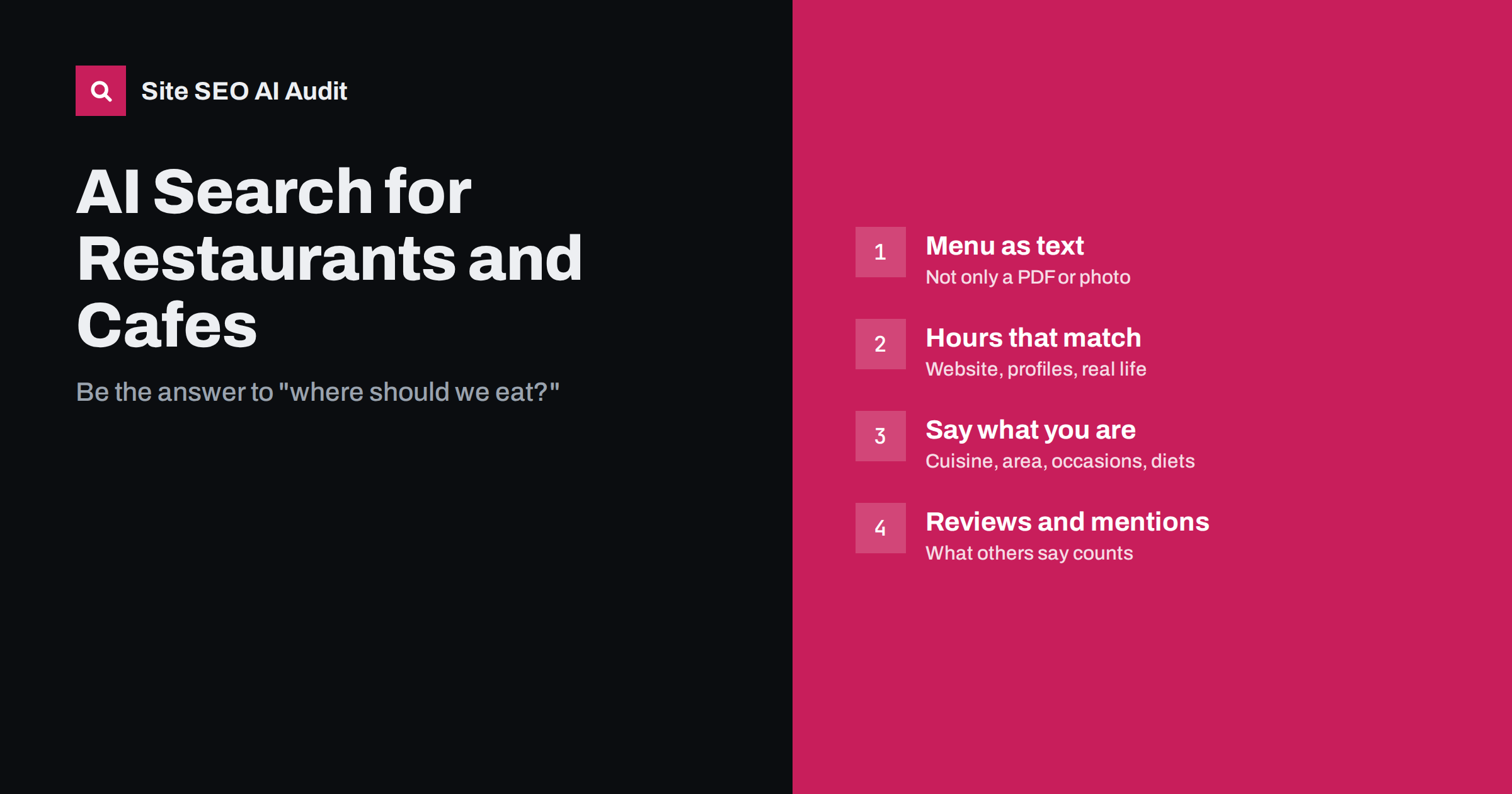
Short answer: AI assistants answer “where should we eat” questions from what they can read about a restaurant: its website, its business profiles, reviews and mentions on other sites. To be recommended accurately, a restaurant or cafe should publish its menu as real text, keep opening hours and address identical everywhere, state clearly what kind of place it is and for which occasions, add Restaurant structured data, and make sure AI crawlers are not blocked. None of this guarantees a mention, but missing basics often mean being left out or described wrongly.
Questions like “a quiet place for a business lunch near the station”, “vegan brunch open on Sunday” or “family-friendly pizzeria with outdoor seating” used to go to map apps and review sites. More and more people now type them into AI assistants and AI search features, which answer with a short list of places and a sentence about each. Those sentences are built from text the systems can find. For most restaurants, the website is the one source they fully control, and it is often the weakest one.
How AI assistants pick restaurants
AI search systems retrieve sources that match the question and summarise them. For local, practical questions they typically combine several kinds of information:
- The restaurant’s own website: menu, cuisine, location, opening hours, booking options and the description of the place.
- Business profiles and map listings: categories, hours, photos, attributes and reviews.
- Review and booking platforms: ratings, review text and availability.
- Local media and guides: “best of” lists, reviews by food writers, city guides and blogs.
When these sources agree, the answer is usually accurate. When the website is thin, out of date or unreadable, the assistant relies on third parties or leaves the place out. Our general guide to AI search for local businesses covers the foundations; this article focuses on what is specific to food and hospitality.
Publish the menu as text
The most common gap on restaurant websites is the menu. It is often a scanned PDF, a photo of the printed card or an image carousel. Some systems can extract text from PDFs and images, but results vary, and image-only menus give search engines and assistants very little to work with. Our article on what AI search can read in PDFs, images and video explains the limits. A text menu on a normal web page works better:
- Dish names and short descriptions in plain words: “slow-cooked lamb shoulder with roasted vegetables”, not only “Lamb No. 3”.
- Dietary labels written out: vegetarian, vegan, gluten-free options, and a note on allergens.
- Separate sections for breakfast, lunch, dinner, drinks and seasonal or set menus.
- Prices, if you show them, kept up to date. An outdated price quoted by an assistant creates disappointment at the table.
Keep a PDF version for printing if guests like it, but treat the HTML page as the main menu. If the menu changes daily, publish the regular dishes as text and describe the daily specials in general terms.
In tourist areas, many questions arrive in other languages. A visitor may ask an assistant in German or Spanish for “a traditional local restaurant with a terrace”. If your menu and description exist only in the local language, the system has to translate and guess. Translated menu pages, written or reviewed by a person and linked to each other properly, give visitors in other languages something accurate to find. Keep dish names recognisable, and add a short explanation for local specialities that a foreign guest may not know.
Make opening hours and basic facts consistent
Few things damage trust faster than an AI answer that sends people to a closed door. Opening hours, address and phone number should be identical on your website, your business profiles and the booking platforms you use. Check especially:
- Regular hours for every day, including kitchen closing time if it differs from the bar.
- Holiday and seasonal hours, updated in advance and removed afterwards.
- Temporary closures, renovations or changes of concept, stated clearly on the home page.
- The exact address, entrance details and nearest landmark or public transport stop.
- Booking information: whether reservations are possible, how, and whether walk-ins are welcome.
Put this information in the HTML of the page, not only in an image or a script-loaded widget. Our guide to JavaScript content and AI crawlers explains why widget-only content is often missed. If an assistant already repeats wrong details, see when AI gets your business wrong.
Say clearly what kind of place you are
People rarely ask an assistant for “a restaurant”. They ask for an occasion, a mood or a need. Your website should answer those questions in words, on the home page and the about page:
- Cuisine and style: “family-run Georgian restaurant”, “specialty coffee bar with homemade cakes”.
- Location context: neighbourhood, nearby landmarks, distance from the station or old town.
- Occasions: business lunches, groups, birthdays, romantic dinners, quick takeaway.
- Practical features: outdoor seating, private room, children’s menu, wheelchair access, parking, dogs welcome.
- Diets you genuinely cater for: only claim vegan or gluten-free options if the menu supports it.
Write these as normal sentences rather than a keyword list. A paragraph such as “We are a small Italian trattoria in the old town, two minutes from the cathedral, with a terrace in summer and a separate room for groups of up to twenty” is easy for a person to read and easy for an AI system to summarise.
Add Restaurant structured data
Structured data does not guarantee AI visibility, but it states key facts in a format machines read reliably. Schema.org has a Restaurant type, a subtype of FoodEstablishment and LocalBusiness. Useful properties include:
name,address,telephoneandurl;openingHoursSpecificationfor each day;servesCuisine,menu(a link to the menu page) andacceptsReservations;priceRangeandgeocoordinates.
The values must match what is visible on the page. Our article on structured data in AI search gives an honest view of what it does and does not do, and fixing structured data errors covers validation.
Reviews, guides and mentions
For restaurants, what other people write often matters as much as the website. Assistants frequently draw on review text and local guides when describing atmosphere, service or signature dishes. You cannot control these sources, but you can influence them honestly:
- Ask satisfied guests to leave a review, without offering rewards for positive ones.
- Reply to reviews politely, including critical ones, and correct factual errors.
- Make it easy for food writers and local media to get accurate information: a short press or about section with the story, the chef and current photos.
- Keep listings on the platforms you use complete and current.
Our guides to reviews and AI recommendations and unlinked brand mentions go deeper into this side.
Technical basics restaurant sites often miss
Restaurant websites are often built from a template by a designer and then left alone for years. Common technical problems include:
- Blocked crawlers: a robots.txt rule or firewall setting that blocks AI crawlers, sometimes added by a hosting provider without the owner knowing.
- Heavy image sliders that make the site slow on mobile, where most people look up restaurants.
- Missing titles and descriptions, such as every page titled “Home”.
- Old pages still live: last year’s Christmas menu or a closed second location still indexed.
- Several languages without hreflang in tourist areas, so the wrong language version appears.
Site SEO AI Audit crawls your site like a search engine and checks these areas, including AI crawlers in robots.txt, content that needs JavaScript, titles and descriptions, speed, structured data and language versions, then ranks the fixes by impact. The first audit of up to 200 pages is free, which covers most restaurant sites completely.
A one-afternoon checklist
- Turn the menu into a text page with dish descriptions and dietary labels.
- Check that hours, address and phone match on the website and every profile.
- Write a clear description of the place, its location and its occasions on the home page.
- Add Restaurant structured data that matches the visible facts.
- Check robots.txt and firewall settings for blocked crawlers.
- Remove or update outdated menus, events and locations.
- Ask a few recent guests for an honest review.
Related reading
- AI search for hotels and travel businesses
- Organization schema for AI systems
- An AI search plan for small businesses
The bottom line
AI assistants recommend restaurants they can understand and trust. Publish the menu as text, keep hours and contact details identical everywhere, describe the place, location and occasions in plain sentences, add matching Restaurant structured data and make sure crawlers can read the site. Then look after reviews and local mentions, because for food and hospitality, what guests say carries real weight.
SSS
Do AI assistants read PDF menus?
Some can extract text from PDFs, but results vary, and scanned or image-only menus are often unreadable. A menu published as text on a normal web page is the more reliable option. Keep the PDF for printing if you like.
Should a restaurant add structured data?
Yes, it is worth doing. The Restaurant schema type lets you state hours, cuisine, address, menu link and reservation options in a machine-readable form. It does not guarantee recommendations, but it removes ambiguity about key facts.
Why does an AI assistant show our old opening hours?
It probably found them in a source that has not been updated, such as an old page, a business profile or a directory. Update the website and every profile you control, remove outdated pages, and the corrected information usually appears over time.
Do reviews affect AI recommendations for restaurants?
Often, yes. Review text and ratings are a common source for descriptions of food, service and atmosphere. Encourage genuine reviews and respond to them, but never buy or reward positive reviews.
Is a separate page for each menu useful?
It can be. Separate pages for lunch, dinner, drinks or set menus make each one easier to find and link to, especially if guests search for them. Keep each page up to date and remove menus you no longer offer.