ENEnglish
 LTLietuviškai
 DEDeutsch
 FRFrançais
 RUРусский
 ESEspañol
 PLPolski
 ITItaliano
 UKУкраїнська
 CSČeština
 PTPortuguês
 JA日本語
JA日本語 LVLatviešu valoda
 ETEesti
 HUMagyar
 IDBahasa Indonesia
 TRTürkçe
 HIहिन्दी
 ELΕλληνικά
 ARالعربية
 THไทย
THไทย VITiếng Việt
 RORomână
 MSBahasa Melayu
 BNবাংলা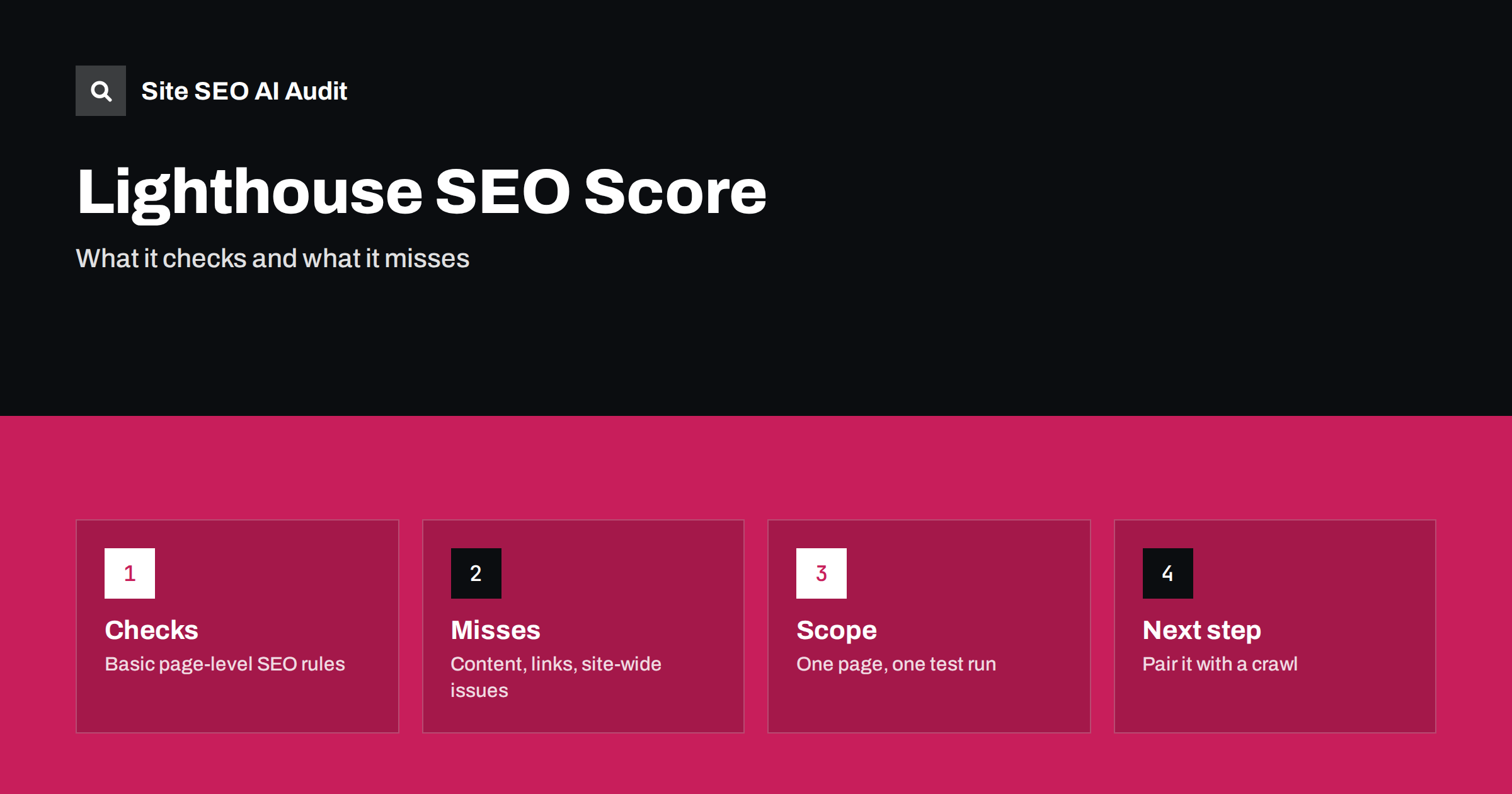
Short answer: The Lighthouse SEO score is a quick check of basic technical and on-page rules for a single page, such as whether it has a title, a meta description, a valid canonical, crawlable links and a viewport tag. A score of 100 means those basics pass. It does not measure content quality, backlinks, search intent or site-wide problems, so use it as a starting point and combine it with a full crawl.
Open Chrome DevTools, run Lighthouse and one of the four category scores is labelled SEO. Many site owners treat it as the final word: green means the SEO is fine, orange or red means trouble. That reading is understandable, but it asks the tool to do more than it was designed for. Lighthouse is an automated audit that loads one page in a controlled environment and tests a list of fairly basic rules. It is a valuable first filter and an easy way to catch silly mistakes. It is not a ranking predictor and not a substitute for a site audit. This article explains what the score covers, what it ignores and how to use it sensibly.
What Lighthouse is
Lighthouse is an open-source tool from the Chrome team. You can run it in Chrome DevTools, from the command line, as a Node module or through other tools that embed it. It produces scores for performance, accessibility, best practices and SEO. The performance category is also what powers the lab data in PageSpeed Insights; the difference between lab and field measurements is explained in PageSpeed Insights lab data and field data.
The SEO category is the smallest of the four. It includes a set of pass or fail audits, and the score is the weighted share of audits that pass. The exact list changes between versions of the tool, so treat any list as a snapshot and check the current documentation when you need precision.
What the SEO audits typically cover
The checks are about whether a page can be crawled and understood at a basic level. Common examples include:
- The page is not blocked from indexing, for instance by a noindex directive in a meta tag or header.
- The HTTP status code is successful, not an error.
- A title element exists and is not empty.
- A meta description exists.
- Links have descriptive text, not generic phrases like “click here”.
- Links are crawlable, meaning they use real anchor elements with usable addresses.
- robots.txt is valid and does not contain syntax errors.
- Images have alt attributes.
- A valid hreflang and a valid rel canonical, when present.
- A viewport meta tag and legible font sizes, so the page works on mobile screens.
These checks overlap with several guides on this site: title tags, meta descriptions, canonical tags, hreflang and image alt text. If Lighthouse flags one of them, the guide for that topic tells you how to fix it properly rather than just satisfying the check.
What a perfect score does not mean
A page can score 100 and still rank poorly, and a page can score lower and rank well. The audit tests presence and format, not quality. It cannot tell you whether the title is accurate or compelling, only that one exists. It cannot judge whether the content answers the question, whether the page matches search intent, whether the site has authority or whether competitors are stronger. These are the main factors behind rankings, and they sit outside the tool’s reach.
The same caution applies to scores in SEO plugins and checkers; see what SEO plugin scores really mean. A score is a summary of checks, and passing checks is necessary housekeeping, not a strategy.
What Lighthouse cannot see
The tool has structural limits that matter for SEO.
- It tests one page at a time. Site-wide issues such as duplicate titles, orphan pages, redirect chains, broken links and weak internal linking do not appear.
- It cannot compare pages. Duplicate or near-duplicate content, cannibalisation and thin pages need a crawl and a comparison.
- It does not check your sitemap or robots rules at site level beyond basic validity, and it does not check whether important pages are actually indexed. Search Console does that.
- It runs in a lab. Speed results come from one simulated device and connection. They can differ from what real users see.
- It does not evaluate AI search readiness, such as whether AI crawlers may read the page or whether content is available without scripts.
- It does not understand your goals, your audience or your market.
Some pages also behave differently when logged out, when cookies are set, or depending on location, so the page Lighthouse sees may not be the one visitors or bots receive.
A realistic example
Imagine a small shop whose product pages all score 100. The page-level checks pass: each has a title, a description, a canonical and an alt text on every image. A crawl of the whole site then shows that 300 of the 400 product pages share the same title pattern with only the product number changed, that dozens of category pages are not linked from the menu and that the sitemap lists addresses which redirect. None of this appears in the single-page report, yet each issue can limit visibility. The reverse also happens: a page may lose points for a missing description while it ranks well because its content is excellent and widely linked. The score tells you the state of the basics. It does not tell you the state of the site.
Why scores change between runs
If you run the audit several times you may see small differences, mainly in the performance score. Network conditions, CPU load, browser extensions and third-party scripts all affect the result. For the SEO score, differences usually come from real changes: a plugin updated and altered the meta tags, a consent banner changed the DOM, or a staging site had a noindex tag that production does not. Run tests in a clean browser profile or a headless environment, test the live URL rather than a local copy and repeat before drawing conclusions.
Mobile and desktop modes
Lighthouse can emulate a mobile device or a desktop browser. Mobile is the default in most tools, and it matters most because search engines index the mobile version of a page first; the checklist in mobile-first indexing explains why content and links must match across devices. If your site serves different markup to mobile and desktop visitors, run both modes and compare the results. Differences in titles, structured data or links between the two are worth investigating.
How to use Lighthouse well
Lighthouse is most useful as a quick check at specific moments.
- Before launch. Run it on the main templates: home page, article, product, category. Fix any basic failure.
- After a template or plugin change. A passing score before and after tells you nothing basic broke.
- When debugging a single page. If a page does not appear in results, the audit can reveal a stray noindex or an error status.
- In a build pipeline. Developers can run it automatically on key pages to catch regressions early.
Read the individual audits, not only the number. Each failed item has a short explanation and a list of affected elements. Fix the underlying cause, such as a missing description in a template, instead of editing a single page.
What to add on top of Lighthouse
To see the whole picture, pair the page-level audit with tools that look at the whole site. A crawler visits every page and reports patterns across them. Search Console shows what Google has indexed, which queries bring clicks and which pages have problems. Server logs reveal how bots really behave; see log file analysis. A manual review of content against search intent fills the remaining gap, as covered in the on-page SEO audit guide. The broader technical SEO audit checklist shows how these parts fit together.
Site SEO AI Audit crawls your whole website like a search engine and scores it across seven areas, including AI search visibility, then lists fixes ranked by how many points each adds. On WordPress sites every issue comes with steps for wp-admin and your SEO plugin. The first audit of up to 200 pages is free, and the pricing page explains how to re-check after each change.
Related reading
- SEO Plugin Scores Explained: What the Green Light Really Means
- PageSpeed Insights: Lab Data vs Field Data
- Technical SEO Audit Checklist: What to Check and in What Order
- On-Page SEO Audit Guide: How to Review a Page
The bottom line
The Lighthouse SEO score is a handy check of basic rules on a single page. Use it to catch simple mistakes before and after changes, but do not mistake a score of 100 for good SEO. Content, links, site structure and search intent are outside its view, so combine it with a site crawl and Search Console.
SSS
Does a Lighthouse SEO score of 100 improve rankings?
No. It shows that basic checks pass, which helps search engines read the page, but rankings depend on many other factors.
Why is my Lighthouse SEO score lower than my plugin score?
They test different things. Lighthouse checks a fixed list of rules on the rendered page, while a plugin usually checks content against a chosen keyword.
Can I run Lighthouse on my whole site?
Not directly. It tests one URL per run, although developers can script it across many pages. A crawler is better for site-wide issues.
Is the Lighthouse SEO score the same as the PageSpeed Insights score?
PageSpeed Insights uses Lighthouse for its lab data and shows the SEO category too, but its headline number is the performance score.
How often should I run it?
Run it before launch, after template or plugin changes and when debugging a page. It is not a daily metric.