ENEnglish
 LTLietuviškai
 DEDeutsch
 FRFrançais
 RUРусский
 ESEspañol
 PLPolski
 ITItaliano
 UKУкраїнська
 CSČeština
 PTPortuguês
 JA日本語
JA日本語 LVLatviešu valoda
 ETEesti
 HUMagyar
 IDBahasa Indonesia
 TRTürkçe
 HIहिन्दी
 ELΕλληνικά
 ARالعربية
 THไทย
THไทย VITiếng Việt
 RORomână
 MSBahasa Melayu
 BNবাংলা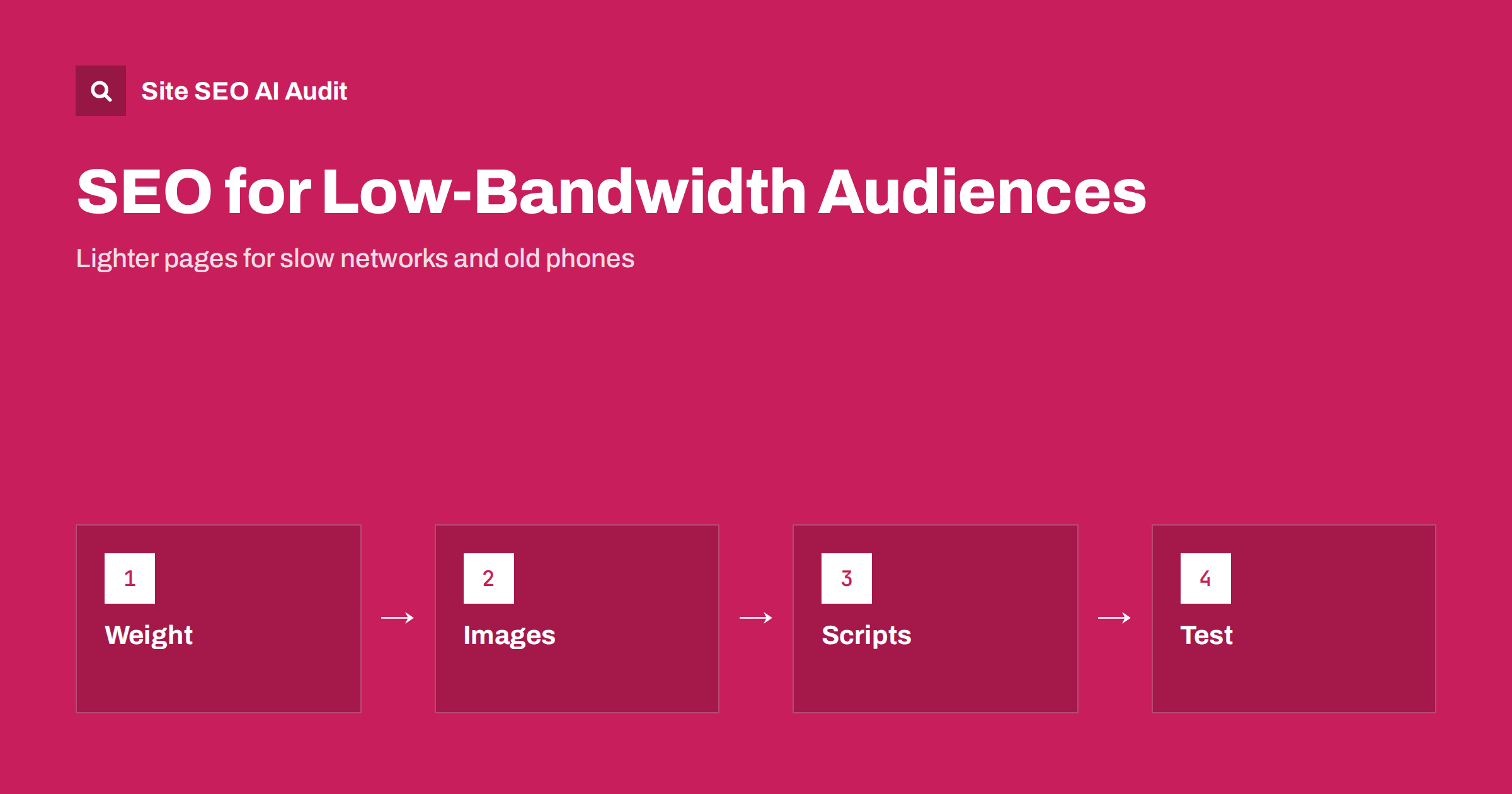
Short answer: If your audience includes people on slow mobile networks, shared connections or older phones, page weight and script cost decide whether they see your content at all. Reduce the total bytes sent, serve properly sized images in modern formats, cut JavaScript, make the main content appear in the first HTML and test with throttled networks and mid-range devices. Faster pages help rankings through page experience signals, and they help visitors far more.
Many websites are designed and tested on fast office connections and recent phones. Their own team sees a quick site, while a large share of real visitors, especially in regions with expensive or patchy data, see a spinner. In search, speed is only one of many signals, but the experience of waiting is a loss of readers and customers. This guide explains how to think about low-bandwidth audiences, what to change and how to test. For the metrics themselves, see the guide to Core Web Vitals.
Who the audience is
The audience is broader than people in distant places. It includes commuters in tunnels, travellers on roaming data, rural users with weak signal, households sharing one connection, people with limited data plans who avoid heavy sites and users of older phones with slow processors and little memory. In many markets, the typical phone is not a flagship model. Check your own data: analytics shows device models, connection types and country, and Search Console’s Core Web Vitals report shows real-user experience for groups of pages.
Look for patterns by country and device. If a market has a high bounce rate and slow field metrics, the cause may be page weight, not content. Regional guides such as the guide to SEO in Africa and the guide to Southeast Asia mention how common mobile-only access is in those regions.
Set a page weight budget
A budget is a limit that every page must respect, and it makes trade-offs visible. Define maximums for the total transferred bytes, the number of requests, the size of JavaScript and the size of images, and test pages against them in every release. The right figures depend on your audience, but the idea is to pick numbers lower than your current pages and tighten them over time. A budget turns a vague wish for speed into a measurable rule. The wider approach is described in the guide to performance budgets.
Measure the home page, a typical article or product page and the heaviest template separately. Heavy templates, such as pages with large galleries or embedded players, often cause most of the pain. Prioritise those that bring most search traffic.
Images carry most of the weight
On many pages, images account for the majority of the bytes. The usual fixes are to send the right size for the screen, to use modern formats and to load images below the first screen only when needed. Provide several widths with the srcset attribute, so that a phone does not download a desktop-sized image. Compress files sensibly and avoid decorative images that add nothing. Details are in the guide to responsive images and the guide to WebP and AVIF.
Take care with lazy loading: the main image at the top of the page should load at once, and lazy loading it delays the largest paint. Set width and height attributes to avoid layout shifts. Video should not autoplay at full size on slow connections. Offer a poster image and load the player on request, a pattern covered in the guide to lazy loading.
JavaScript is expensive on old phones
A script costs time to download, parse and run, and the running cost depends on the device. A bundle that executes in a fraction of a second on a new laptop can freeze an older phone for many seconds. Heavy frameworks, large tag containers, chat widgets, personalisation tools and ad scripts all add up. Remove what you do not need, load the rest after the main content, split bundles so that each page loads only its own code and prefer plain HTML and CSS for content that does not need scripts.
When content depends on scripts, slow devices may show a blank page for a long time, and crawlers with limited rendering may see nothing. Server-side rendering or static generation puts the content in the first HTML, which helps both, as explained in the guide to server-side rendering and hydration. Review third-party scripts too, using the guide to third-party scripts.
Fonts, CSS and the critical path
Web fonts can block text from appearing. Limit the number of font files and weights, subset them to the characters you need, serve them from your own domain and let the browser show a fallback font while the custom one loads. Inline the small amount of CSS needed for the first screen and load the rest without blocking. Remove unused CSS, which often forms a large part of the stylesheet on older sites. The details are in the guide to web fonts and page speed and the guide to render-blocking resources.
For languages with large character sets, such as Chinese, Japanese and Korean, font files are heavy. Use system fonts where design allows, or load subsets by character range so that visitors download only the glyphs they need.
Compression, caching and distance
Make sure text files are compressed with a modern method, that static files carry long caching times and that the server responds quickly. If visitors are far from your server, latency adds delay to every request, and a content delivery network brings files closer. Fewer connections to different hosts also helps. These topics are covered in the guide to page weight and compression and the guide to hosting and CDN for international sites.
A light version of a page is sometimes an option for extreme cases, but separate versions create maintenance problems. In most cases, a single lean responsive page is the better answer.
Content and design choices
Lightness is a design decision. Avoid auto-playing carousels, large background videos, heavy animations and pop-ups that load more scripts. Put the main answer in text near the top, so that a visitor who sees only the first bytes gets value. Use plain links and buttons that work before scripts load. Keep forms simple, and avoid needing a large app download to read an article. If your site serves users who pay for data, showing the size of a download before they begin is a courtesy.
Test as your visitors experience it
Test with throttled network conditions in browser developer tools, which simulate slow mobile connections, and with CPU slowdown to mimic weaker devices. Better still, borrow an old phone and open your site on a real mobile connection. Use lab tools for diagnosis and field data for the truth, a distinction covered in the guide to lab and field data. Repeat tests after changes, and watch the field data over weeks, since it updates slowly.
Plan a routine. Each quarter, measure the main templates against your budget, list the five heaviest assets and the five slowest scripts, and fix the largest. Add a check to your release process that fails a build when a page exceeds the budget. Small steady savings keep a site light, while a single redesign that adds a few heavy features can undo years of work.
Here is a short example. A travel booking site discovered that visitors from a few countries abandoned the first page at twice the average rate. Their home page transferred several megabytes, mostly a large hero video and uncompressed images, and ran heavy scripts. The team replaced the video with a compressed poster image and a play button, resized the images, deferred two third-party scripts and moved to server-rendered markup for the main content. Page weight fell by more than half, field metrics improved in those countries and bookings from them rose over the next quarter.
Remember that small gains matter at the edges. A saving of a few hundred kilobytes may be unnoticed on fibre but decisive on a poor connection. Because search results and customers can come from anywhere, designing for the weakest reasonable device is a way of expanding your audience, not only a technical exercise.
Site SEO AI Audit checks speed and Core Web Vitals through Google PageSpeed, server response, compression and page weight on your pages, and it lists the pages that need work first. It does not simulate old phones or throttled networks, so use device tests alongside it. The first audit of up to 200 pages is free, and the pricing page covers larger sites.
Related reading
The bottom line
Serve lighter pages: set a weight budget, resize and compress images, trim JavaScript, put content in the first HTML and test on throttled networks and older phones.
SSS
Does page weight affect rankings?
Speed is one of many signals, but heavy pages also cause visitors to leave, which hurts results more than any ranking factor.
What is a good page weight?
It depends on your audience. Set a budget below your current pages and tighten it as you improve.
Should I build a separate light version?
Usually no. One lean responsive page is easier to maintain and avoids duplicate versions.
How do I test on a slow connection?
Use network and CPU throttling in browser tools, and confirm on a real older phone with mobile data.
Where do I see real-user performance?
In the Core Web Vitals report in Search Console and in field data from tools that use real visits.