ENEnglish
 LTLietuviškai
 DEDeutsch
 FRFrançais
 RUРусский
 ESEspañol
 PLPolski
 ITItaliano
 UKУкраїнська
 CSČeština
 PTPortuguês
 JA日本語
 LVLatviešu valoda
 ETEesti
 HUMagyar
 IDBahasa Indonesia
 TRTürkçe
 HIहिन्दी
 ELΕλληνικά
 ARالعربية
 THไทย
 VITiếng Việt
 RORomână
 MSBahasa Melayu
 BNবাংলা
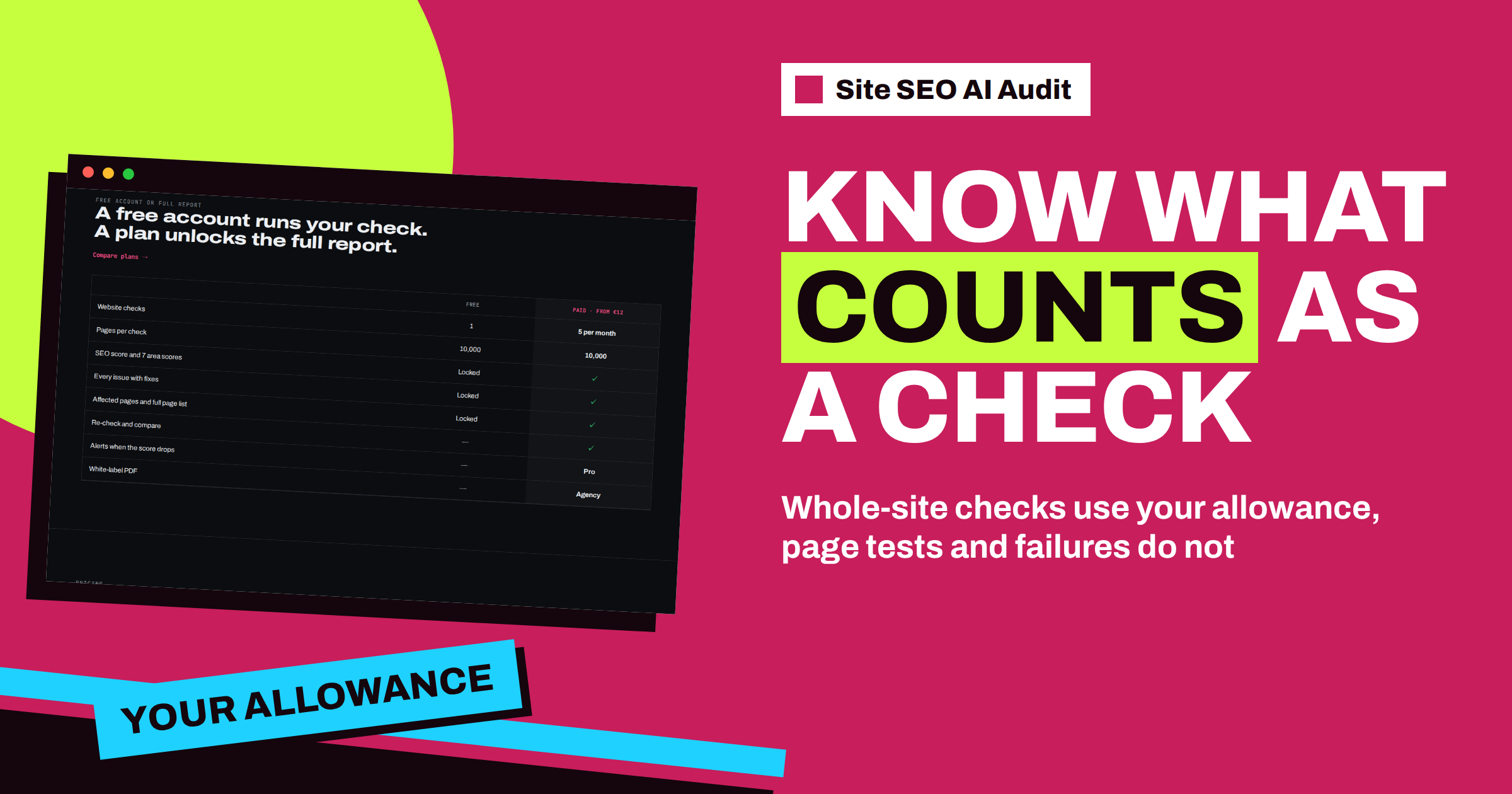
Short answer: In Site SEO AI Audit, a check is one audit of a whole website that you start yourself. Each check of a website, including a re-check of the same one, uses one check from your allowance: one in total on the free plan, and five, twenty or a hundred per calendar month on Starter, Pro and Agency. Checks of a single page, checks that failed or were cancelled, and checks made through an agency’s embedded audit form are not counted. Unused checks do not carry over to the next month.
Plans in Site SEO AI Audit are based on the number of checks, not on the number of websites or pages. That is a simple idea, but it raises practical questions. Does a re-check count? What about a test of one page? What if a check fails halfway? What happens on the day the allowance runs out? This article answers these questions one by one, so that you can plan your checks and avoid surprises.
The basic rule
A check is one audit of a whole website. When you enter an address in the field on My websites and press Audit, or press Re-check in the row of a website, you start a check, and it uses one from your allowance once it is running and does not fail. The check covers the whole website, up to 10,000 pages, and every report is unlocked in full on a paid plan. The pricing page puts it in one line: one audit of a whole website.
The key point is that checks belong to your account, not to a particular website. You may spend your five Starter checks on one website, five times, or on five different websites, once each. The service does not care. This is different from older tools that charge per website, and it gives you flexibility when you manage several sites, or when one site needs several rounds of fixes.
What is counted and what is not
| Action | Uses a check? |
|---|---|
| Check of a whole website you start | Yes |
| Re-check of the same website | Yes, it is a new check |
| Check of a single page address | No |
| A check that failed | No |
| A check you cancelled while it was unfinished | No, it is stored as failed |
| A check started by a visitor through an agency’s embedded form | No, it is not counted against your account |
| Opening an old report or comparing reports | No |
The line between a whole-site check and a single-page check is the address. If you enter the home page of a website, the audit crawls the website. If you enter the address of one specific page, it checks just that page. The article on checking a single page after a fix shows how to use the second kind, and why it does not replace a full check.
The free plan and the paid plans
The free plan includes one check in total. After you run it, the report is shown locked until you choose a plan, and no more checks are available on the free plan. Paid plans work per calendar month.
- Starter, €12 per month. Five checks per month, up to 10,000 pages per check, one background check at once.
- Pro, €29 per month. Twenty checks per month, e-mail alerts, comparison between audits, a PDF report and two background checks at once.
- Agency, €79 per month. A hundred checks per month, white-label PDF reports, the embeddable audit form and ten background checks at once.
The count starts again at the beginning of each calendar month. Unused checks do not carry over, as the pricing FAQ states, so there is no benefit in saving them. If you know that you will need many checks in one month, for example around a redesign, a higher plan for that month may be cheaper than waiting.
Where to see what you have used
The first tile on the My websites page shows your use. On a paid plan, it reads, for example, “3 / 5” with the label “checks used this month”. On a free account, it shows whether the free check is used. The tile is the quickest way to know how many checks remain before you start the next one. The article on the My websites page describes all four tiles and the table below them.
What happens when the allowance runs out
When you have used all your checks and try to start another one, the service tells you. On a paid plan, the message says that you have used all the checks of your plan this month and suggests an upgrade. On the free plan, it says that the free check is used and asks you to choose a plan. If you try to check a website that you have already checked, you are taken to its latest report instead, so you can still read your results. Your reports stay in your account, even if you go back to the free plan.
There are two other limits that are not about the allowance. A paid plan allows a certain number of background checks at once: one on Starter, two on Pro and ten on Agency. If you start more, you are asked to wait until one finishes. And there is a limit on how many checks can be started from one connection in an hour, which protects the service from abuse. Ordinary use never reaches it.
How to spend checks wisely
- Batch your fixes. Fix several findings, then re-check once. A check after every tiny change wastes the allowance.
- Use single-page checks for small tests. After you fix one page, test that page alone, and save the whole-site check for later.
- Compare reports instead of repeating checks. The Earlier reports menu lets you look at old results without running anything.
- Keep a reserve. Leave one check at the end of the month for emergencies, such as a release that goes wrong.
- Plan for events. A migration or a redesign needs a check before and a check after, so plan at least two.
- Cancel early when you make a mistake. A cancelled check is not counted, as the article on cancelling a running check explains.
Choosing a plan by the number of checks
A simple way to choose is to count how many times you expect to check in a month. One website with a monthly routine and a few rounds of fixes needs about four or five checks, which fits Starter. A growing site, a team that releases often or someone who looks after several websites needs more, and Pro’s twenty checks are a good fit. Agencies that audit for clients and use the embeddable form need the hundred checks of Agency. The article on how many SEO checks you need goes through typical cases, and the pricing page shows the plans side by side.
Questions people ask about the limit
Does a check count when it starts or when it ends? The service counts checks of whole websites that did not fail. A check that is queued or running is already part of your use, which is why a check that you cancel or that fails stops being counted. If you want to be sure, look at the tile on My websites after the check finishes.
What if I check the same website twice in a row? Each whole-site check is a separate check. If a check of that website is still running, the service will not start a second one, and it tells you that one is already running in the background. When the first is finished, a re-check is a new check and uses another one from your allowance.
Can I use my checks on any website? Checks belong to your account, and you use them on your own websites. You may run them on as many different sites as your allowance allows. If you work for clients, the Agency plan and its white-label reports are made for that.
Why not simply allow unlimited checks? A deep crawl costs server time, because the crawler reads every page, checks links, asks for speed data and compares the pages with the sitemap. Plans based on the number of checks keep the service fair: heavy users pay for the load they create, and light users pay little. The free plan is a taste of the service, and the paid plans give room for real work.
Related reading
- How Many SEO Checks Do You Need? Choosing a Plan
- Free Account, Locked Report: What a Plan Unlocks
- Check a Single Page After a Fix: Fast SEO Testing
The bottom line
A check is one audit of a whole website that you start. Re-checks count, single-page tests, failed checks and checks made through an agency’s form do not, and unused checks vanish at the end of the month. Watch the tile on My websites, batch your fixes and pick the plan by the number of checks you really need.
FAQ
Does a re-check use a check?
Yes. A re-check is a new audit of the whole website, so it uses one check from your allowance.
Do unused checks carry over?
No. Checks are counted per calendar month, and unused checks do not carry over to the next month.
Does a single-page test use a check?
No. Checking one page address does not use a check and does not change the record of your website.
What if a check fails?
Failed checks are not counted. You can start a new check for the same website.
How many pages does one check cover?
Up to 10,000 pages on every plan. If a site is larger, the most important pages are crawled first, starting from the home page and the sitemap.