 ENEnglish
 LTLietuviškai
 DEDeutsch
 FRFrançais
 RUРусский
 ESEspañol
 PLPolski
 ITItaliano
 UKУкраїнська
 CSČeština
 PTPortuguês
 JA日本語
JA日本語 LVLatviešu valoda
 ETEesti
 HUMagyar
 IDBahasa Indonesia
 TRTürkçe
 HIहिन्दी
 ELΕλληνικά
 ARالعربية
 THไทย
THไทย VITiếng Việt
 RORomână
 MSBahasa Melayu
 BNবাংলা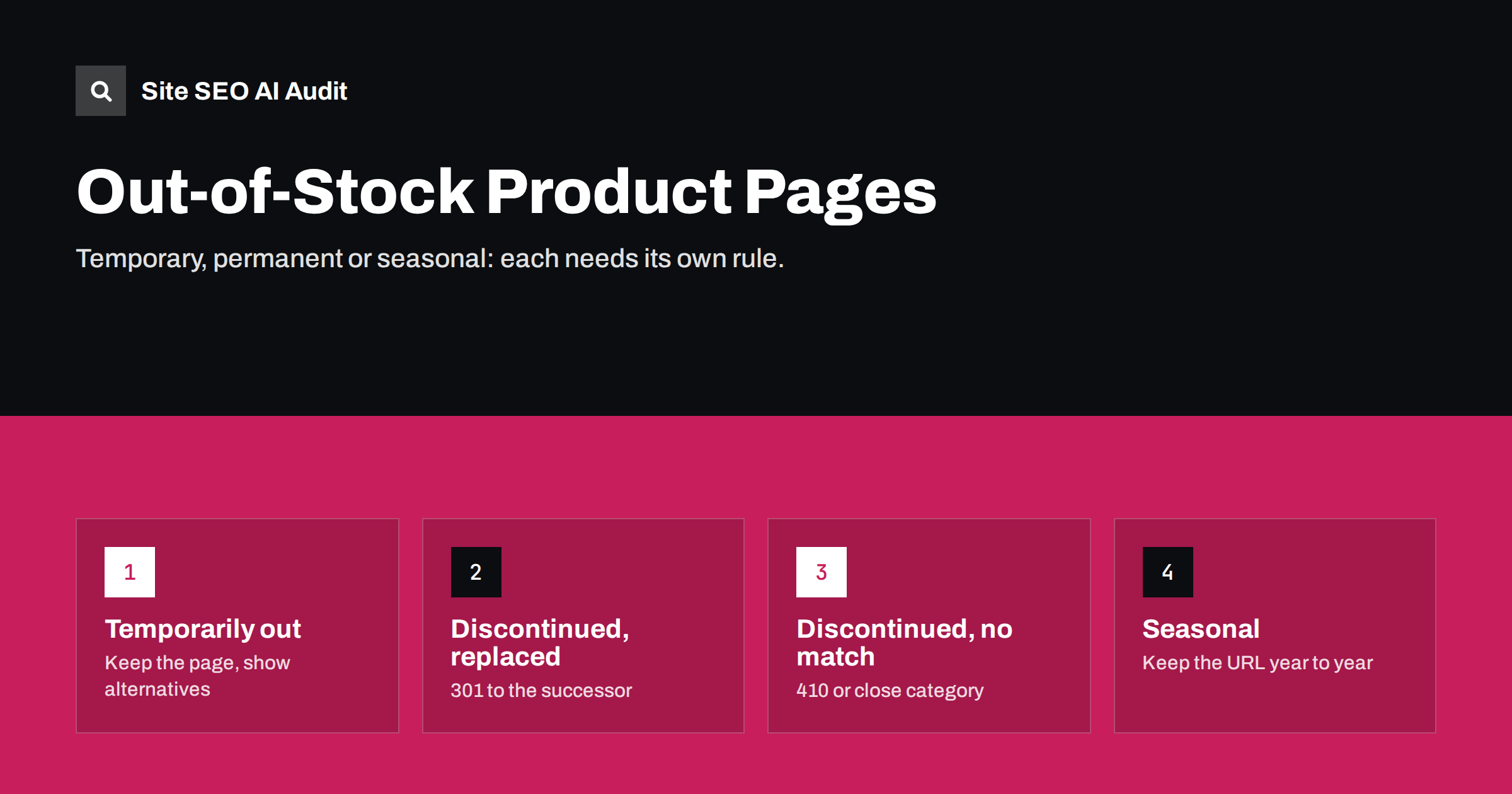
Short answer: keep temporarily out-of-stock product pages live with a 200 status, clear availability information, updated structured data and links to alternatives. For permanently discontinued products, redirect with a 301 to a direct successor or very close product if one exists; otherwise let the page return 404 or 410, or keep it as an informational page if it still attracts searches and links. Seasonal products should keep the same URL every year.
Why this decision matters
Every shop has products that go out of stock, and most eventually discontinue some. Handled badly, this creates several problems at once:
- Lost rankings when established product pages are deleted and their search visibility disappears with them.
- Soft 404s when product pages are stripped down to “not available” but still return 200.
- Irrelevant redirects when every removed product is sent to the home page.
- Frustrated shoppers who arrive from search, find nothing to buy and no alternative.
- Wasted crawling on large catalogues with thousands of dead product pages.
The fix is not one rule for all cases, but a clear rule for each case, applied consistently by the shop system rather than decided product by product.
The four product situations
Almost every unavailable product falls into one of four situations. The question to ask is simple: will this exact product be sold again, and if not, is there something that replaces it? The answer decides the status code, the content of the page and whether it stays in the sitemap.
Case 1: temporarily out of stock
If the product will be back, keep the page exactly as it is, with a few additions:
- Return 200 and keep the page indexable. Do not noindex or redirect it.
- Show availability clearly: “Out of stock”, ideally with an expected restock date if you know it.
- Offer an action: a back-in-stock notification, pre-order, or a way to contact you.
- Link to alternatives: similar products, other sizes or colours, the parent category.
- Update structured data: set the offer’s
availabilitytohttps://schema.org/OutOfStock(orBackOrderorPreOrderwhere accurate), so search results do not promise stock you do not have. - Keep the content: descriptions, specifications, images and reviews all stay.
Some shops hide out-of-stock products from category listings. That is a reasonable user experience choice, but then make sure the product page is still linked from somewhere, or it becomes an orphan.
Case 2: discontinued with a successor
When a product is replaced by a newer model or a direct equivalent, a 301 redirect to the successor is usually best. Visitors who search for the old model land on the product that replaced it, and the old page’s links and history help the new one. Google’s guidance on e-commerce sites covers product lifecycle topics like this.
An alternative that works well for popular products is to keep the old page live as an informational page: mark it clearly as discontinued, keep specifications and manuals, and link prominently to the successor. This suits products people still search for by name, need support for or compare with newer models.
Case 3: discontinued with no equivalent
When nothing comparable exists, you have three sensible options:
- Return 410 (or 404) if the page has no search traffic or links worth keeping. Remove it from the sitemap and internal links. This is the cleanest option for most long-tail products.
- Redirect to the closest category if the category is a genuinely useful next step, for example a discontinued red kettle to the kettles category. Search engines may still treat redirects to broad categories as soft 404s, but visitors are at least helped.
- Keep an informational page if people still search for the product, need its documentation or it has valuable backlinks.
Avoid redirecting all discontinued products to the home page. It helps nobody and is widely treated as a soft 404.
Case 4: seasonal and recurring products
Products that return every year, such as holiday items, seasonal clothing or annual editions, should keep a stable URL. Instead of creating /christmas-gift-box-2025/ and /christmas-gift-box-2026/, use one evergreen URL and update the content. Out of season, keep the page live with an “available again from…” note and links to current alternatives. The URL builds history and links year after year rather than starting from zero each season.
Decision table
| Situation | Status | Page content | Sơ đồ trang |
|---|---|---|---|
| Temporarily out of stock | 200 | Full page, availability, alternatives | Keep |
| Discontinued, direct successor | 301 to successor | — | Remove old, keep new |
| Discontinued, still searched or linked | 200 | Informational page, alternatives | Keep |
| Discontinued, no value, no equivalent | 410 or 404 | Helpful error page | Remove |
| Seasonal | 200 | Evergreen URL, season note | Keep |
What shoppers need on an unavailable product page
Search visibility is only half the story. A visitor who lands on an unavailable product came with a specific need, and the page should still help them meet it:
- Say it immediately. Show the availability status near the top, next to the price, not only after clicking “add to cart”.
- Explain what happens next. A restock date, a back-in-stock e-mail, a pre-order option or a note that the product is discontinued.
- Show real alternatives. Similar products in the same price range, the successor model, or other variants that are in stock, placed where they are seen without scrolling far.
- Keep the useful information. Specifications, manuals, compatibility details and reviews help people who own the product or are comparing options.
- Keep the path back. Breadcrumbs and category links let visitors continue browsing instead of leaving.
A page that does these things usually keeps more of its visitors than one that simply says “not available”, and it gives search engines a page with genuine value rather than an empty shell.
Product variants and sizes
When individual variants, such as one size or one colour, sell out, keep the main product page live and mark the variant as unavailable in the selector. If variants have their own URLs, handle them the same way as products: keep temporarily unavailable ones live, and redirect permanently removed variants to the main product. Make sure structured data reflects variant availability accurately, and that the canonical of variant URLs matches your chosen setup.
Making the rules automatic
Large catalogues cannot be handled by hand. Build the rules into the shop system:
- A product status field that distinguishes “out of stock”, “discontinued, replaced by X” and “discontinued, no replacement”.
- Automatic 301 redirects when a successor is set.
- Automatic 410 responses for products marked discontinued without replacement, after a grace period if you want one.
- Automatic removal from sitemaps for redirected and removed products.
- Structured data that always reads live availability from the same source as the visible stock status.
On WooCommerce and similar platforms, stock status and visibility settings, combined with a redirect manager, can cover most of this.
Agree the rules with everyone who touches the catalogue: buyers, content editors and whoever runs imports. Many lifecycle problems start when a product is simply deleted in the admin because it was the quickest way to hide it. A short written rule, such as “never delete a product that has been live for more than a month; mark it discontinued and choose a successor or none”, prevents most of the damage before it happens.
Monitoring product lifecycle issues
- Check Search Console’s page indexing report for soft 404s and not-found errors on product URLs.
- Check the merchant or product snippet reports for availability mismatches.
- Crawl the shop regularly for internal links to removed products and redirect chains from repeated replacements.
- Watch for redirect chains when a successor is itself replaced: update the oldest redirects to point to the newest product.
How Site SEO AI Audit helps shops
SEOAuditBot crawls product and category pages like a search engine. The audit reports broken links to removed products, redirect chains from successive replacements, thin pages, sitemap URLs that redirect or return errors, and invalid or missing product structured data. Issues are weighted by how many pages they affect, which makes catalogue-wide lifecycle problems stand out. Pro and Agency plans cover larger shops; see pricing.
Related reading
- Soft 404 errors: what they are and how to fix them
- 301 vs 302 redirects: which one to use and when
- Structured data errors: how to find and fix invalid schema
- Faceted navigation SEO: filters without crawl chaos
The bottom line
Treat out-of-stock and discontinued products as different cases. Keep temporarily unavailable pages live with accurate availability and alternatives, redirect discontinued products to true successors, remove pages that have no value with a 410, and keep evergreen URLs for seasonal products. Then let the shop system apply the rules automatically.
FAQ
Should I delete out-of-stock product pages?
Not if the product is coming back. Keep the page live with an out-of-stock message, alternatives and updated availability in structured data. Deleting it throws away its rankings and links.
Should discontinued products redirect to the category?
Only when there is no close replacement and the category is a genuinely useful next step. A redirect to a direct successor is better when one exists, and a 410 is cleaner when nothing relevant exists.
Does out-of-stock status hurt rankings?
The status itself is not a penalty. Pages may attract fewer clicks if results show them as unavailable, but keeping the page live preserves its history for when stock returns.
Should out-of-stock products be noindexed?
Generally no, for temporary stock-outs. Noindexing removes the page from results and it must be reindexed later. Keep it indexable with accurate availability.
What availability value should structured data use?
Use the Schema.org value that matches reality, such as InStock, OutOfStock, BackOrder, PreOrder or Discontinued, and make sure it matches what visitors see on the page.


