ENEnglish
 LTLietuviškai
 DEDeutsch
 FRFrançais
 RUРусский
 ESEspañol
 PLPolski
 ITItaliano
 UKУкраїнська
 CSČeština
 PTPortuguês
 JA日本語
JA日本語 LVLatviešu valoda
 ETEesti
 HUMagyar
 IDBahasa Indonesia
 TRTürkçe
 HIहिन्दी
 ELΕλληνικά
 ARالعربية
 THไทย
THไทย VITiếng Việt
 RORomână
 MSBahasa Melayu
 BNবাংলা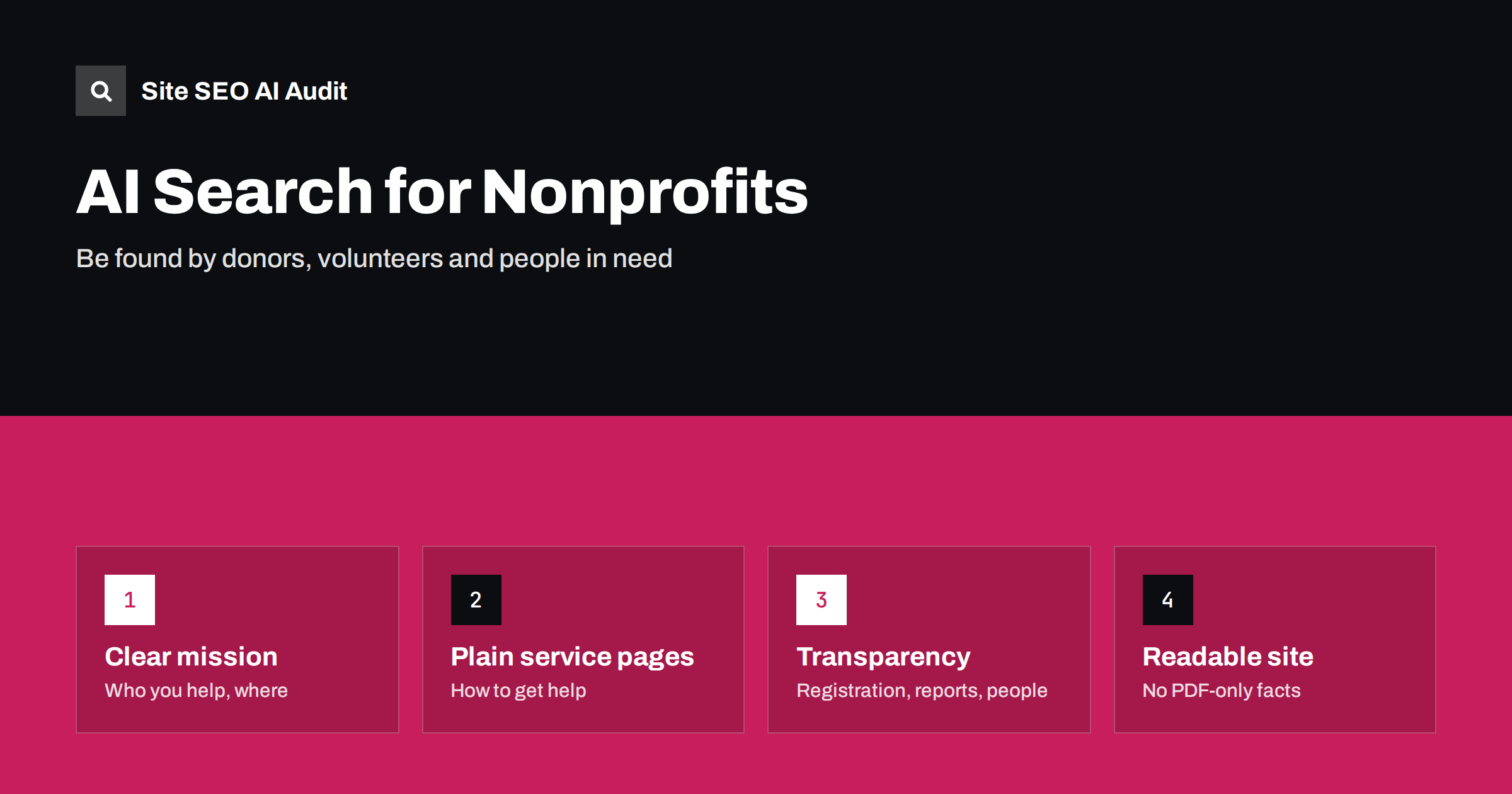
Short answer: AI assistants answer questions like “which charities help homeless people in my city” or “where can I volunteer at weekends” from pages they can read and trust: charity websites, registers of charities, local news and directories. A nonprofit gets described correctly when its website states plainly who it helps, where and how, explains how to get help, donate or volunteer on dedicated pages, shows its registration and governance openly, keeps key information in readable HTML rather than PDFs and images, and keeps its details consistent across external profiles. Most of these fixes cost time, not money.
Nonprofits often have the most important information on the web and the weakest websites to present it. Opening hours of a food bank, eligibility for a support service or how a donation is used are exactly the facts people now ask AI assistants about. If the website hides them in a PDF newsletter or a social media post, the answer either leaves the organisation out or gets the details wrong. This guide covers what to fix first.
Who asks AI assistants about nonprofits
A nonprofit’s website serves several audiences, and each asks different questions:
- People who need help: “free legal advice for tenants near me”, “where to get food parcels this week”, “support for parents of autistic children”. These are often urgent and local.
- Donors: “best charities for clean water”, “is this charity legitimate”, “how much of my donation goes to the cause”.
- Volunteers: “volunteer opportunities for students”, “weekend volunteering with animals”.
- Partners and journalists: “organisations working on youth unemployment in this region”, “who runs this charity”.
AI answers combine several searches to respond, as our guide on query fan-out explains. A site with a clear page for each audience can be found for many of them.
State the mission in concrete terms
Many nonprofit home pages open with a slogan: “Building brighter futures together.” It may inspire supporters, but it tells an AI system nothing about what the organisation does. Near the top of the home page and the about page, say plainly:
- what you do, in one or two factual sentences;
- who you help, such as age group, situation or community;
- where you work: towns, regions or countries;
- how you work: services, campaigns, grants, research, advocacy;
- since when, and under what legal form.
“We run three food banks in the north of the city, open to anyone referred by a social worker or doctor, every weekday from 10:00 to 14:00” is a sentence that can be quoted. Our guide to answer-first introductions shows how to open pages this way.
Give each service and action its own page
People who need help should not have to read the whole site to find out whether they qualify. Create a page for each service with:
- who it is for and who it is not for;
- how to access it: referral, appointment, walk-in, phone line;
- where and when it is available, with addresses and opening times as text;
- what it costs, if anything;
- what to bring or prepare;
- a contact for questions.
Do the same for each way supporters can act: a donation page that explains how donations are used, a volunteering page with real roles and time commitments, and a page for companies and partners. Our article on service page SEO describes a structure that works for any kind of service.
Keep this information current. Out-of-date opening times or a closed programme still described as active can send vulnerable people to the wrong place. Put a “last updated” date on pages with practical details, and review them on a schedule.
Make trust visible
Donors and AI answers both look for signs that an organisation is legitimate. Many charities have these signs, but only in annual reports that nobody reads. Show them on the website as normal text:
- Registration details: the legal name, registration number and the register or authority where it can be checked.
- Governance: board members or trustees, the leadership team and how decisions are made.
- Finances: a summary of income and spending, with a link to the full annual report.
- Impact: what was achieved, in numbers you actually measure, with a short explanation of how.
- Contact and address, not only a form.
These are the same signals our guides to E-E-A-T and AI search and about page SEO describe for businesses. For nonprofits, they matter even more, because “is this charity legitimate?” is a common question.
Get information out of PDFs and images
Nonprofit websites often publish their most useful content as PDF reports, scanned leaflets or images shared from social media: event posters, opening times in a graphic, eligibility rules in a flyer. AI crawlers and search engines handle PDFs and images less reliably than HTML, and images with text are a barrier for screen reader users too. Our guide to PDFs, images and video in AI search goes into detail.
A practical approach: keep the PDF if you need it for printing, but publish the key information on an HTML page as well. For an annual report, that means a page with the main figures and highlights. For a leaflet, a page with the same text. For an event poster, an event page with date, time, place and how to join; see event page SEO.
Write guides on the issue you work on
Beyond describing the organisation itself, nonprofits are often the most knowledgeable source on the issue they work on: housing rights, a rare disease, animal welfare, literacy. People ask AI assistants general questions about these topics long before they look for a specific organisation. Clear, accurate guides written from the organisation’s experience can be cited in those answers, and they introduce the organisation to people who did not know it existed.
Good topics are the questions your staff and volunteers hear every week: what rights a tenant has when a landlord ends a contract, what to do in the first days after a diagnosis, how to report a neglected animal. Answer them directly, in plain language, with the date of the last review and the name or role of the person who checked the content. Link each guide to the service page where readers can get personal help, so that the guide and the service support each other. Avoid copying general information from government sites; add what your experience shows, and link to the official source for the formal rules.
Keep external profiles consistent
AI answers about organisations draw heavily on third-party sources. For nonprofits, these often include charity registers, volunteering platforms, donation platforms, local authority directories, map listings and news articles. Inconsistent details across them confuse both people and machines:
- use the same name everywhere, and mention former names on the about page if you changed it;
- keep addresses, phone numbers and opening times identical on every profile;
- update or close profiles for services you no longer run;
- link from your website to your official register entry and main profiles.
Our guide to entity SEO explains why consistent identity helps AI systems recognise an organisation. Organization structured data on the home page, matching the visible facts, supports the same goal.
Technical basics on a small budget
Many nonprofit sites run on donated hosting, old themes and plugins nobody maintains. A few checks catch the most damaging problems:
- the site uses HTTPS on every page, which matters especially for donation pages;
- robots.txt and the hosting firewall do not block search engines or the AI search crawlers you want, which our guide on AI crawlers in robots.txt explains;
- every important page has a unique, descriptive title;
- old campaign pages redirect to current ones instead of showing errors;
- the site works on a phone, because many people seeking help search on mobile;
- pages load reasonably fast on a slow connection.
See your site the way search engines and AI see it
Small teams rarely have time for manual checks of every page. Site SEO AI Audit crawls your website like a search engine and checks titles, broken links, redirects, HTTPS, speed and structured data on every page, plus an AI visibility area for AI crawlers in robots.txt, llms.txt and content that needs JavaScript. The first audit of up to 200 pages is free, which covers many nonprofit websites completely; larger sites get a preliminary report of the first 200 pages. Start with a free audit to see what to fix first.
Related reading
The bottom line
AI assistants can only describe a nonprofit correctly if its website says clearly what it does, for whom and where. State the mission in concrete terms, give each service and action its own up-to-date page, show registration, governance and finances openly, move key facts out of PDFs and images, keep external profiles consistent and fix the technical basics. These steps help people in need, donors and volunteers find you.
FAQ
Do AI assistants recommend charities?
They often list organisations when asked where to donate, volunteer or find help, based on pages and sources they can read. Clear, consistent and trustworthy information on the charity’s own site and profiles makes it more likely to be described correctly.
What is the most important page for a nonprofit website?
For people seeking help, a clear page for each service with eligibility, access, times and contact details. For donors, a donation page that explains how money is used, supported by an about page with registration and governance details.
Should a charity publish its annual report as a PDF?
A PDF is fine for the full report, but publish the key figures and highlights on an HTML page too. Search engines and AI systems read HTML more reliably, and visitors find the information faster.
How can a small nonprofit improve AI visibility without a budget?
Rewrite the home and about pages in concrete terms, create simple pages for each service and way to help, move important information out of images and PDFs, and update external profiles so all details match.
What if an AI answer gives wrong information about our charity?
Find where the wrong information comes from, often an outdated profile or old page, and correct it at the source. Make sure your own site states the correct facts clearly, then check the answer again after some time.