ENEnglish
 LTLietuviškai
 DEDeutsch
 FRFrançais
 RUРусский
 ESEspañol
 PLPolski
 ITItaliano
 UKУкраїнська
 CSČeština
 PTPortuguês
 JA日本語
JA日本語 LVLatviešu valoda
 ETEesti
 HUMagyar
 IDBahasa Indonesia
 TRTürkçe
 HIहिन्दी
 ELΕλληνικά
 ARالعربية
 THไทย
THไทย VITiếng Việt
 RORomână
 MSBahasa Melayu
 BNবাংলা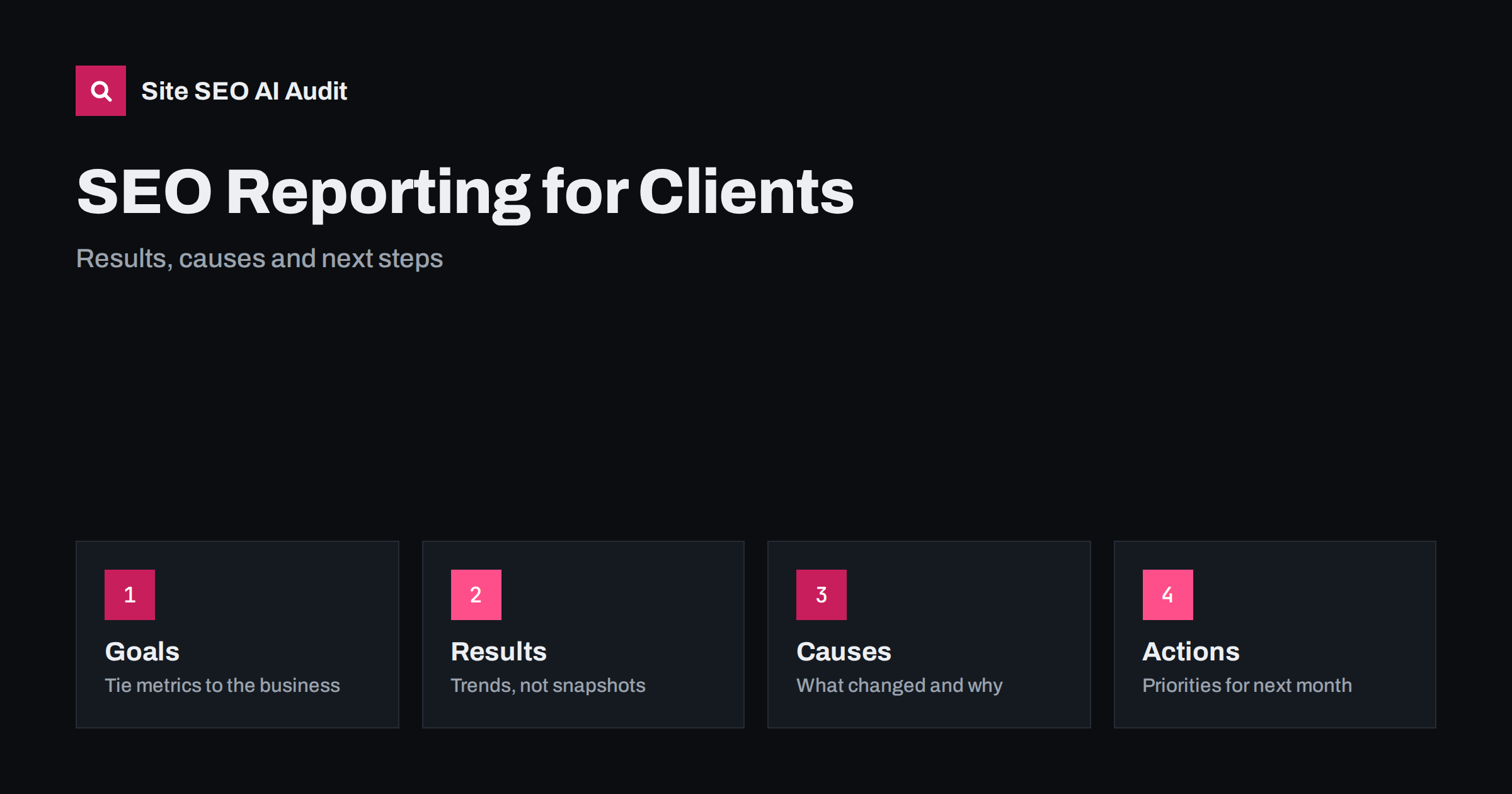
Short answer: A useful SEO report for a client answers four questions in plain language: what happened, why it happened, what was done and what happens next. Start with the goals agreed with the client, show a small set of trends such as organic visits, key conversions, visibility for important queries and technical health, explain the biggest changes and list the next actions in priority order. Leave out metrics that do not drive decisions, and avoid long exports that nobody reads.
Clients do not want to read dashboards. They want to know whether their investment is working, what is holding results back and what you recommend. Many reports fail because they list dozens of numbers without a story, hide bad news in tables or use jargon that the reader cannot act on. A good report builds trust, makes renewals easier and helps the client make decisions. This guide describes a structure that works for agencies, freelancers and in-house teams reporting to managers. For the underlying data sources, see the Search Console performance report guide.
Agree on goals and metrics first
Before the first report, agree what success means. For a local service company it may be enquiry forms and phone calls from organic search. For a shop it may be revenue from organic visits. For a publisher it may be returning readers and newsletter signups. Write down three to five measures, how each is tracked, where the data comes from and what period is compared. Without this agreement, reports turn into arguments about which number matters. Distinguish between outcomes the client cares about, such as leads or sales, and activity measures that explain progress, such as pages fixed or published. Keep the list stable so that months can be compared.
Choose a small set of core numbers
The core of the report should fit on one page. A typical selection includes the following:
- Organic visits and engaged sessions: the trend over at least three months, compared with the same period last year when seasonality matters.
- Conversions from organic search: enquiries, orders or signups, with the agreed definition.
- Search visibility: impressions, clicks, average position and click-through rate for the most important queries and pages, from Search Console.
- Indexing and technical health: indexed pages, errors and warnings, and the status of key templates.
- Speed and usability: the main page experience measurements for the key page types.
- Authority signals: new and lost links of quality, and brand mentions where relevant.
Avoid vanity measures that cannot be tied to a decision, such as a single combined score without explanation, keyword rankings for dozens of phrases that do not matter to the business or raw counts of backlinks. If you report positions, group them by topic or intent and explain what the groups mean. The cautions about estimated numbers in domain authority metrics explained apply to every third-party score.
Tailor the set to the business model. A local firm may add calls and direction requests, an online shop may add revenue and assisted conversions, a software company may add trial signups, and a publisher may add subscriptions. Whatever you choose, define each measure in one sentence at the start of the report and keep the definition unchanged, so that a rise or fall always means the same thing. If a measure must change, mark the break in the chart and explain why. Check that tracking works before each report, because a broken tag can look like a collapse in demand and damage trust faster than any real fluctuation.
Show trends and context, not snapshots
One month of data is noisy. Show at least three months, and compare with the same period last year for seasonal businesses. Mark events on the timeline, such as a site migration, a content launch, a campaign, a search engine update or a tracking change, so that readers can connect cause and effect. Separate branded searches from non-branded ones, because they move for different reasons, as explained in branded vs non-branded search. Show ranges and avoid false precision: a drop of two percent in a small number of visits is not news. When data is incomplete or a measurement changed, say so plainly instead of hiding it.
Explain what changed and why
The most valuable part of a report is interpretation. For each major movement, state what you see, the likely cause, your confidence and the evidence. Use short paragraphs such as this: organic visits to the service pages rose after the new pages were indexed in March, and the growth came mainly from non-branded queries about pricing; two older pages lost visits because a competitor published more complete guides. Link claims to data the client can inspect. Distinguish what you know from what you suspect, and never claim credit for gains that came from seasonality or from the client’s own campaigns. Honest explanations of bad months build more trust than selective positive ones.
Report work done and its status
Clients need to see what they paid for, in outcomes rather than hours. Summarise the work completed in the period: pages published or improved, technical issues fixed, links earned, tests started and tracking changes. For each item, note the page or the area, the date and the expected effect. Add a short list of work in progress and anything waiting on the client, such as approvals or access, because delays on their side often explain slow progress. A running change log, with dates, helps both sides evaluate effects later and is the best defence against the question of what was changed before the traffic moved. Techniques for evaluating changes are in how to test SEO changes.
Prioritise the next actions
End with a short, ranked list of recommendations. Each one should include the problem, the proposed action, the expected benefit, the effort and who is responsible. Rank by impact and effort, and explain the order in a sentence. Separate quick wins from larger projects and from decisions that need budget or approval. Limit the list to what can realistically be done in the next period, and keep the longer backlog elsewhere. Use how to prioritise SEO fixes as a model. Clients respond well to a clear plan, and a short list that is completed beats a long list that is not.
Write in plain language and format for the reader
Use the client’s vocabulary. Replace jargon with short explanations, or add a one-line glossary the first time a term appears. Lead each section with the conclusion, then add the evidence. Use simple charts with clear labels, a consistent time axis and direct annotations, and put long tables in an appendix. Keep the main report to a few pages, and send it on a regular schedule with a short summary in the message. For executives, add a three-sentence summary at the top: the result, the main reason and the main decision. For technical contacts, link to the detailed data. Offer a short call to walk through the report in the first months, so that you learn what the client values.
Handle bad news and uncertainty
Some months go badly. Report the drop early, describe what you know, list the checks you made and say what you will do next. Check for the usual causes first: tracking errors, indexing changes, accidental noindex tags, redirects, server problems, seasonality, search engine updates and changes by competitors. Do not blame an update without evidence. If the cause is unclear, state the hypotheses, how you will test them and when you will report back. Avoid promising rankings or fixed results, since no one can guarantee them. Clients usually accept uncertainty when it is explained clearly and handled professionally, and they leave when they feel they were surprised or misled.
Automate the routine and keep the judgement
Gather data automatically where possible: scheduled exports from Search Console and analytics, a repeated technical audit and a template for the report. This saves time for the analysis that clients value. Keep the same template each month, so that readers can find the numbers quickly, and archive each report with its date. Review your template every quarter and remove sections that nobody uses. Repeating a technical audit on a schedule, as suggested in how often to run an SEO audit, gives you a consistent health score to report on.
Site SEO AI Audit crawls your site, scores about 50 checks per page and ranks fixes by the points they add, so a repeat audit shows what improved from one report to the next. The first audit of up to 200 pages is free; larger sites can see the pricing page. Site SEO AI Audit does not read your analytics.
Related reading
- International SEO Reporting KPIs
- SEO Plugin Scores Explained
- Search Console Data Export
- Low CTR: Impressions Without Clicks
The bottom line
A good client report is short, honest and decision-oriented. Agree on goals, show a few core trends with context, explain causes and the work done, rank the next actions and write in the reader’s language. Reports that tell the truth, including bad news, build the trust that keeps clients.
الأسئلة الشائعة
How often should I send SEO reports to clients?
Monthly is common, with a short quarterly review of strategy. Search results move slowly, so more frequent reports usually add noise rather than insight.
How long should a client SEO report be?
A few pages is enough for most clients: a summary, core metrics, explanations, work done and next actions. Put detailed tables in an appendix or a linked dashboard.
Should I report keyword rankings?
Report them for a small set of phrases that matter to the business, grouped by topic. Position is not the goal in itself, so always show clicks, conversions and impressions beside it.
What do I do when traffic drops?
Say so early, check tracking, indexing, technical changes, seasonality and updates, list the evidence and propose next steps. Avoid guessing, and report back on the checks you make.
Can a dashboard replace a written report?
A dashboard shows data, but clients still need interpretation and recommendations. Use the dashboard as a reference and write a short summary of what it means.