ENEnglish
 LTLietuviškai
 DEDeutsch
 FRFrançais
 RUРусский
 ESEspañol
 PLPolski
 ITItaliano
 UKУкраїнська
 CSČeština
 PTPortuguês
 JA日本語
JA日本語 LVLatviešu valoda
 ETEesti
 HUMagyar
 IDBahasa Indonesia
 TRTürkçe
 HIहिन्दी
 ELΕλληνικά
 ARالعربية
 THไทย
THไทย VITiếng Việt
 RORomână
 MSBahasa Melayu
 BNবাংলা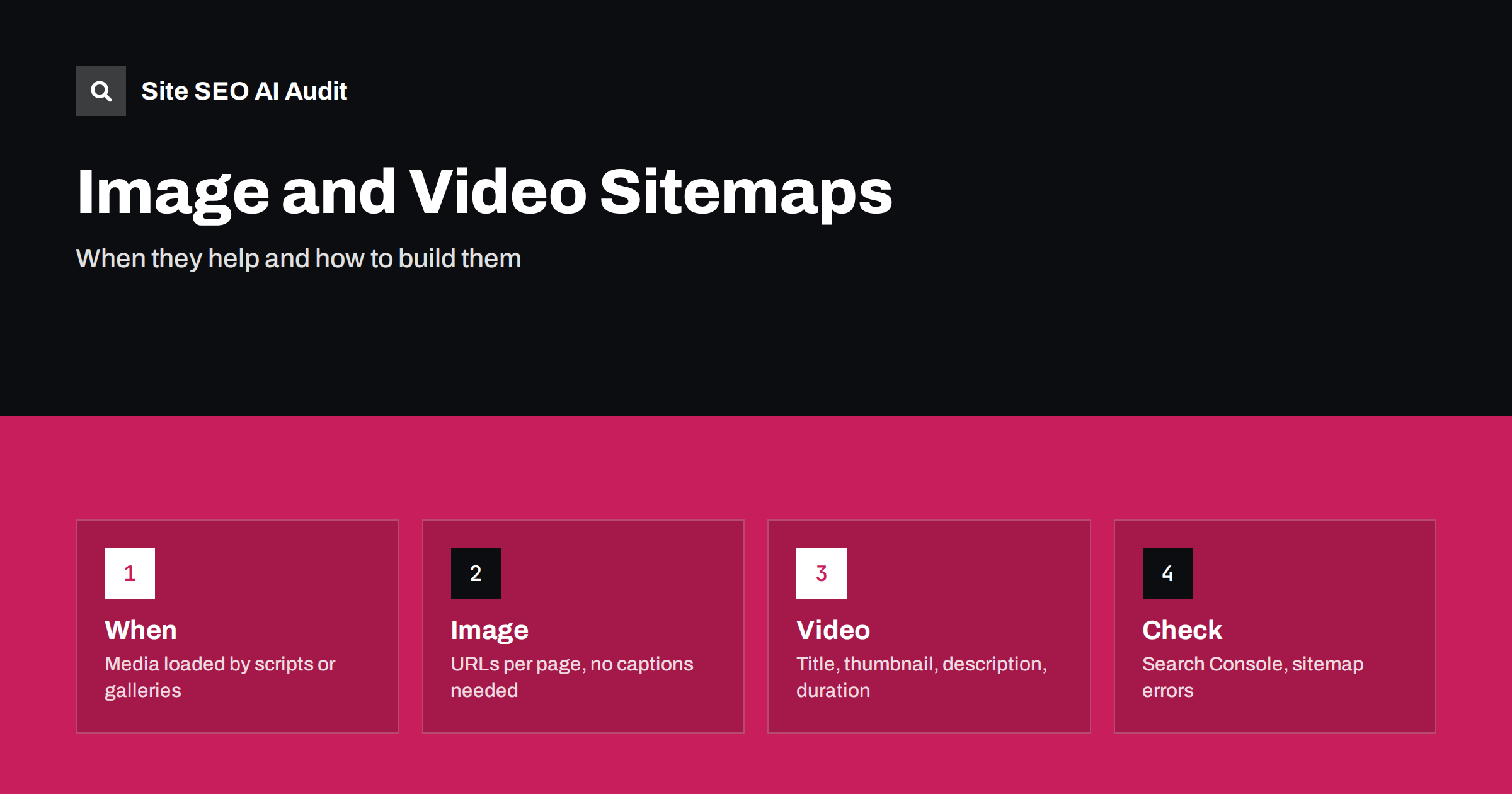
Short answer: An image sitemap lists the images that belong to each page, and a video sitemap lists the videos with their title, description, thumbnail and duration. They help when crawlers cannot find the media from the HTML alone, for example when galleries load images with scripts, when images sit on a CDN that the page does not link to directly, or when videos are embedded through players that hide the details. For a simple site where every image is a plain img tag, an image sitemap adds little. For video, the sitemap or VideoObject markup is usually required to get video results at all. Both are ordinary XML sitemap files with extra namespaces, submitted in Search Console like any other sitemap.
XML sitemaps are usually discussed as lists of pages. Search engines also accept extensions that describe images and videos on those pages, and most site owners never use them, either because they do not know they exist or because they assume the crawler will find the media anyway. Sometimes it will; sometimes it will not. This guide explains what the two extensions do, the situations where they make a measurable difference, how to produce the files with common platforms and how to check that they are being read. It builds on the general rules in XML sitemap best practices.
What an image sitemap does
An image sitemap adds image entries to the page URLs in a regular sitemap. Each page entry can list the images that appear on it, with the image URL and optionally a few descriptive fields. The purpose is discovery: it tells the search engine that these images exist, that they belong to this page and that they are worth crawling. It does not replace alt text, captions or the surrounding content, which still determine what the image ranks for. Search engines have reduced the number of fields they read from image sitemaps over the years, so the image location is the one field that matters; the older caption, title and licence fields are either ignored or better expressed in structured data on the page.
Image search can bring meaningful traffic to product catalogues, recipe sites, travel sites, portfolios and manufacturers with technical diagrams. For those sites, making sure every important image is discovered is worth a small amount of work. The content side of image optimisation is in the image SEO guide and the alt text rules in the alt text guide.
When an image sitemap actually helps
- Images loaded by JavaScript. Galleries, sliders and lazy-loading libraries that only insert the image URL after a script runs. The crawler may render the page later or not at all.
- Images on a separate host. A CDN or media subdomain is fine for crawling, but a sitemap confirms the relationship between page and image and gets the files crawled sooner.
- Large catalogues. Tens of thousands of product images that change often; the sitemap with lastmod dates guides the crawler to the new ones.
- Images only reachable through user action. Zoom views, colour variants and “view more” sections that do not appear in the initial HTML.
If every image on your site is a normal img tag with a src attribute in the HTML, the crawler finds them and the sitemap changes little. Check with a crawl: if the images that matter appear in the rendered HTML with a direct URL, you can skip the extra file. Related problems with lazy loading are explained in lazy loading and SEO.
What a video sitemap does
Video is different. To show a video result, a search engine needs the title, a description, a thumbnail URL, a duration and either a player URL or a content URL for the video file, plus the page it lives on. Those details can come from VideoObject structured data on the page or from a video sitemap, and the sitemap is the simplest way to provide them for many videos at once, especially when the player is embedded from a hosting service that hides the details from crawlers. The sitemap can also carry fields such as publication date, expiry date, whether the video is family friendly, country restrictions and whether it requires a subscription.
A video sitemap is worth building for any site with its own video content: tutorials, product demonstrations, courses, real estate tours, news. If the videos are hosted on a public video platform and also embedded on your site, the sitemap still helps your page appear as the result rather than only the platform’s page. The on-page side, including the thumbnail and the transcript, is covered in video SEO for embedded videos.
Structure of the files
Both extensions use additional XML namespaces declared in the root element. An image entry nests inside the page’s url element and contains the image location. A video entry contains the thumbnail location, the title, the description, the content or player location and the duration, with optional fields after them. The table below summarises the required and useful fields.
| Extension | Required | Useful optional |
|---|---|---|
| Image | image:loc | None in practice; describe images on the page instead |
| Video | video:thumbnail_loc, video:title, video:description, video:content_loc or video:player_loc | video:duration, video:publication_date, video:expiration_date, video:family_friendly, video:restriction, video:requires_subscription, video:live |
Other limits are the same as for any sitemap: at most 50,000 URLs and 50 MB uncompressed per file, with a sitemap index to combine several files. Images do not count as URLs toward the limit, but each page can carry a maximum of 1,000 images. All locations must be absolute URLs on hosts you control or are allowed to list, and the sitemap must be reachable by the crawler.
Generating sitemaps on common platforms
WordPress SEO plugins usually add image entries to the regular post and page sitemaps automatically, which covers most blogs. Some e-commerce plugins and themes do not include variant or gallery images; check one product URL in the sitemap and compare it with the product page. Video sitemaps for WordPress usually need a dedicated plugin that reads embedded players, or a custom generator if videos are managed in a separate system. Shopify generates image entries for products in its sitemap. Static site generators and custom frameworks need a script that walks the content and writes the XML; keep it in the build pipeline so that the sitemap is regenerated on every deployment. For very large catalogues, generate separate files per section and list them in an index, and update lastmod only when the page or its media really changed, since dishonest lastmod values cause the crawler to ignore the field.
Common mistakes
- Listing images that are blocked by robots.txt or protected by hotlink rules that reject the crawler’s requests.
- Listing thumbnail or resized URLs that later change when the theme regenerates sizes.
- Including decorative images, icons and tracking pixels, which adds noise.
- Video entries with missing thumbnails or descriptions copied from the page title.
- Player URLs that need a login or are only reachable inside an iframe with restrictions.
- Putting images on pages that are noindexed or canonicalised elsewhere; media on a non-canonical page rarely appears in results.
- Submitting the sitemap once and never checking it again after a platform update.
Sitemap errors reported in Search Console are explained in sitemap errors in Search Console.
Checking that it works
Submit the sitemap in Search Console or reference it in robots.txt. In the sitemaps report you can see whether it was read successfully and how many URLs were discovered; the video indexing report shows which pages have videos that were recognised and which were rejected and why. For images, the simplest check is image search for your brand or product names a few weeks after submission, and the image share of clicks in the performance report. Repeat the check whenever the theme, the CDN or the video host changes.
A site audit catches the related problems: blocked media hosts, broken image URLs, lazy-loaded images without a src, missing alt text, videos without structured data and sitemaps that list non-canonical pages. Site SEO AI Audit crawls your site, scores it across seven areas and ranks the fixes by impact. The first audit of up to 200 pages is free, and the pricing page covers larger sites and repeat audits.
Related reading
- XML Sitemap Best Practices: What to Include and Leave Out
- Image SEO: File Names, Alt Text and Captions
- Video SEO for Embedded Videos
- Multilingual XML Sitemaps
The bottom line
Image sitemaps help when crawlers cannot find your images from the HTML; video sitemaps are close to essential if you want your pages to appear as video results. Both are small XML additions. Include only images and videos on canonical, indexable pages, use stable absolute URLs, keep lastmod honest, submit in Search Console and check the reports after every platform change.
FAQ
Do I need an image sitemap for a normal blog?
Usually not, if every image is a plain img tag in the HTML. Most WordPress SEO plugins add image entries anyway, which does no harm.
Can I use one sitemap for pages, images and videos?
Yes. Image and video entries nest inside the page URL entries, as long as the namespaces are declared. Separate files are easier to manage on large sites.
Which is better for video: structured data or a sitemap?
Either works; using both is common. Structured data on the page is precise per video, while a sitemap is easier to generate for many videos at once.
Do images in the sitemap count towards the 50,000 URL limit?
No. The limit applies to page URLs. Each page may list up to 1,000 images, and the file must stay under 50 MB uncompressed.
Why does Search Console say my video was not indexed?
Common reasons are a missing or unreachable thumbnail, a video that is not the main content of the page, or a player that cannot be fetched. The video indexing report states the reason.