ENEnglish
 LTLietuviškai
 DEDeutsch
 FRFrançais
 RUРусский
 ESEspañol
 PLPolski
 ITItaliano
 UKУкраїнська
 CSČeština
 PTPortuguês
 JA日本語
JA日本語 LVLatviešu valoda
 ETEesti
 HUMagyar
 IDBahasa Indonesia
 TRTürkçe
 HIहिन्दी
 ELΕλληνικά
 ARالعربية
 THไทย
THไทย VITiếng Việt
 RORomână
 MSBahasa Melayu
 BNবাংলা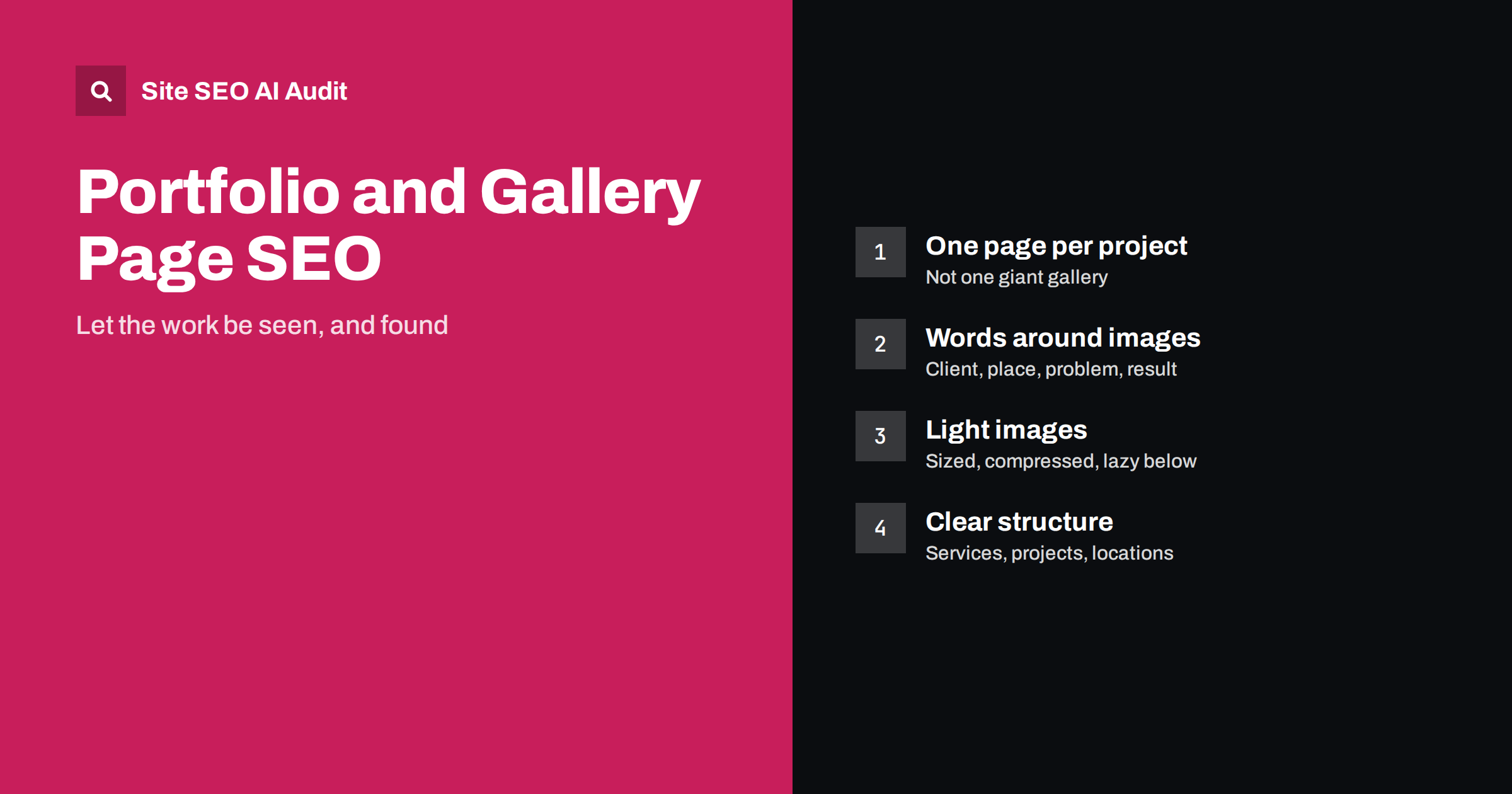
Short answer: Portfolio and gallery pages rank poorly when they are only images, because search engines and AI systems need text to understand what a page is about. Give each significant project its own page with a descriptive title and a short write-up: what it was, for whom, where, what problem it solved and which service it shows. Use descriptive file names and alt text, keep images properly sized and compressed, lazy-load images below the first screen, link projects to the matching service pages, and avoid attachment pages and endless galleries that create thin, duplicate URLs.
Designers, photographers, architects, interior designers, builders, landscapers and agencies all sell through their work. Their websites are often built around large images and minimal text, which looks great and says almost nothing to a search engine. The result is a site that only ranks for its own name. A few structural changes can make the same portfolio findable for the services and places that bring in clients, without turning it into a wall of text.
Why image-only pages struggle
Search engines understand images mostly through the text around them: the page title, headings, captions, alt text, file names and the surrounding paragraphs. Google’s guidance on image SEO best practices emphasises context and placement. A gallery page with forty images, no headings and a title like “Portfolio” gives very little to work with. Typical problems:
- Thin content: pages with almost no text look low-value, as described in our guide to thin content.
- No match for searches: clients search for “kitchen renovation in Leeds” or “wedding photographer Lake Como”, and the page never mentions either.
- Slow loading: dozens of full-size images make the page heavy, especially on mobile.
- Duplicate URLs: lightboxes and attachment pages create a separate URL for every image, with no text of its own.
Give each project its own page
The most effective change for most portfolios is structural: instead of one long gallery, create a page per significant project or case. Each project page then has a clear topic and can rank for it. A useful project page has:
- A descriptive title, such as “Victorian Terrace Kitchen Extension in Bristol” rather than “Project 14”.
- A short introduction of a few sentences: the client or type of client, the location, the brief and the result.
- The images, in a sensible order, with captions where they add information.
- Details people ask about: scope, materials, timeline, constraints, approach, and the services involved.
- লিংক to the matching service page, similar projects and the contact page.
If you have years of work, you do not need to create pages for everything at once. Start with the projects that best represent the work you want more of, the ones in the locations you serve and the ones clients mention when they contact you. Ten strong project pages usually do more than a hundred thin ones. Older or minor projects can stay in a category gallery, where they support the overall impression without needing their own URL.
A project page does not need a long essay. Two hundred to four hundred well-chosen words around the images are often enough to make the topic clear. Larger, more complex projects can become full case studies; our guide to case study pages covers that format.
Write the words around the images
Text on a portfolio site should help a potential client decide, not fill space. Useful writing usually answers:
- What was the problem or goal?
- Who was it for, and what kind of client was it?
- Where was it, if location matters for your business?
- What did you do differently, and why?
- What was the outcome, in concrete terms where you can share them?
Write in plain language and in the words clients use. An architect may say “rear extension with a flat roof and roof lights”; a homeowner searches “kitchen extension ideas”. Both can appear naturally on the page. Avoid repeating the same paragraph on every project page; that adds nothing and creates boilerplate.
Alt text, file names and captions
Each meaningful image should have alt text that describes what it shows in the context of the project: “Open-plan kitchen with oak cabinets and a central island” rather than “kitchen1” or a list of keywords. Our image alt text guide has more examples. Also:
- File names: rename files before uploading, such as
bristol-kitchen-extension-island.jpginstead ofIMG_4821.jpg. - Captions: use them where they add information, such as before and after, materials or the photographer’s credit. Captions are read more than body text on image-heavy pages.
- Consistency: do not give twenty images on the same page identical alt texts; describe what differs.
For more on context signals, see our guide to image SEO beyond alt text.
Keep image-heavy pages fast
Portfolios often use the largest, highest-quality images possible, and that can make pages very slow. You can keep quality and still load quickly:
- Resize before upload to the largest size the layout actually displays, typically around 2,000 pixels wide for full-width images, not the camera’s original.
- Use modern formats such as WebP or AVIF where supported; see WebP and AVIF.
- Serve responsive sizes with srcset, so phones download smaller files.
- Load the first image immediately and lazy-load the rest; our guide to lazy loading explains the rules.
- Set width and height on every image to prevent layout shifts as the gallery loads.
- Be careful with sliders and heavy gallery plugins, which can add large scripts and hide images from crawlers if they load only after interaction.
Avoid thin URLs from galleries and attachments
Gallery systems often create extra URLs that add nothing:
- Attachment pages: WordPress and similar systems can create a page for each uploaded image, with the image and nothing else. Redirect them to the parent page or disable them; our guide to WordPress crawl waste covers the setting.
- Lightbox URLs: if each enlarged image changes the URL, make sure those states are not separate indexable pages, or that they canonicalise to the project page.
- Tag and filter pages: “all projects tagged blue” pages can multiply quickly. Keep the useful ones, such as service or location categories, and keep the rest out of the index.
- Endless “all work” pages: one page with hundreds of images is heavy and unfocused. Use categories with a sensible number of projects each, and pagination where needed.
Connect projects, services and locations
Portfolio pages work best as part of a clear structure. A typical setup for a service business:
- Service pages describe each service in detail and show a selection of related projects.
- Project pages link back to the service they illustrate and to similar projects.
- Location information appears where it is real: on project pages and, for businesses serving several areas, on location pages with genuine local content, as described in location pages without duplicates.
- Portfolio overview pages group projects by service or type, with a short introduction to each group.
This structure lets a project page rank for a specific search, and lets a service page draw strength from the projects that prove it. Our guide to internal linking strategy explains how to link them.
Portfolios, image search and AI answers
Image-heavy businesses can get real traffic from image search, where people browse visually for ideas such as “scandinavian living room” or “small garden design”. Images that are well described, fast and placed on relevant pages have a better chance of appearing there, and image results link back to your page. AI assistants, on the other hand, mostly read text. When someone asks for “an architect in Bristol who specialises in listed buildings”, the answer depends on whether your pages state that specialism in words. Descriptive project pages serve both: the images for visual search, the text for written answers.
Find thin and heavy pages across the portfolio
On image-heavy sites, the same problems repeat on every project: missing alt texts, duplicate titles, thin text, heavy pages. Site SEO AI Audit crawls your site like a search engine and checks image alt texts, titles, thin and duplicate content, page weight and compression on every page, then ranks the fixes by how many pages each issue affects. The first audit of up to 200 pages is free, which covers many portfolio sites completely.
Related reading
The bottom line
Search engines see a portfolio through its words and structure. Give each significant project its own page with a descriptive title and a short, useful write-up, describe images with meaningful alt text and file names, keep pages fast with sized and lazy-loaded images, remove thin attachment and gallery URLs, and connect projects to services and locations. The work stays the hero, and it becomes findable.
FAQ
How much text does a portfolio page need?
There is no fixed minimum. A few hundred well-chosen words around the images, covering the brief, client type, location, approach and result, are usually enough to make the topic clear to search engines and helpful to visitors.
Should every project have its own page?
Significant projects should. A separate page per project gives each a clear topic that can rank for specific searches. Small or very similar projects can be grouped on a category page instead.
Do image file names matter for SEO?
They are a small signal. Descriptive file names help search engines understand an image, especially together with alt text, captions and surrounding text. Renaming files before upload is quick and worth doing.
Are gallery plugins bad for SEO?
Not in general, but some load images only through scripts, add heavy code or create a separate URL for every image. Check that images appear in the HTML with alt text, that pages stay fast and that no thin image URLs get indexed.
Should image attachment pages be indexed?
Usually not. Attachment pages that show a single image with no text are thin. Redirect them to the parent project page or disable them, so that search engines focus on the pages with real content.