ENEnglish
 LTLietuviškai
 DEDeutsch
 FRFrançais
 RUРусский
 ESEspañol
 PLPolski
 ITItaliano
 UKУкраїнська
 CSČeština
 PTPortuguês
 JA日本語
 LVLatviešu valoda
 ETEesti
 HUMagyar
 IDBahasa Indonesia
 TRTürkçe
 HIहिन्दी
 ELΕλληνικά
 ARالعربية
 THไทย
 VITiếng Việt
 RORomână
 MSBahasa Melayu
 BNবাংলা
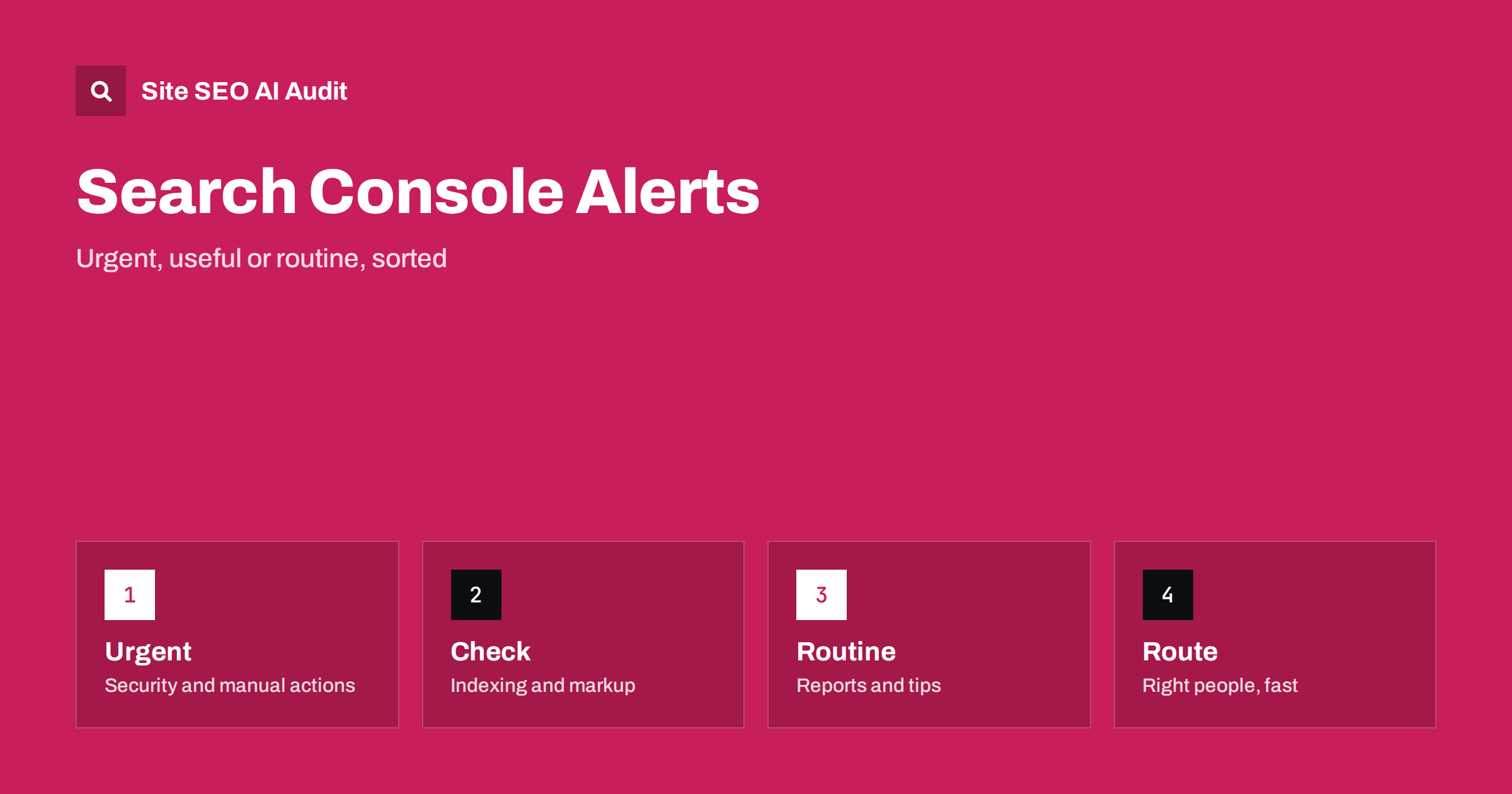
Short answer: Search Console emails tell you when Google detects a new problem or a notable change on your site. Treat messages about security issues, manual actions and sudden drops in indexed pages as urgent. Messages about structured data, page experience or new indexing issues need a check within days. Routine tips and summaries can wait. Make sure that the right people receive them, keep a log of what you did and verify fixes in the tool.
Many site owners ignore Search Console emails because they seem technical, repetitive or alarming without explanation. Others react to each message as if it were an emergency. Neither approach works well. The messages are a free early-warning system, and some of them point to problems that can remove your site from results. This guide helps you sort them, decide who should act and avoid panic over routine notices. For setting up the tool in the first place, see the guide to Search Console setup.
Who gets the emails
Alerts go to the owners and users of a property in Search Console, according to their permissions and settings. If the person who set up the property left the company, or if the address is a personal mailbox that no one reads, alerts will be missed. Review the list of users in each property, add at least two responsible people and consider a shared address that is monitored, such as a team mailbox, as one of the owners where your policy allows it.
Check that you have properties for the versions of the site that matter, including the domain-level property, so that messages about any subdomain or protocol arrive. Check your mail filters, because automated messages can be sent to spam. A quick test is to open the settings and confirm which messages you have chosen to receive.
Urgent: security and manual actions
A manual action message means that a person at the search engine has judged that part of your site breaks its spam policies. The message names the type, such as unnatural links or thin content, and may affect a part of the site or all of it. It needs a response: find the cause, fix it thoroughly and then submit a reconsideration request that explains what you did. Details are in the guide to manual actions.
Security issue messages report that the site may be hacked or serve harmful content. Treat them as an incident: take the site to a safe state, clean the infection, close the hole and request a review. See the guide to hacked site spam. Both types can lead to warnings in results and a sharp drop in traffic, so they have priority over everything else.
Important: indexing and crawling alerts
Indexing messages tell you that a new type of problem was found or that a group of pages changed status. Examples are pages that are blocked, not found, redirected incorrectly, marked noindex, or crawled but not indexed. Not every message is a problem: removed pages naturally appear as not found. Look at which addresses are affected and ask whether they should be indexed. If important pages appear in the list, investigate. The explanations are in the guide to the page indexing report and the guide to pages indexed though blocked.
Messages about sitemaps, server errors or a sharp rise in crawl errors deserve a quick look. They may reveal a release that broke redirects, a server problem or a change in robots.txt. See the guide to sitemap errors and the guide to the crawl stats report.
Important: markup and experience reports
Search Console reports on enhancements such as breadcrumbs, products, reviews, videos and other markup, and on page experience areas such as Core Web Vitals and mobile usability. A message appears when new errors or warnings are found, or when a fix is validated. Errors in markup can mean losing a rich result, so they merit attention, while warnings are often optional improvements. Learn how to read them in the guide to fixing structured data errors, the guide to Core Web Vitals and the guide to mobile usability.
When such a message arrives, open the report, view the example pages, find the pattern, fix the template and use the validation feature. Fixes can take days or weeks to be confirmed, so do not repeat the request over and over.
Routine: summaries and tips
Some emails are periodic summaries, tips about new features or invitations to try a report. They are informational. It is wise to skim them, because they sometimes announce new tools or changes in how a report works, but they rarely require action on the same day. Also remember that performance changes such as a small fall in clicks are normal and may reflect season or demand, so look at trends in the performance report first, as described in the guide to the performance report.
Build a simple routine
Give each type of alert an owner and a target time. For example, security and manual action messages are handled by a named person within the same day, indexing and markup messages within a week and routine messages in a monthly review. Create a mail rule or a shared folder so that all alerts are collected in one place, where the team can find them later. Add a calendar reminder to open Search Console at least monthly, even if no email has arrived, since not every change triggers a message.
For larger sites, use the data export to build your own dashboards and alerts on drops in clicks, impressions or indexed pages, as covered in the guide to exporting Search Console data. Combine this with regular technical checks, as in the guide to technical SEO monitoring.
Document and verify
For each alert that you act on, write down the date, the message, the cause, the fix and the date when you validated it. This record helps if the same problem returns and when you explain traffic changes to others. Use the URL inspection tool to confirm that a fixed page is accessible and indexable, as explained in the guide to the URL inspection tool, and use the validation feature where it exists.
Do not assume that a message disappears because the problem is solved. Some reports update slowly. Check the report again after a few weeks and look at the trend line, not only at the message.
Alerts for international and large sites
Sites with several languages or countries often have several properties, and each sends its own messages. Keep a list of all properties with the responsible person for each, because a problem in one language version may appear only in that property. If you manage many sites for clients, create a shared process: one mailbox per client, a standard way to forward alerts and a short template for the response. For international sites, check the reports that matter for language versions, such as hreflang-related issues, in the properties of each version.
On large sites, small changes in percentages can mean thousands of pages. Pay attention to the size of a change, not only to whether an alert exists. A message about a few new not-found pages is routine, while the same message about a whole section is an incident. Compare numbers with the previous weeks before deciding how serious it is.
What alerts cannot tell you
Search Console reports what Google sees, which is not the same as what visitors experience or what other search engines and AI assistants see. A page can be healthy in the report and still load slowly for people, show wrong prices or be blocked for another crawler. Alerts also arrive after the event, sometimes days later. Use them as one input among several: your own monitoring, analytics, server logs and regular crawls give a fuller picture. Never treat the absence of an email as proof that all is well.
Here is a short example. A small company received an email about a rise in server errors but ignored it as a technical notice. A plugin update had broken a part of the site, and for two weeks many pages returned errors to crawlers. A new routine routed such messages to the developer, who fixed the problem the same day the next time an error appeared, before the effect on rankings grew.
A second example is a shop whose owner left, and all alerts went to his old address. When the shop was hit by a security issue, no one noticed for weeks. After adding two current owners and a team mailbox, alerts arrived reliably.
Site SEO AI Audit crawls your website and checks status codes, redirect chains, canonical tags, noindex, sitemap issues, structured data, broken links and page speed, so you can find many problems yourself before an alert arrives. It does not replace Search Console or receive its messages. The first audit of up to 200 pages is free, and larger sites can see the pricing page.
Related reading
The bottom line
Sort alerts by urgency, send them to people who will act, record what you do and verify every fix.
FAQ
Who receives Search Console emails?
Owners and users of the property, depending on their permissions and notification settings. Check that current staff are on the list.
Which alerts are most urgent?
Manual actions and security issues, followed by sudden indexing or server error problems.
Do I need to react to every indexing message?
No. Check whether the affected pages should be indexed. Removed or intentionally blocked pages are normal.
How long does validation take?
It can take several days or weeks, depending on the report and the number of pages. Avoid repeated requests.
What if I get no emails?
Not every change triggers a message. Open the reports at least monthly and set up your own monitoring for key metrics.