ENEnglish
 LTLietuviškai
 DEDeutsch
 FRFrançais
 RUРусский
 ESEspañol
 PLPolski
 ITItaliano
 UKУкраїнська
 CSČeština
 PTPortuguês
 JA日本語
JA日本語 LVLatviešu valoda
 ETEesti
 HUMagyar
 IDBahasa Indonesia
 TRTürkçe
 HIहिन्दी
 ELΕλληνικά
 ARالعربية
 THไทย
THไทย VITiếng Việt
 RORomână
 MSBahasa Melayu
 BNবাংলা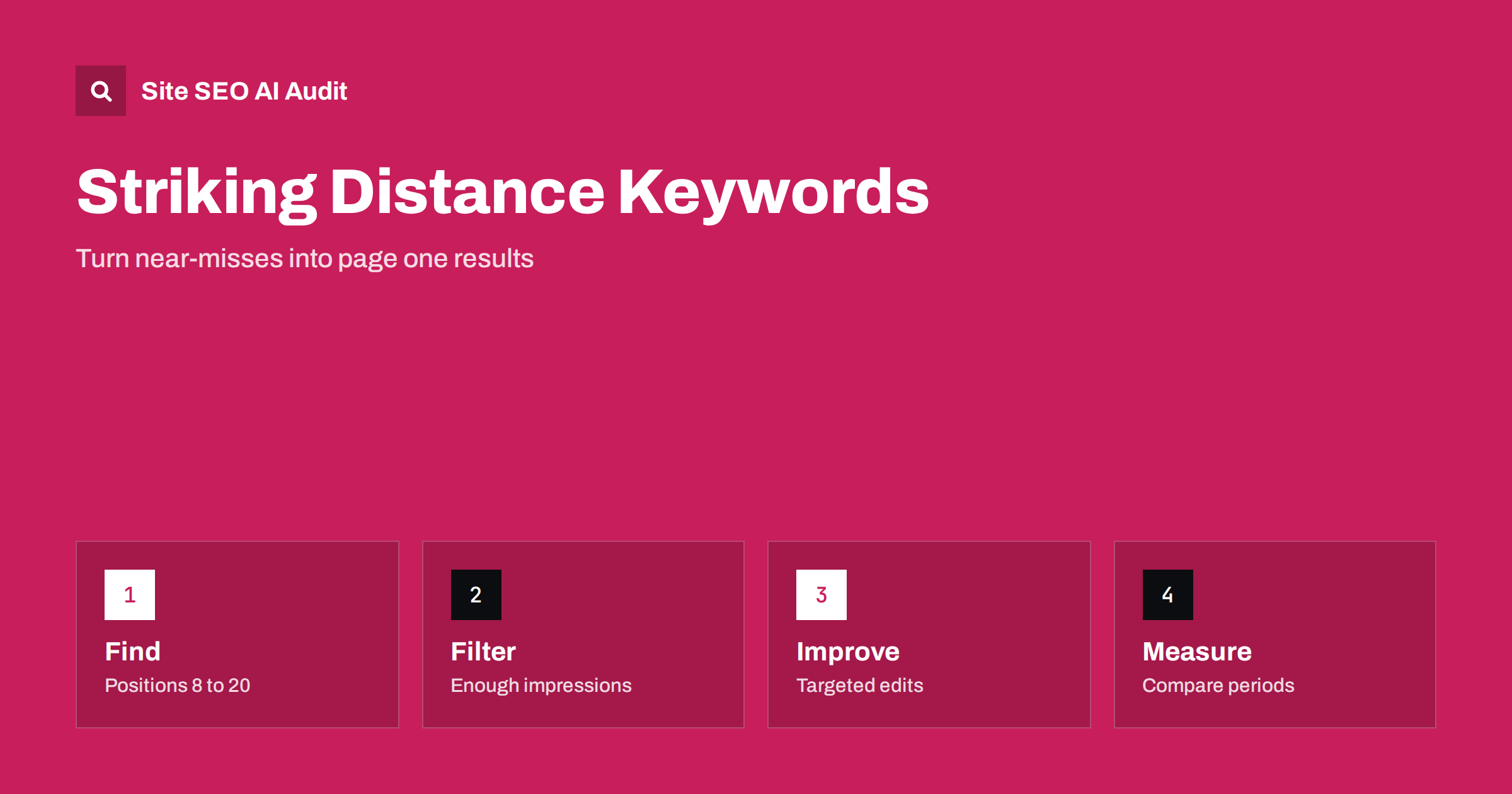
Short answer: Striking distance keywords are search queries for which a page already appears, but just below the results that get most of the clicks, usually around positions 8 to 20. You can find them in the Search Console performance report by filtering for queries with real impressions and an average position in that range. Because the page already has relevance, small improvements to content, titles and internal links often move it further than writing something new.
Most sites chase new keywords while ignoring the ones that are nearly working. A page that sits at position 11 for a query with steady demand already has some of what the search engine wants. It may only need a clearer answer, a better heading, a stronger snippet or a few internal links. This guide shows how to find those opportunities with data you already own, how to judge which ones deserve effort and how to measure whether the changes helped. If you are new to the report itself, start with the guide to the Search Console performance report.
What striking distance means
There is no official definition, so the range is a working rule. Position 1 to 3 gets the bulk of clicks, page one holds ten organic results in a typical layout and page two begins after that. A query where you rank between about 8 and 20 is close enough that improvement is realistic, but far enough that you receive few clicks today. Some teams narrow the range to 11 to 20 to focus on pages that are not yet on the first page. Others include 5 to 10, because moving from the bottom of page one to the top half still changes traffic a lot.
Remember that position is an average. The same page may show at position 4 for some searchers, at 15 for others and in a feature such as a snippet for a third group. A figure like 12.3 is a blend, not a fixed place. Treat the range as a way to create a shortlist, then look at the actual results before deciding what to do.
Find the queries in Search Console
Open the performance report, choose a period of at least three months so seasonal noise is smaller, and enable the average position column. Add a filter on position, which accepts values greater than or smaller than a number, and set it to greater than 7 and then check the results below 21 by sorting the table. Sort by impressions so that queries with real demand appear first. Then switch to the pages tab, or click a query and add the page filter, to see which URL ranks for it.
Export the table if you want to work in a spreadsheet. The export lets you add columns for the target page, the current title and a note about the intent. Search Console data covers a limited number of rows in the interface, so large sites should use the data export described in the guide to exporting Search Console data. Keep the date range the same each time you repeat the exercise, so that you can compare like with like.
Filter out the noise
Not every query in the range deserves attention. Remove the following before you start working on pages:
- Queries with very few impressions, because small numbers swing wildly and a few searches can create a misleading position.
- Branded queries that belong to a different company, which are not realistic to win.
- Queries where the intent does not match the page, such as people looking to buy when your page is an essay.
- Queries for which the leading results are a different kind of page, for example video, maps or shopping results, that you cannot match with a text article.
- Queries where the page ranks only by accident, such as a long unrelated list that happens to contain the words.
What remains is a shortlist of queries with clear demand and a page that is relevant. Group queries that share a meaning, since one page usually ranks for many variations and one fix helps them all. The idea of grouping by purpose is explained in the guide to search intent.
Check what the results reward
For each shortlisted query, search it yourself in a private window and read the pages ranked above yours. Ask what they do that your page does not. Perhaps they answer the question in the first paragraph, give a table of options, show prices, include a recent date or cover a subtopic that you skipped. Look also at the features on the page of results: a snippet, a list of related questions, images or local results. The aim is to understand intent, not to copy a competitor.
You may find that your page is a mismatch. In that case the right step is a new page, or a clearer split between two pages, not an edit. When two of your own pages compete for the same query, merge or differentiate them, as described in the guide to keyword cannibalization.
Make targeted improvements
Because the page is already close, avoid rewriting it from scratch. Choose changes that match what you saw. Common ones are:
- Put a direct answer near the top, so that the query is answered in the first screen.
- Add a section for a missing subtopic, using the wording searchers use in the heading.
- Improve the title tag so that it matches the query more clearly and gives a reason to click.
- Add internal links from related pages with descriptive anchor text, which signals importance and helps crawling.
- Fix technical problems on the page, such as slow loading, broken links or a missing canonical tag.
- Update outdated facts, examples and screenshots, and show a real modified date only when the content changed.
Internal links often give the best return for the effort, because they cost little and you control them fully. Review the pages that already receive traffic and link from them to the page you want to lift, as explained in the guide to internal linking strategy.
Prioritise by potential
You will usually have more candidates than time. A simple way to order them is to estimate the extra clicks a move would bring. Take the impressions for the query, multiply by the click rate you would expect at a better position and subtract your current clicks. Do not trust the exact result, since click rates vary with the layout of the results, but the ranking of opportunities is useful. Also weigh business value: a query that brings buyers is worth more than a larger query that brings readers who never convert.
| Signal | Good sign | Warning sign |
|---|---|---|
| Impressions | Steady over several months | A single spike |
| Intent match | Page answers the query directly | Page covers a different need |
| Competition | Similar pages above you | Only large brands or other formats |
| Effort | Edit, links or title | Needs a new product or data |
Measure the result
After you publish a change, wait long enough for the page to be crawled again and for rankings to settle. A few weeks is a common minimum, and longer for sites that are crawled slowly. Compare the same query and the same page before and after, using equal periods and, if possible, the same days of the week. Keep a note of the date and the exact change, so that later you can tell which edits worked. A simple log with dates and page addresses is enough.
Do not judge by a single day. Rankings move up and down while the search engine tests a page, and an update to the ranking systems can shift positions for reasons unrelated to your edit. If several pages improve together after similar changes, you have good evidence. If only one moves and the rest do not, consider it a hint rather than proof.
Avoid common mistakes
The first mistake is to stuff the exact phrase into the page repeatedly. Search engines understand related wording, and repeated phrases make the text worse for readers. The second is to change many things at once, which makes it impossible to learn what helped. The third is to ignore the snippet: sometimes the page ranks well enough, and a clearer title or description would increase clicks without any ranking change. The last is to forget about pages that already rank on page one for valuable queries and quietly decline. Watching those is as important as chasing new ones.
Build the routine into your calendar. Once a month, export the data, refresh the shortlist, pick the five best opportunities and work through them. Over a year this habit adds up to many small gains, and it directs effort to pages that already have momentum. It also gives you a record of cause and effect that helps you plan bigger projects with more confidence.
Here is a short example. A guide to choosing a bicycle helmet ranks at position 13 for a query about helmet sizes, which has steady impressions. The page mentions sizing only in one sentence near the end. The fix is a new section with a size chart explained in plain words, a heading that uses the wording of the query, a link from the page about child safety and a title that mentions sizing. Four weeks later the page sits at position 6 for that query and receives several times more clicks, while the rest of the article is unchanged. The work took an hour, because the page already had relevance and links.
Another example comes from the opposite case. A page ranks at position 14 for a query, but the results above it are all comparison pages with tables of products. The page is an opinion essay. Editing the essay will not help much, since the searcher wants to compare. The better decision is to create a comparison page or to turn part of the essay into a clear table, then link the two. Seeing the mismatch before spending time is the main value of reading the results first.
Site SEO AI Audit crawls your site and flags problems that hold back near-miss pages, such as thin content, duplicate titles, missing descriptions, weak internal links and slow responses. It does not read your Search Console data, so use it alongside your own reports. The first audit of up to 200 pages is free, and larger sites can compare the plans.
Related reading
- Low CTR Despite Many Impressions
- How to Refresh Old Posts
- Why Rank Trackers Show Different Positions
The bottom line
Find queries ranking around positions 8 to 20 with real impressions, check what the results reward, make targeted edits and internal links, then measure over equal periods.
FAQ
What position counts as striking distance?
Most teams use roughly positions 8 to 20, though the range is a working rule, not an official one.
How many impressions are enough?
Enough to avoid noise. Use a period of several months and ignore queries with only a handful of impressions.
Should I rewrite the whole page?
Usually not. Targeted changes to the answer, headings, title and internal links are safer and easier to measure.
How long until I see results?
Often a few weeks after the page is crawled again, though it can take longer on slowly crawled sites.
Does this work for new sites?
Yes, once the site has some impressions in Search Console. Without data, begin with keyword research instead.