ENEnglish
 LTLietuviškai
 DEDeutsch
 FRFrançais
 RUРусский
 ESEspañol
 PLPolski
 ITItaliano
 UKУкраїнська
 CSČeština
 PTPortuguês
 JA日本語
JA日本語 LVLatviešu valoda
 ETEesti
 HUMagyar
 IDBahasa Indonesia
 TRTürkçe
 HIहिन्दी
 ELΕλληνικά
 ARالعربية
 THไทย
THไทย VITiếng Việt
 RORomână
 MSBahasa Melayu
 BNবাংলা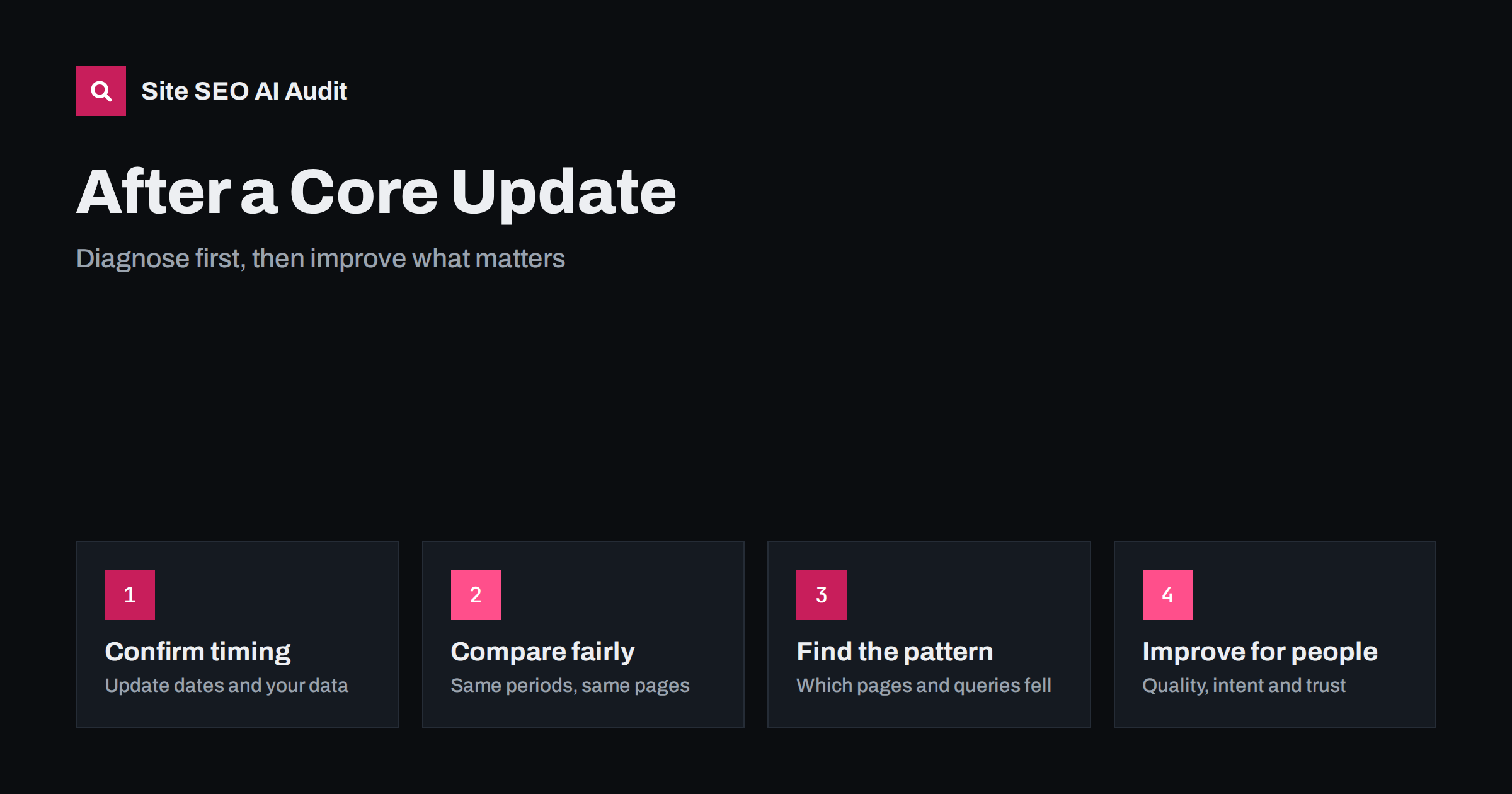
Short answer: A core update is a broad change to how Google’s systems assess content, not a penalty aimed at your site. If traffic fell, wait until the rollout has finished, compare equal periods in Search Console, find which pages and queries lost visibility, rule out technical faults and manual actions, and then improve those pages for real usefulness, intent match and trust. There is no quick fix, and large panic edits usually make analysis harder.
Few events worry site owners as much as a sudden fall in organic traffic that coincides with an announced core update. The instinct is to change everything at once: rewrite titles, delete pages, add keywords. A calmer process works better. This guide explains how to confirm that the update is really the cause, how to read your data, and how to plan improvements that can pay off over time.
What a core update is, and what it is not
Google changes its search systems every day, but a few times a year it announces core updates, which are broader adjustments to how the systems judge content and relevance. Google’s guidance has repeated several points:
- A core update is not a penalty for a specific violation. Pages can move up or down as the assessment of what is most useful for a query changes.
- A rollout takes time, often around two weeks, and results can move during that period.
- There is usually no single fix for a drop. Google advises focusing on helpful, reliable, people-first content.
- Improvements may take a while to show, and sometimes the effect appears only after a later update.
This is different from a manual action, where a human reviewer applies a penalty and you receive a message in Search Console. See manual actions in Search Console to check for one. Check the official Search Status Dashboard for dates and check Google’s current documentation, because wording and processes change.
Step 1: confirm the timing
Before you blame an update, check that your drop matches it. Take the daily clicks and impressions from the Search Console performance report and mark the announced start and end dates of the rollout. Ask:
- Did the fall begin within the rollout window, or earlier?
- Did it happen suddenly or gradually over months?
- Did something else change on your site around the same time, such as a migration, a redesign, a plugin update, a robots.txt edit or a change of hosting?
- Did your tracking change, for example a removed analytics tag or a new consent banner?
Technical incidents often masquerade as ranking changes. Check the crawl stats, indexing report and server errors for the same dates. See the Crawl Stats report, the Page Indexing report and website downtime and SEO. A migration problem needs a different response from a quality reassessment, as described in the site migration checklist.
Step 2: wait, then compare fairly
Rankings move during a rollout, so wait until Google says it is complete, and then wait a few more days. Compare a period after the update with an equal period before it. A common choice is the seven or fourteen days after completion against the same number of days before the start, and also against the same weeks a year earlier if your business is seasonal. Use the same filters for country, device and search type.
Look at impressions and average position as well as clicks. A drop in clicks with stable impressions suggests a click-through issue, for instance a new search feature above your result. A drop in impressions suggests that fewer queries show your pages. If clicks fall across the board while rankings hold, look at changes in the results page itself, including AI-generated summaries. See traffic dropped after AI Overviews and low CTR with many impressions.
Step 3: find the pattern
A site-wide fall is rare in practice. Most sites see specific pages, sections or query types move. Export the data by page and by query, and group the losers:
- By content type: guides, product pages, category pages, news, reviews.
- By topic: a theme where you have little depth or authority.
- By intent: queries where results now favour another format, such as videos, forums or product listings.
- By age: old pages that were never updated.
- By template: pages that share thin, repeated structure.
Then open the search results for the biggest losing queries and read what ranks now. Compare those pages with yours. Are they more complete, more current, more specific, better organized or from more trusted sources? Do they match the searcher’s goal better than you do? See search intent and content gap analysis.
Step 4: rule out the fixable problems
Run a technical and content check on the losing pages. Many issues are unrelated to the update, but they can still weaken your position:
- Indexing: pages accidentally set to noindex, blocked, canonicalized elsewhere or returning errors.
- Duplication: several pages competing for the same query. See keyword cannibalization.
- Thin pages with little original content. See thin content.
- Poor page experience: slow loading, layout shifts, intrusive overlays. See Core Web Vitals explained.
- Broken internal links, redirect chains and orphan pages that dilute signals.
Fixing these is worthwhile, but do not expect an instant reversal. They remove obstacles; they do not by themselves prove quality.
Step 5: improve for people
Google encourages creators to ask honest questions about their pages. Use them in a review of your biggest losers:
- Does the page give original information, analysis or first-hand experience, not just a summary of other pages?
- Would a reader feel that they learned enough, or would they need to search again?
- Is it clear who wrote it, what qualifies them and when it was updated? See author pages and bylines.
- Does the page match the title and the promise made in search results?
- Is the content created mainly to attract search visits instead of to help visitors?
Then act in priority order. Rewrite or expand the pages that matter most to your business. Merge overlapping pages into one stronger page, and redirect the old addresses. Remove or improve content that has no value, but do so deliberately. See content pruning and how to refresh old content. Add evidence, examples, data and images from your own work. See original data and first-hand experience and E-E-A-T and AI search.
What not to do
- Do not change everything at once. You will not know what helped or hurt.
- Do not delete large parts of the site in a panic. Pages with traffic or links may be valuable even if they dropped.
- Do not chase small tricks, such as keyword density changes or fake freshness through date changes.
- Do not buy links or mass-produce content with the hope of overpowering the update.
- Do not rely on a single metric. Rankings, impressions, clicks, conversions and revenue all tell part of the story.
Small sites and large sites need different plans
A small site with a few dozen pages can review each important page by hand. Read the page as a stranger would, compare it with the top results, and decide whether to expand, sharpen or merge it. A large site cannot do that for thousands of pages, so it needs a sampling approach. Pick a representative set of pages from each template and each losing group, review them in depth, and look for the common cause. If twenty product pages share the same manufacturer text and no original detail, the fix belongs in the template and the content process, not in twenty separate edits. Report the findings to the people who write and approve content, so that the lesson shapes future pages as well as the old ones.
Keep a log and measure the recovery
Write down every change with its date, the pages affected and the reason. Annotate your analytics. After the next update, or after a few months, compare the same groups of pages again. Some pages will recover, some will not, and some will gain from changes that you made for other reasons. Over time, this log becomes your knowledge of what your audience values. Regular monitoring helps you notice future drops early. See technical SEO monitoring and how to prioritize SEO fixes.
Site SEO AI Audit crawls the whole site like a search engine and reports thin and duplicate content, titles, headings, links, speed, structured data and AI visibility signals for each page, ranked by the points a fix can add. The first audit of up to 200 pages is free.
Related reading
The bottom line
A drop after a core update calls for analysis, patience and honest improvement. Confirm the timing, compare equal periods, identify the pages and queries involved, fix real technical faults and then raise the usefulness and trustworthiness of the content. Recovery is never guaranteed, but a clear process leaves your site stronger whatever the next update brings.
KKK
How long does a core update take to roll out?
Google has said that it can take around two weeks. Wait for the official completion notice before judging the results.
Is a core update a penalty?
No. It reassesses content across the web. A manual action is a separate, explicit penalty that appears in Search Console.
Can I recover before the next update?
Sometimes improvements show earlier, but often significant movement appears after a later update. Keep improving steadily.
Should I delete low-traffic pages?
Only after review. Improve, merge or redirect pages when possible, and remove those with no value for readers and no links.
Do technical fixes help after a core update?
They remove obstacles and are worth doing, but quality, relevance and trust of the content usually decide the result.