ENEnglish
 LTLietuviškai
 DEDeutsch
 FRFrançais
 RUРусский
 ESEspañol
 PLPolski
 ITItaliano
 UKУкраїнська
 CSČeština
 PTPortuguês
 JA日本語
 LVLatviešu valoda
 ETEesti
 HUMagyar
 IDBahasa Indonesia
 TRTürkçe
 HIहिन्दी
 ELΕλληνικά
 ARالعربية
 THไทย
 VITiếng Việt
 RORomână
 MSBahasa Melayu
 BNবাংলা
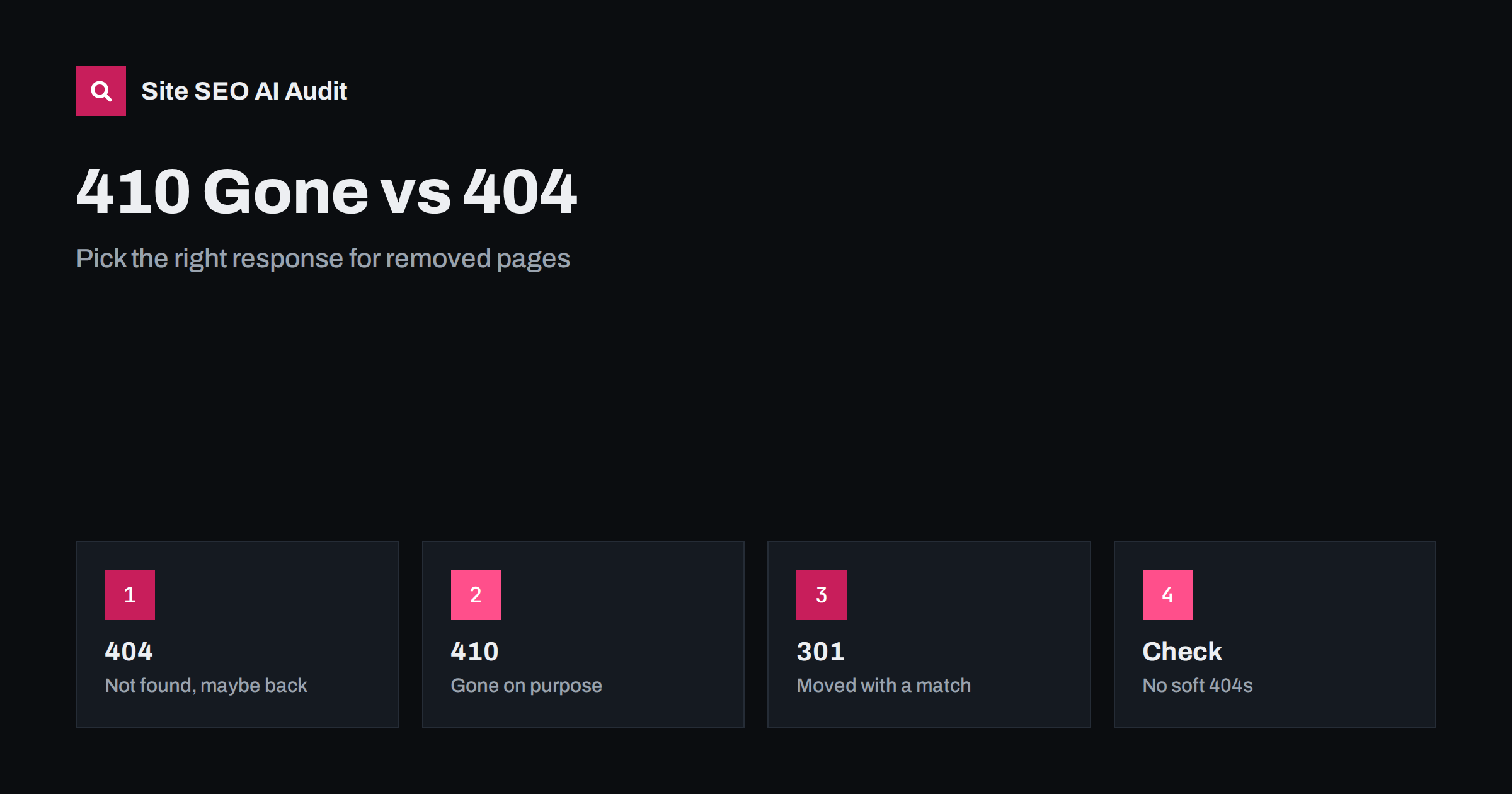
Short answer: A 404 means the page was not found, and a 410 means it is gone and was removed on purpose. Search engines treat them very similarly: both lead to the page dropping out of the index, and a 410 may be handled slightly faster. For most sites, a normal 404 is fine. Use 410 when you remove content deliberately and want to say so clearly, and use a 301 redirect only when a close replacement page exists. Never show an error page with a success code.
Every website removes pages sooner or later: old products, expired events, deleted posts, test pages and spam created by a hack. What the server answers when someone asks for those addresses influences how quickly search engines clean up and how visitors experience the site. Two status codes are involved most often, 404 and 410, and there is a lot of folklore about the difference. This guide explains the facts, the practical advice and the mistakes to avoid. For an overview of all status codes, see the guide to HTTP status codes.
What 404 and 410 mean
The 404 response means that the server cannot find anything at the requested address. It does not say whether the page ever existed, whether it will return or whether the visitor mistyped the link. The 410 response is more specific: the resource is gone and is not expected to come back. It is an intentional statement from the site owner.
In theory, the difference is a signal of permanence. In practice, search engines have said that they treat both as indications that the page does not exist, and that the speed of removal is similar, with a 410 perhaps slightly quicker in some cases. Neither is a penalty, and neither harms the rest of the site. A reasonable number of errors for removed pages is normal.
What search engines do
When a crawler meets a 404 or 410, it records the address as unavailable. It will often try again a few times, since errors can be temporary, and the interval grows. After a while the page is removed from the index and requested less often. A 410 tells the crawler there is no point in returning, so some systems stop sooner. You may still see requests for old addresses for months, which is not a problem.
Pages that were removed do not take away the value of the rest of the site. However, links that point to a removed page lose their value for that target, so if the page had strong links, it is worth considering a redirect to a relevant replacement. That decision is discussed below and in the guide to reclaiming lost backlinks.
When to use 404
Use a 404 as the default for addresses that do not exist: mistyped links, old pages that nobody linked and anything where you do not need to make a statement. It is also correct when you are not sure if the page will return. Most content management systems return a 404 automatically for missing pages, and that is a sound default.
Make the 404 page useful for people. Show a clear message, a search box and links to the main sections, and keep the status code as 404, not 200. The design is discussed in the guide to custom 404 pages.
When to use 410
Use a 410 when you remove content on purpose and permanently, and you want to be explicit. Examples are discontinued products with no replacement, expired events and offers, old press pages deleted for legal reasons and large amounts of spam pages from a hack. In the last case, a 410 helps to signal the clean-up, as described in the guide to hacked site spam.
A 410 is also helpful for bulk clean-ups after content pruning, when you delete hundreds of low-value pages and want crawlers to stop returning. See the guide to content pruning. Check whether your server or platform makes 410 easy to send. On many systems it takes only a rule or a plugin setting.
When a redirect is better
If a closely related page exists, a 301 redirect is usually better than an error, because visitors and link value go to the right place. For a discontinued product, that may be its successor or the product category. For an old article, it may be the updated version. Avoid redirecting everything to the home page, since search engines may treat mass redirects to unrelated pages as soft errors, and visitors are confused. The difference between the redirect types is in the guide to 301 and 302 redirects, and the way to keep them tidy is in the guide to redirect chains and loops.
How long to keep redirects in place is covered in the guide to keeping 301 redirects. For products that are temporarily unavailable, a different approach applies, as explained in the guide to out-of-stock product pages.
Soft 404s and other mistakes
The most common mistake is the soft 404: a page that says not found but returns a success code, or a redirect from a missing page to a generic page. Search engines detect these and report them, and they waste crawling and cause confusing reports. Always make sure that the status code matches the message, as explained in the guide to soft 404 errors.
Other mistakes include blocking removed pages in robots.txt, which prevents the crawler from seeing the 404 or 410 and may leave the address in the index longer, and using noindex on a page that should simply be gone. Another is returning 410 for pages that are only temporarily unavailable, which can lead to them being dropped when they come back. If the removal is temporary, use a different approach, such as a 503 for maintenance. For urgent removals of sensitive content, use the tools in the guide to removing a page from Google.
Check and monitor
Crawl your site to find internal links that lead to removed pages, and fix them, so that visitors and crawlers do not meet errors from your own navigation. See the guide to finding and fixing broken links. Remove removed pages from the XML sitemap. Look at the page indexing report in Search Console to see which addresses are reported as not found, and distinguish between old pages that are expected to drop out and important pages that disappeared by mistake.
If a large number of important pages suddenly return errors, treat it as an incident: check recent releases, server settings and migrations. An error spike after a launch is a typical sign of a problem in a redirect rule, as described in the guide to the site migration checklist.
A simple decision guide
Ask yourself these questions for each removed page. Is there a close replacement? If yes, redirect with a 301. Is the removal intentional and permanent, with no replacement? Send a 410, or a 404 if that is simpler. Is the page temporarily unavailable? Keep the page or use a temporary status. Did the address never exist, or is it a typing mistake? Let it return a 404. Write the rule in your team’s guidelines so that editors, developers and agencies make the same choice.
Technical notes for developers
Send the status code in the HTTP response header, not through a script or a meta refresh, because only the header is reliable for crawlers. Check that the same code is returned for requests with and without a trailing slash and for both the secure and the plain address. If a content delivery network or a cache sits in front of the site, confirm that it passes the origin status through and does not turn errors into success pages or cache them for too long.
Keep the body of an error page light, since bots may request many removed addresses. Avoid heavy database queries on a 404 page, and consider caching it. For bulk removals, use a rule that matches a pattern, such as a folder or a naming scheme, instead of thousands of single entries, and test a sample of addresses before and after the change so that you know the rule works as intended.
Here is a short example. A local events website deleted thousands of expired event pages every season. At first, it redirected all of them to the home page, and Search Console reported many soft errors. The owner changed the approach: events with a recurring series redirected to the series page, and one-off events returned a 410 after a notice period. The reports became clean and crawling concentrated on current events.
A second example is a shop that removed a discontinued brand. It redirected each product to the closest alternative where one existed and returned 410 for the rest, while keeping a short explanation on the category page.
Site SEO AI Audit crawls your website and reports status codes, soft 404 signs, redirect chains, links to redirects, broken internal and external links and sitemap issues, so you can find removed pages that are still linked. It does not choose the response for you. The first audit of up to 200 pages is free, and larger sites can see the pricing page.
Related reading
The bottom line
Redirect when there is a real replacement, send 410 or 404 when content is gone and never let an error page return a success code.
KKK
Is 410 better than 404 for SEO?
Not by much. Search engines treat both as missing pages, and a 410 may be handled slightly faster. A normal 404 is fine for most sites.
Do 404 errors hurt my rankings?
No. Errors for pages that no longer exist are normal. Problems arise only when important pages return errors by mistake.
Should I redirect deleted pages to the home page?
Usually not. Redirect to a relevant replacement, or return 404 or 410 if none exists.
How long until a removed page leaves the index?
It varies from days to several weeks, depending on how often the page is crawled.
Can I return 410 for a page that will come back?
It is better not to, because the page may be dropped. Use another approach for temporary removals.