ENEnglish
 LTLietuviškai
 DEDeutsch
 FRFrançais
 RUРусский
 ESEspañol
 PLPolski
 ITItaliano
 UKУкраїнська
 CSČeština
 PTPortuguês
 JA日本語
JA日本語 LVLatviešu valoda
 ETEesti
 HUMagyar
 IDBahasa Indonesia
 TRTürkçe
 HIहिन्दी
 ELΕλληνικά
 ARالعربية
 THไทย
THไทย VITiếng Việt
 RORomână
 MSBahasa Melayu
 BNবাংলা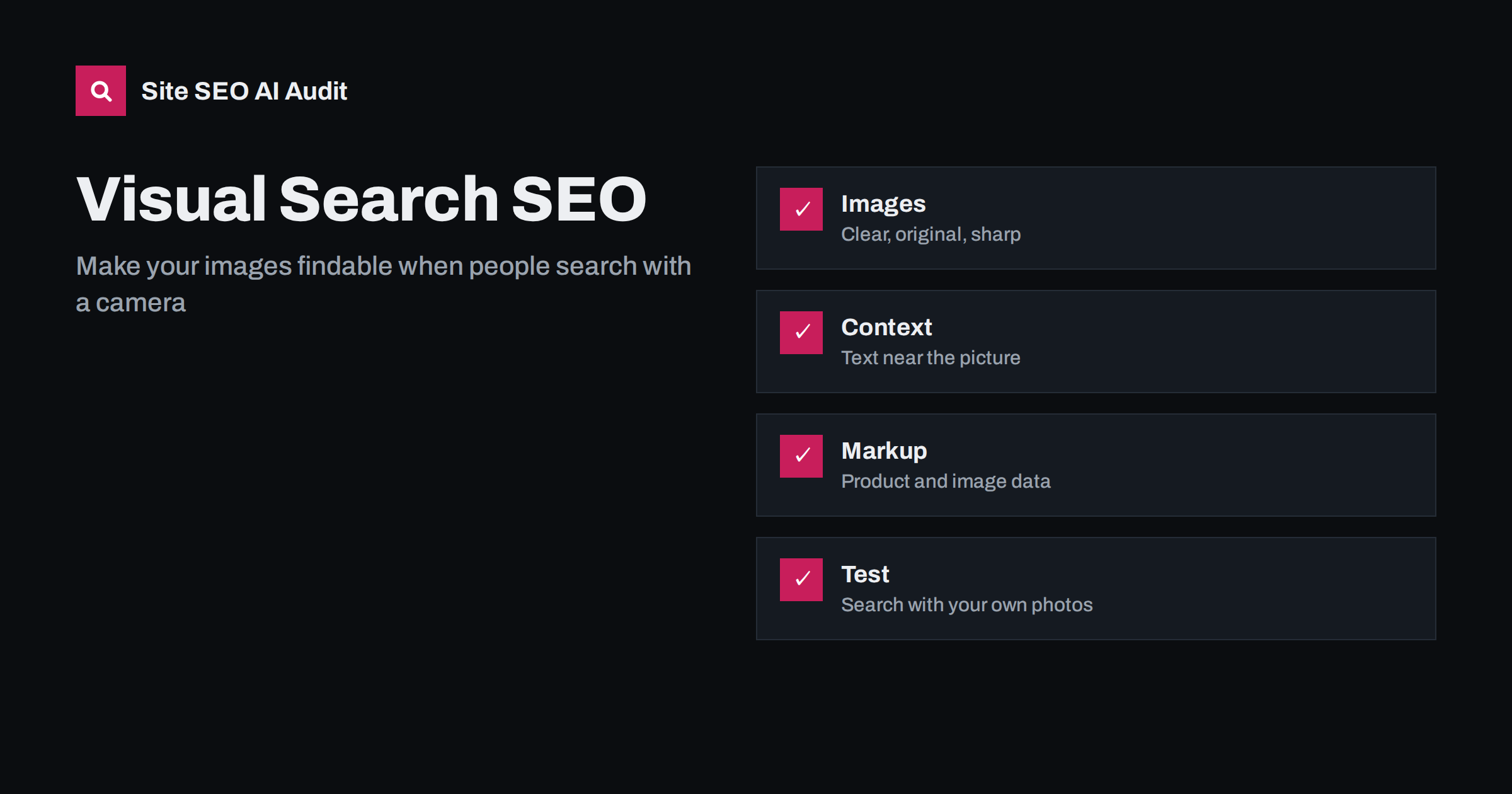
Short answer: Visual search lets people point a camera at an object or upload a photo to find what it is, where to buy it or similar items. To appear in those results, publish clear original images that show the subject, put descriptive text, alt text and captions next to them, use structured data for products and places, keep images crawlable and fast, and test your own photos in the tools. Context around the image matters as much as the image.
Image search used to start with words typed into a box. Today many people start with a picture: a plant in the garden, a pair of shoes seen on the street, a landmark, a piece of furniture or a menu in another language. Tools such as Google Lens analyze the picture, recognize objects and text, and match them with pages across the web. For a site owner this creates a new route to traffic, especially in shopping, travel, food, design and how-to topics. The good news is that the work is a more careful version of standard image SEO.
How visual search understands a picture
A visual search system does two jobs. First it analyzes the image itself: objects, shapes, colors, text inside the picture, faces of landmarks and similar items. Then it connects what it sees with pages, products and entities it already knows. The second part depends on your page. The system looks at the text near the image, the alt text, the file name, the page title, structured data, and signals that the page is trusted for that topic. If your picture is of a sofa but the page does not name it, give its size or tell where to buy it, the system has nothing to match.
The result can be a product listing, a similar-items carousel, a location, an identified species, a translated text or a how-to page. Not every query leads to a click to your site, but good images with clear information give you a chance to be the source. For the basics, see image SEO: file names and captions and image alt text.
Publish images that are easy to recognize
Quality starts with the photo. Aim for pictures that show the subject clearly and honestly:
- Original photos of your real products, places or work. Stock images appear on many sites, so they give little reason to choose yours.
- Multiple angles for products: front, side, detail, in use, and with a size reference.
- Clean backgrounds and good light so the object stands out. Shops often use plain, neutral backdrops for clarity; choose a style that fits your catalog and keep it consistent.
- Sharp, large files. Low-resolution thumbnails limit what the system can see. Keep a large original and serve scaled versions.
- Visible text where relevant, such as labels, signs or packaging, because text recognition can read it.
- One main subject per image when possible. Crowded pictures confuse matching.
Avoid heavy filters, watermarks across the subject and text overlays that hide the object. If you rely on illustrations or diagrams, add descriptions that explain what they show.
Put context next to every picture
Place the image near the text that explains it, not in a distant gallery. Write a descriptive file name, an alt attribute that says what the image shows, and a caption where it helps the reader. Surrounding paragraphs should name the product, model, material, color, size, place or species, using the words people use. For a shop, the page needs the product name, brand, price, availability and key attributes. For a destination, add the place name, region, season and practical details. For a recipe or craft, show steps with a photo for each stage.
Use headings that match the subject, so the page title, the H1 and the image tell the same story. Do not repeat identical alt text on many images; it adds no information. See heading structure for SEO and topic coverage and semantic SEO.
Add structured data and feeds
Structured data helps systems connect pictures with facts. For products, mark up name, image, description, brand, identifiers, price and availability, and keep it equal to the visible page. For recipes, local businesses, articles and videos, use the matching types where the page qualifies. If you sell online, a product feed can also supply information to shopping surfaces; check the rules of each platform. Make sure the main image URL in the markup is crawlable and returns a success status. See product pages for AI shopping, structured data for AI search and how to fix structured data errors.
Keep images crawlable, fast and stable
Search engines must be able to fetch the image file and the page. Check these points:
- Use standard image elements with a source, or a picture element with fallbacks, so the files are discoverable. Images set only through scripts or style backgrounds can be missed.
- Do not block the image folder in robots.txt. See the robots.txt guide.
- Use stable URLs. Changing file names with every deployment resets the history of the image. See URL changes and citations.
- Serve modern formats at sensible sizes, with responsive attributes. See WebP and AVIF image formats and responsive images, srcset and sizes.
- Lazy-load images below the fold, but never the main image above it. See lazy loading and SEO.
- Consider an image sitemap or include images in your sitemap when pages load them in complex ways.
Speed matters because large images are often the largest element on the page. See how to fix Largest Contentful Paint. If you use a CDN with image resizing, check that it does not block crawlers and that the original quality is preserved.
Optimize by business type
- Shops. Product images with consistent naming, variant photos, size charts and clear product data. Keep out-of-stock pages informative; see out-of-stock product pages.
- Local businesses. Photos of the storefront, interior, team, menu and products, with place details and a consistent name. See local business AI search.
- Travel and hospitality. Real photos of rooms, views and attractions, with captions that name places. See travel and hotels in AI search.
- Publishers and educators. Original diagrams, charts and step photos with descriptive captions.
- Manufacturers and B2B. Photos of parts, with model numbers and specifications in text. Technical buyers often start with a photo of a part they need to replace.
Test how your images are understood
Take your own photos or use pictures from your site, and search with them using the visual search tools on your phone and in the browser. Check whether the object is recognized correctly, whether your page appears, which pages appear instead and what text they have that you lack. Try different angles and backgrounds. Look in Search Console’s performance report for image search data and compare impressions with the pages you expect. Update weak pages, then retest after the next crawl.
For the site-wide basics, an audit saves time. Site SEO AI Audit checks image alt texts, structured data, speed and page weight across your pages, and the first audit of up to 200 pages is free. You can use the results to find images that lack descriptions or slow down important pages.
Common mistakes
- Only one small photo per product or place. Systems need detail, and shoppers want to see several angles.
- Images inside scripts or sliders that are not present in the HTML when the page loads.
- Generic file names and empty alt text on meaningful images.
- Different names for the same item across the image, title, feed and structured data, which makes matching harder.
- Watermarks or heavy overlays that cover the object.
- Changing image URLs at every release without redirects.
Treat the improvement as a rolling project. Start with the ten pages that matter most for revenue or leads, give each a complete set of photos and text, check the markup, and retest with your phone. Then move down the list. Because the same assets also appear in classic image results, shopping features and social previews, the work pays off in several places at once.
Keep a simple log of the changes you make, with the date and the pages affected, and review image search impressions and clicks a month later. Without a record it is hard to tell which improvement helped, and visual search results can change as the tools learn from new images and new pages.
Related reading
- Image SEO: file names and captions
- Multilingual image SEO
- PDFs, images and video in AI search
- WebP and AVIF image formats
The bottom line
Visual search rewards sites that show real things clearly and explain them in text. Publish original, sharp images, place descriptive words and structured data beside them, keep files crawlable and fast, and test with your own photos. The same effort improves classic image search and the way assistants understand your content.
FAQ
Is visual search different from image SEO?
It builds on image SEO. The picture is the query, so recognition of the object and the quality of surrounding text and data matter more.
Do I need special markup to appear in visual search?
No special markup is required, but structured data for products, places and other entities helps systems connect the image to accurate facts.
Are stock photos a problem?
They are not forbidden, but they appear on many sites and give little reason to choose yours. Original photos of your real products and work perform better.
Should I use alt text on every image?
Use it on meaningful images and describe what they show. Decorative images can have an empty alt attribute.
How can I check my visibility in visual search?
Search with your own photos using visual search tools, and check image search data in Search Console for impressions and clicks.