ENEnglish
 LTLietuviškai
 DEDeutsch
 FRFrançais
 RUРусский
 ESEspañol
 PLPolski
 ITItaliano
 UKУкраїнська
 CSČeština
 PTPortuguês
 JA日本語
JA日本語 LVLatviešu valoda
 ETEesti
 HUMagyar
 IDBahasa Indonesia
 TRTürkçe
 HIहिन्दी
 ELΕλληνικά
 ARالعربية
 THไทย
THไทย VITiếng Việt
 RORomână
 MSBahasa Melayu
 BNবাংলা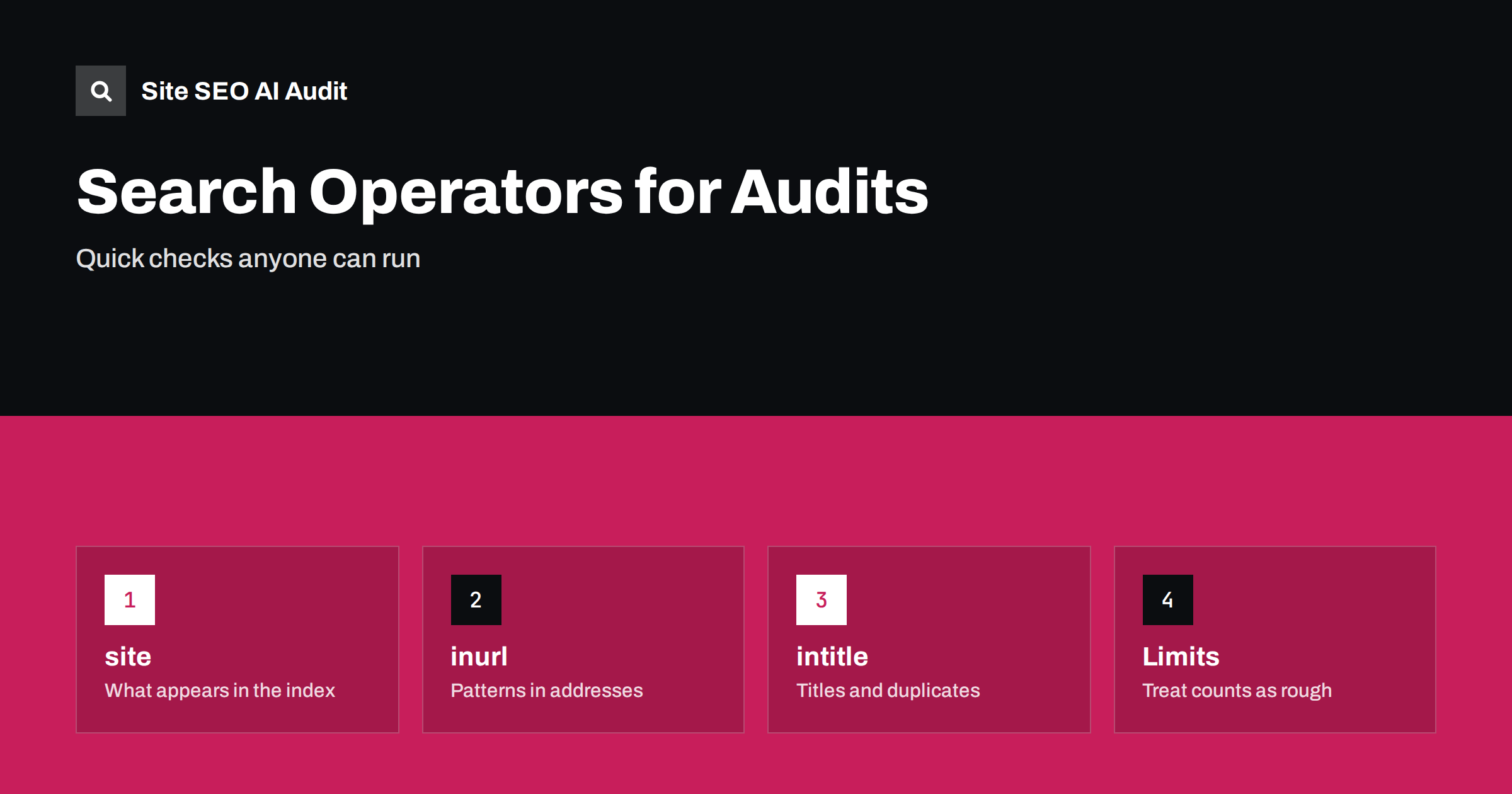
Short answer: Search operators are short commands typed into a search box that narrow results, and a few of them are very useful for quick SEO checks. With site:, inurl:, intitle: and quotation marks you can see which pages of your site appear in results, find test or parameter pages, spot duplicate titles and look for copies of your text. The counts are rough estimates, so use operators to find leads and confirm them in Search Console or a crawl.
You do not need special software for a first look at how a search engine sees a site. A few operators answer many questions within minutes: Are the right pages indexed? Do old addresses still appear? Is someone copying your content? This guide lists the operators that matter for audits, shows how to combine them and explains why the numbers should not be treated as exact. For reliable data about your own site, pair these checks with the URL Inspection tool and the indexing reports in Search Console.
The site: operator for a first look
Typing site: followed by your domain limits results to pages from that domain. Look at the first results to see which pages the search engine considers the most representative and how their titles and descriptions appear. Add a word after the operator to see pages about a topic, or put a folder in the address to look at one section only. Use it to check that important pages are present, that old campaigns are gone and that nothing strange appears, such as pages in other languages or with odd words that suggest injected spam. The guide to hacked site spam shows what such results look like.
Find patterns with inurl:
The inurl: operator finds pages whose address contains a given word. It helps to discover parameter addresses, staging folders, print versions, session identifiers and old file types. Combine it with site: to limit the search to your domain, for example to look for addresses that contain a question mark, a tag folder or the word test. If you find large sets of unwanted addresses in the results, you have found a problem to solve with canonical tags, noindex or redirects, as described in the guide to index bloat cleanup. A few such pages are normal, but hundreds of them point to a template or filter problem.
Check titles with intitle:
The intitle: operator finds pages whose title contains a word or phrase. Use it with site: to see which of your pages compete for the same phrase, which suggests keyword cannibalisation, and to find pages with a default title such as untitled or home. Searching for an exact title in quotation marks shows other pages with the same title, which are candidates for the cleanup described in the guide to duplicate title tags. Remember that the title shown in results can differ from the tag in your code, because search engines sometimes rewrite titles.
Look for copies of your content
Put a distinctive sentence from your page in quotation marks and search for it. If other sites appear with the same text, someone may be copying your content, or you may have syndicated it yourself. Also search for the sentence with your own domain excluded using a minus sign before the site operator. Check whether the copies outrank you, and decide whether to ask for removal, request a link or leave it. The article on content scrapers and stolen content explains the options. This check works best for pages with unique wording; generic text will return many unrelated results.
Find files and specific formats
The filetype: operator limits results to a document type, such as PDF, spreadsheets or presentations. Use it with site: to list the documents of your site that are indexed. This often reveals outdated brochures, internal price lists or files that were uploaded by mistake and should not be public. If you find one, remove or protect the file and ask for the result to be removed using the steps in the guide to removing a page from Google. Review forgotten uploads folders regularly, since files stay searchable long after they stop being useful.
Combine operators and exclusions
Operators become more powerful when combined. A minus sign removes results that contain a word or come from a site, so you can look at your domain without a certain folder. The word OR lets you test alternatives, and quotation marks require an exact phrase. A search for your domain, excluding the blog folder, and requiring a word in the title, can reveal how a specific part of the site appears. Keep notes of the searches that find problems, so that you can repeat them each month and see whether the results change.
What operators cannot tell you
The number of results shown for a site: search is an estimate and can change from one query to the next. Operators also depend on the search engine’s index and its current behaviour, and some operators have been reduced or removed over the years, so a command that worked last year may now give different output. A page missing from the results is not proof that it is not indexed, and a page that appears is not proof that it ranks. Use operators to form a hypothesis, then check with the URL Inspection tool, the page indexing report and your own crawl data before you act.
Build a monthly routine
Choose six or seven searches and run them on the same day each month. A useful set includes the site: view of the home page and top sections, one search for parameter addresses, one for staging or test folders, one for file types, one for your brand name together with words such as login or pricing, and one for a distinctive sentence from a recent article. Write down anything unexpected, such as a new folder in the results or a competitor using your text. Over time, the notes form a useful history that helps you notice changes quickly.
Be careful when you check results while logged in to a search account or while using a location setting, because personal history and place can change what you see. Use a private window and a neutral location when you compare results over time. When you share findings with colleagues, include the exact query and the date, so that others can repeat it and see the same thing.
Operators are also useful for competitive research. Searching for your competitors’ domains with the site: operator and a topic word shows how many pages they have on that topic and how they title them. This is not accurate data, but it gives a feeling for the scale and structure of their content. Use what you learn to find gaps in your own coverage, not to copy their pages.
Remember that these checks are for reading public results. Do not use operators to look for private information about people, or to find sensitive files on other sites. If you find sensitive information on your own site, treat it as urgent: remove it, secure the source and request removal from the index. Regular checks with a handful of simple operators can catch such problems before customers or competitors find them.
Here is a short worked example. Suppose a small shop owner types site: followed by the domain and sees a result with a title that says Test page and an address inside a folder called staging. That single result is a lead. The owner then uses inurl: with the folder name to see how many pages are affected, opens the URL Inspection tool for one of them to confirm that it is indexed, adds a noindex rule or password protection, and requests removal of the folder from results. A second search a few weeks later confirms that the pages are gone. The operators found the problem in two minutes; the tools did the careful work.
Another example concerns titles. Searching for intitle: with a product category word and the site: operator may show twelve pages whose titles begin the same way. That is a sign that the template produces repeated titles, and a crawl can then list every affected page. Fixing the template, rather than editing pages one at a time, solves the problem across the site. The operator showed that the problem existed; the crawl showed how widespread it was; the fix was made once. This pattern of quick check, careful confirmation and structural fix works for most audit findings.
Operators are most valuable in the hands of people who ask good questions. Before you search, write down what you expect to see: how many sections your site has, which languages are public, which folders should never appear. Compare the results with your expectation, and investigate every difference. A search that returns exactly what you expected is good news, and one that returns something surprising is the start of an investigation worth the time.
Site SEO AI Audit crawls your site and lists titles, descriptions, duplicate and missing titles, status codes, canonical tags, noindex tags and broken links for every page it finds, which gives exact data to compare with what the operators suggest. It does not show what the search engine has indexed. The first audit of up to 200 pages is free; larger sites can see the pricing page.
Related reading
The bottom line
Use site:, inurl:, intitle:, filetype: and exact phrases to find leads quickly, treat the counts as rough, and confirm every finding in Search Console or a crawl before changing anything.
FAQ
Is the site: result count accurate?
No. It is a rough estimate and can vary between searches, so use Search Console for real indexing numbers.
Can operators show pages that are not indexed?
No. They only show what the search engine returns. Use URL Inspection to check a specific address.
Which operators still work?
Quotation marks, minus, OR, site:, inurl:, intitle: and filetype: are widely used, but behaviour can change, so test them.
How often should I run these checks?
Monthly is enough for most sites, and after any migration, redesign or large content change.
Can I find copied content with operators?
Yes, by searching for a distinctive sentence in quotation marks, though only for pages with unique wording.