ENEnglish
 LTLietuviškai
 DEDeutsch
 FRFrançais
 RUРусский
 ESEspañol
 PLPolski
 ITItaliano
 UKУкраїнська
 CSČeština
 PTPortuguês
 JA日本語
JA日本語 LVLatviešu valoda
 ETEesti
 HUMagyar
 IDBahasa Indonesia
 TRTürkçe
 HIहिन्दी
 ELΕλληνικά
 ARالعربية
 THไทย
THไทย VITiếng Việt
 RORomână
 MSBahasa Melayu
 BNবাংলা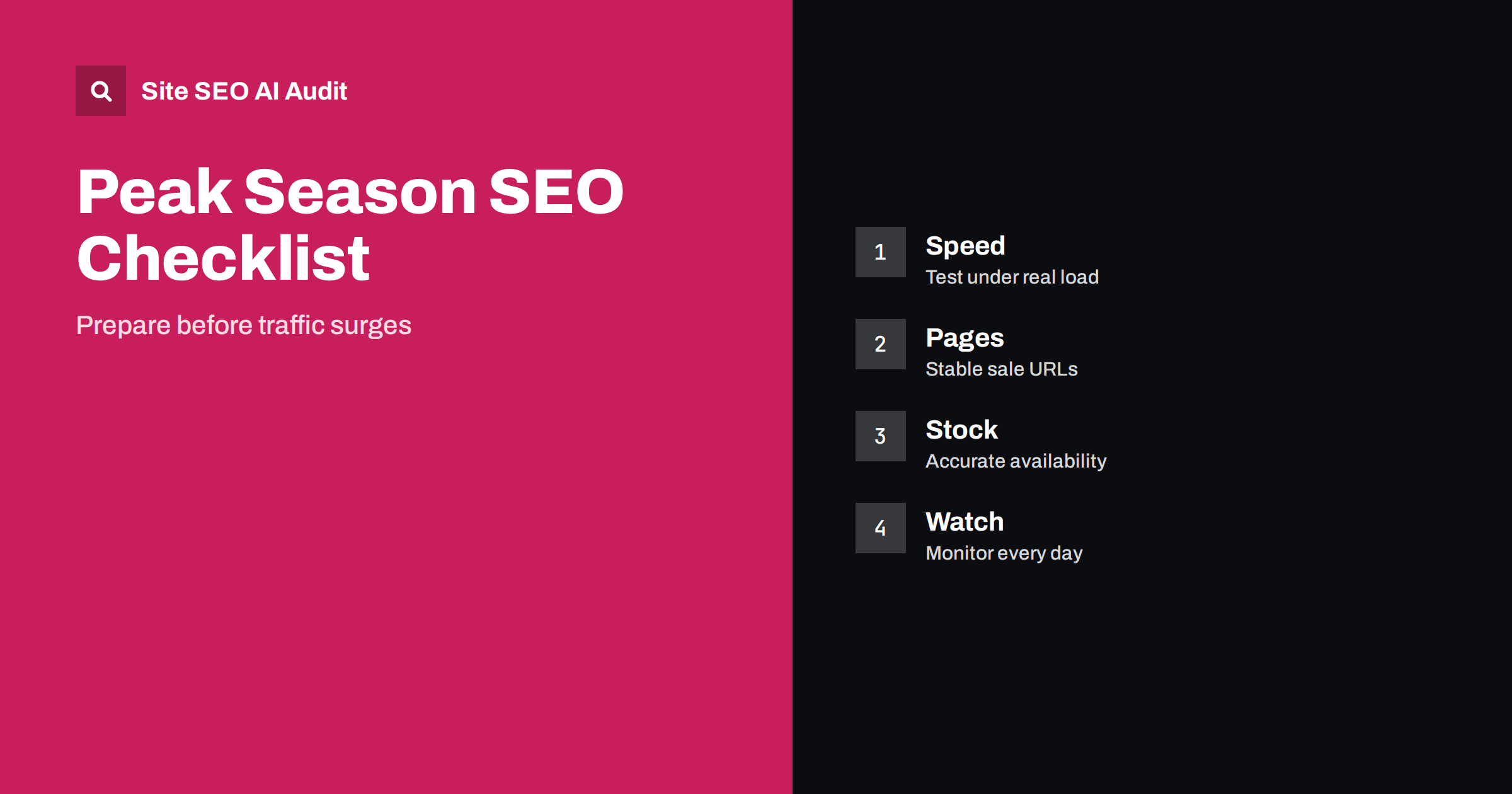
Short answer: Prepare for peak shopping weeks several weeks before they start. Test server speed and capacity under load, create stable sale and gift pages that you can reuse every year, keep stock and price data accurate, check that crawlers can still reach every key page, review cookie and pop-up behaviour and set up daily monitoring for errors, slow pages and indexing changes. Do the technical work early, because changes made in the middle of the peak are risky and hard to measure.
For many stores, a few weeks at the end of the year bring a large part of annual revenue. Visitors arrive in bursts, competitors discount heavily and every technical weakness becomes expensive: a slow checkout, a sale page that is not indexed, a product that shows as available when it is sold out. Search visibility also matters, because shoppers search for deals and gifts in the weeks before they buy. This guide gives a technical checklist, with the work in a sensible order. It complements the content advice in seasonal pages and SEO.
Start with a calendar and an owner
Pick the dates that matter for your market, such as the main shopping days, gift deadlines and the last order dates for delivery. Work backwards: what must be live a month before, two weeks before and a week before? Put the dates in a shared calendar with named owners for development, content, merchandising and customer service. Agree a code freeze, a period before the peak when only emergency fixes are allowed. Clear ownership prevents the typical problem of three people changing the same template on the busiest day of the year.
Test speed and capacity under load
A page that is fast with ten visitors may be slow with ten thousand. Check server response times, the database, search and filter features, the checkout and any third-party services such as payment, reviews and recommendations. Run a load test on a copy of the site if you can, and fix the slowest queries first. Review caching, image sizes and the weight of scripts, as described in server response time and TTFB. If you use a content delivery network, make sure the cache rules are correct for sale pages. Ask your host about limits and plan more capacity for the peak weeks.
Build stable sale and gift pages
Create sale, gift guide and deal pages on permanent addresses, such as one page for the main sale event, and reuse the same address every year, updating the content. A new address each season loses the links and history that the old one earned. Fill the page with real content: a clear title, a short intro, product categories, links to the products and a note on dates and terms. Link to it from the home page and the main menu once the sale is announced, and keep a lighter link after it ends. Do not create thousands of thin pages for each discount level. The reasoning is explained in seasonal pages: keep one URL.
Keep stock, price and offer data accurate
Accurate data protects both customers and search listings. Make sure the price, sale price and availability in the page text, the structured data and any product feeds match. Update availability in near real time, particularly for popular items, so that a sold-out product does not still show as in stock. When a product sells out for good, follow the steps in out-of-stock and discontinued products. Check that sale prices have an end date, that old promotional text is removed afterwards and that coupon rules are explained on the page. Mismatched prices are a common reason for warnings and lost trust.
Protect crawling and indexing
Large sales put pressure on crawl and index handling. Check that the sitemap includes the sale pages and key categories and leaves out parameter addresses and temporary duplicates. Review the robots file and noindex tags to confirm that nothing important was blocked during a test. Control filters and sorting, which can create thousands of near-identical addresses, using the methods in faceted navigation SEO. If you run a flash sale that lasts a few hours, remember that crawlers may not return in time, so internal links and a fresh sitemap help them find changes sooner. Do not change canonical rules during the peak without a test.
Review pop-ups, banners and consent
Seasonal banners, discount pop-ups and cookie notices change what visitors and crawlers see. Large overlays that cover the page on arrival can frustrate users and may hurt search, as explained in pop-ups and interstitials. Keep banners small, make sure they do not push the main content down and do not shift the layout when they load, since layout shifts reduce page experience scores. Check that the consent banner works on phones and does not block the content from rendering. Test the whole path on a real phone with a slow connection, because most peak traffic comes from mobile devices.
Prepare errors and fallback pages
When demand is high, errors happen. Prepare a helpful not found page with search and category links, and a clear maintenance or overload page that returns the right temporary status code, so that crawlers know to return later. Do not redirect all errors to the home page. If an important product is removed, redirect to the closest equivalent. Write a short procedure for the team: whom to call, what to check first and how to switch off a faulty feature without taking down the whole site. The downtime effects are described in website downtime and SEO.
Monitor daily and compare with last year
Set up a simple dashboard for the peak: response times, error rates, indexed sale pages, impressions and clicks for sale-related queries, conversion rate and revenue. Check it every morning and set alerts for sudden changes, such as a jump in server errors or a fall in indexed pages. Compare with the same period last year and with the weeks before, since search demand varies strongly by day. Keep a log of every change with the date, because it will help to explain any movement later. The monitoring approach is in technical SEO monitoring.
After the peak, do not rush to remove everything. Keep the sale page live with a short note about the next event, remove expired prices and codes and merge temporary pages into the permanent ones. Review what worked: which pages earned traffic, which queries brought buyers, which errors occurred and how long they lasted. Record the answers in a document for next year, so that preparation starts from a better position. Many stores repeat the same mistakes each year simply because nobody wrote down the lessons.
Do not forget the content and measurement side of the checklist. Check that titles and descriptions of the sale pages are written for the event and that they say what the shopper will find, not just the name of the sale. Make sure analytics and conversion tracking work with the current consent settings, because gaps in the data during the peak are painful and cannot be recovered. Test the main journeys on several browsers and devices: search, category, product, cart and payment. Review email and social campaign links, so that every campaign points to a live, indexable and correct address, with tracking parameters that do not create duplicate pages in the index.
Finally, think about customers outside your main market. International visitors may see the wrong currency, the wrong language or a delivery option that does not apply to them. Check that country and language versions show the right prices and sale dates, that hreflang annotations are in place and that geographic redirects, if you use any, do not stop crawlers from reaching the pages. A short test with a few foreign addresses or a trusted contact abroad can reveal problems that you would never see from your own office. Fix them before the traffic arrives, not after the first complaints.
A good rule is to run a final full crawl a week before the peak, compare it with the crawl from a month earlier and review every difference. New errors, new blocked pages and changes in titles or canonicals are the usual signs of an unplanned change. If something looks wrong, ask who changed it and why. Treat the crawl as a pre-flight check: it takes little time, and it turns a stressful launch into a routine one.
Site SEO AI Audit crawls your store and checks status codes, redirect chains, broken links, canonicals, sitemap problems, noindex tags, titles, structured data, server response times and page weight, so you can run it a few weeks before the peak and fix what it finds. It does not test your server under heavy load or monitor live traffic. The first audit of up to 200 pages is free; larger sites can see the pricing page.
Related reading
- Technical SEO Audit Checklist
- Core Web Vitals Explained
- Product Variants and SEO
- Shipping and Returns Pages
The bottom line
Start early, test speed under load, use permanent sale pages, keep stock and price data accurate, protect crawling, limit intrusive banners, prepare fallbacks and monitor every day.
SSS
When should I start preparing for peak season?
At least six to eight weeks before, so technical changes can be tested and indexed before shoppers arrive.
Should I create a new sale page each year?
No. Reuse one permanent address and update the content, so links and history stay with it.
What status code should an overloaded site return?
A temporary unavailable code with a retry hint, so crawlers know to return later and do not treat the pages as gone.
Do pop-ups hurt SEO during sales?
Large overlays that cover content on arrival can. Keep banners small and avoid layout shifts.
What should I measure during the peak?
Response times, error rates, indexed pages, clicks for sale queries, conversion rate and revenue, compared with last year.